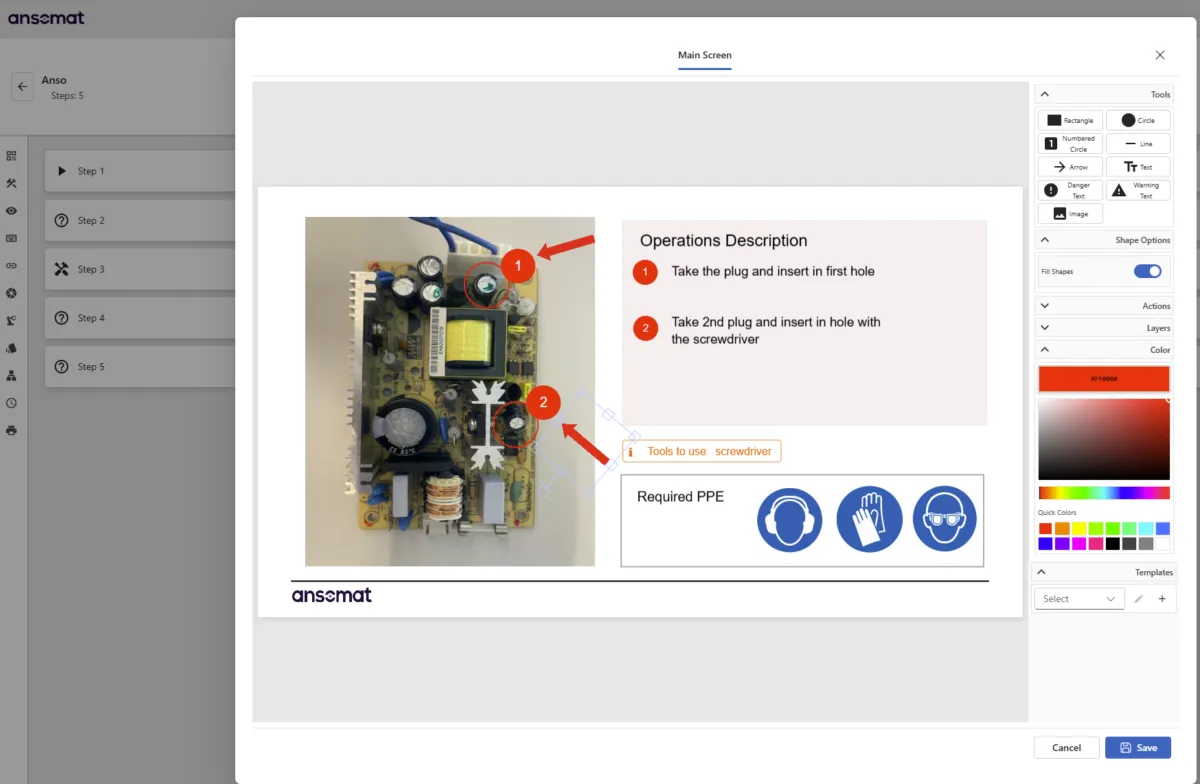
Digital work instructions replace static paper documents and PDFs with interactive, visual guidance that helps manufacturing operators perform tasks correctly at the point of work.
Modern systems can go far beyond displaying instructions. They can identify products, guide operators through the correct variant, capture process data, validate actions using connected tools or machine vision, and create complete traceability.
In this guide, you'll learn how digital work instructions work, where manufacturers use them, what benefits they deliver, how to calculate their ROI, and how to choose and implement the right solution.
Digital work instructions are interactive, task-level instructions that guide operators through a process step by step.
Unlike paper or PDFs, they become part of the production workflow itself. Instructions can combine images, videos, questions, checklists, value inputs, conditional logic, and automated validation to help operators complete each task correctly.
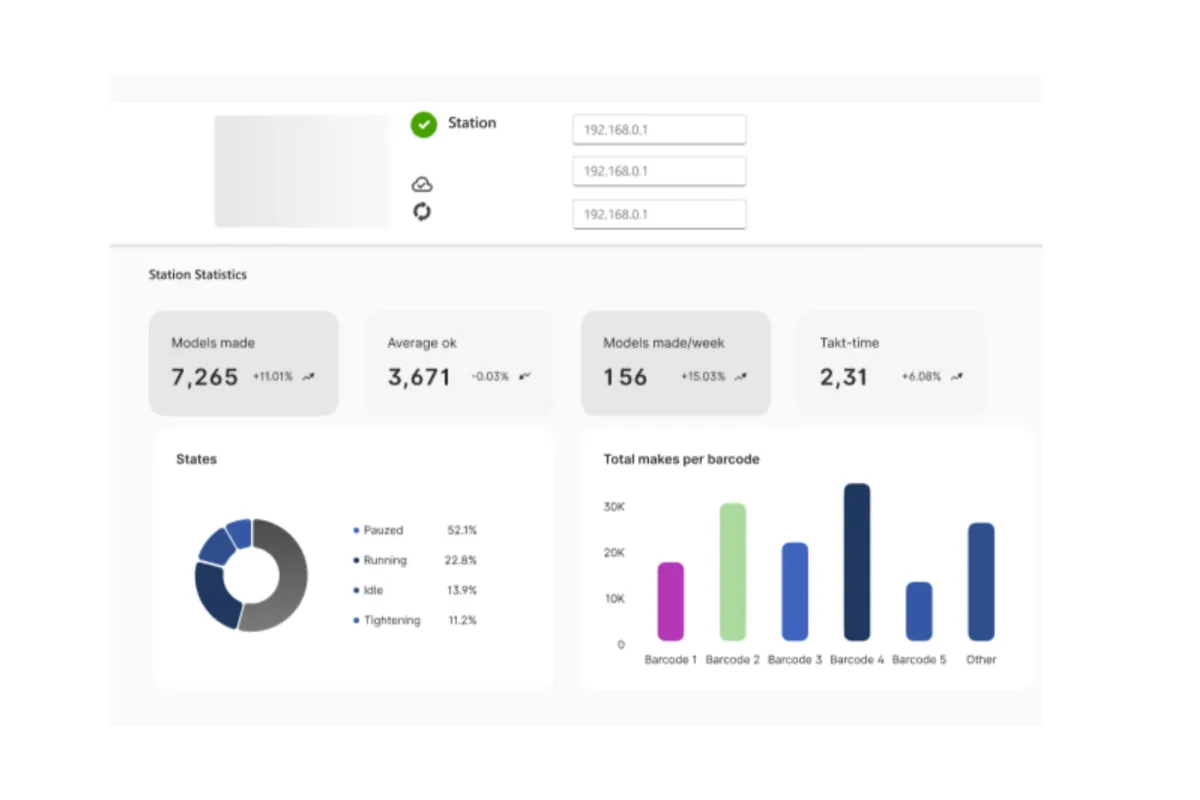
They can also capture what happens during execution, including confirmations, measurements, tool results, images, timestamps, and other production data.
Digital work instructions do not replace Standard Operating Procedures (SOPs). The two serve different purposes:
They also reduce dependence on knowledge stored only in experienced employees' heads. By turning expertise into standardized guidance, manufacturers can make critical process knowledge easier to transfer, maintain, and scale.
The fundamental shift is from documenting work to actively guiding and verifying execution.
Explore these topics in more detail:
https://ansomat.co/blog/knowledge-in-peoples-heads-vs-paper-pdfs-vs-digital-work-instructions
Manufacturing work instructions have evolved as production environments have become more complex.
Paper was practical when products, processes, and engineering changes were relatively stable. But as product variants increase and change cycles become faster, maintaining accurate instructions across workstations, shifts, and production sites becomes increasingly difficult.
PDFs solve part of this problem by making instructions easier to distribute and update. However, they remain largely passive documents.
Digital work instructions take the next step by making guidance interactive and connected to the production process.
| Evolution | How instructions are delivered | Main improvement |
|---|---|---|
| Paper instructions | Printed documents, manuals, binders | Familiar and simple, but difficult to update and control |
| PDF/electronic instructions | Documents displayed on PCs, tablets, or screens | Easier distribution and version management |
| Visual instructions | Images, videos, illustrations, and 3D content | Easier understanding of complex tasks |
| Interactive instructions | Structured workflows with operator inputs | Instructions become part of execution |
| Connected work instructions | Integration with scanners, tools, sensors, and machine vision | Automatic validation and traceability |
| Context-aware operator guidance | Instructions adapt to product, variant, or process | The right information appears at the right moment |
| Projection and AR guidance | Guidance is projected directly onto the workspace | Digital instructions move into the physical work environment |
This distinction matters because replacing a binder with a PDF does not fundamentally change how work is performed.
A true digital work instruction system can select the correct instruction automatically, adapt the workflow, capture operator input, validate actions, and record production data while the work is happening.
Explore this evolution in more detail:
https://ansomat.co/blog/from-paper-to-projection-the-evolution-of-task-guidance-in-industry

| Capability | Paper | Digital Work Instructions | |
| Visual step-by-step guidance | Limited | ✓ | ✓ |
| Automatic version control | ✕ | Limited | ✓ |
| Conditional instructions | ✕ | ✕ | ✓ |
| Real-time data collection | ✕ | ✕ | ✓ |
| Tool and system integration | ✕ | ✕ | ✓ |
| Action validation | ✕ | ✕ | ✓ |
| Process traceability | ✕ | ✕ | ✓ |
| Product/variant-specific guidance | ✕ | ✕ | ✓ |
| Interactive operator input | ✕ | Limited | ✓ |
The biggest difference is therefore not the screen. It is the ability to connect instructions with execution.
As manufacturing complexity grows, this becomes increasingly important. Outdated instructions, inconsistent processes, lost knowledge, production errors, and rework can cost significantly more than maintaining the documents themselves.
Explore the full analysis and comparison:
https://ansomat.co/blog/paper-vs-digital-work-instructions-the-hidden-costs-and-real-savings
https://ansomat.co/blog/knowledge-in-peoples-heads-vs-paper-pdfs-vs-digital-work-instructions
Digital work instructions can support many different manufacturing processes, from basic operator guidance to fully controlled assembly workflows with connected tools, sensors, and machine vision. Here are three practical examples of how they can be used on the shop floor:
An operator scans the product or serial number at the workstation. The system automatically loads the correct work instructions for that specific product variant and guides the operator through the assembly sequence step by step.
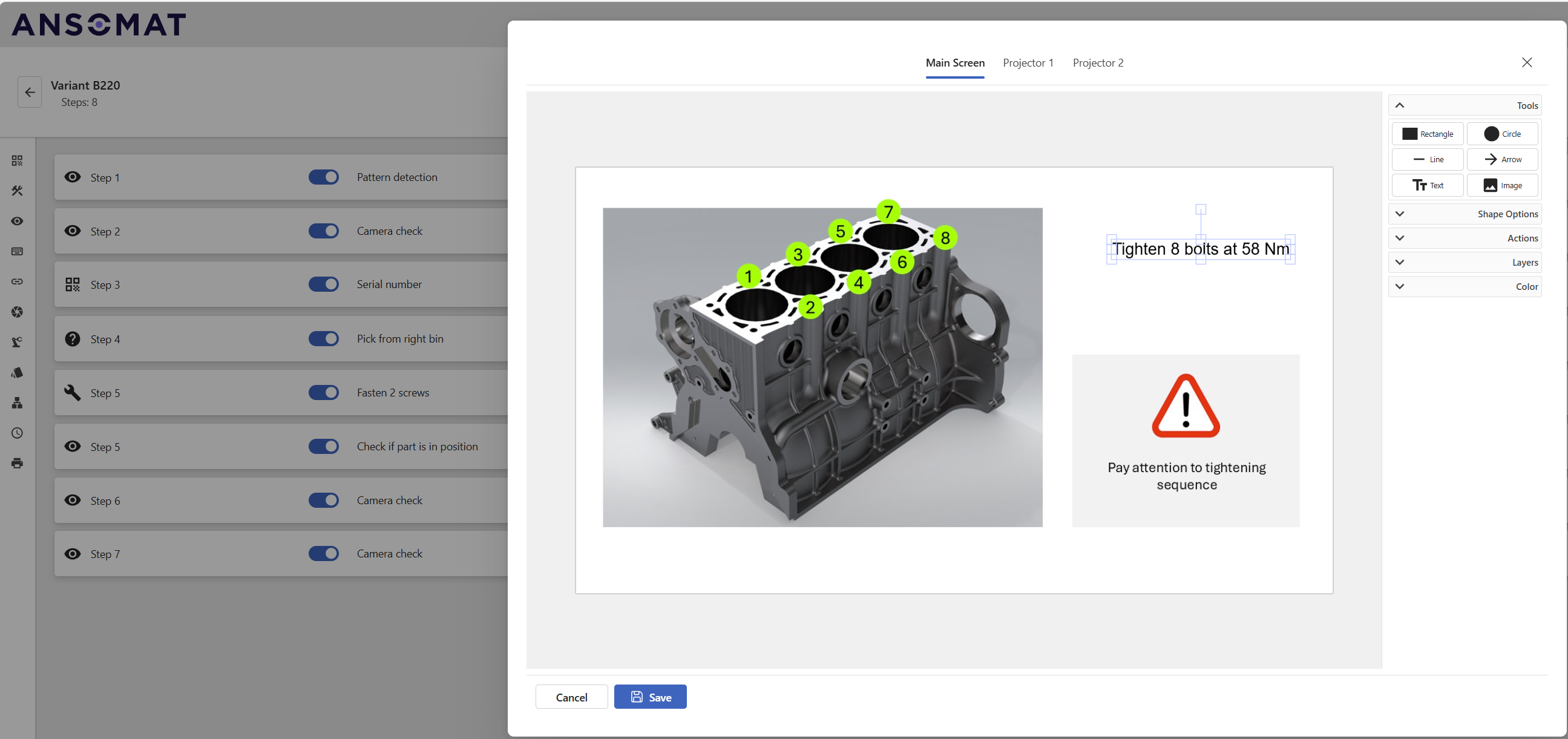
When a fastening operation is required, a connected screwdriver or torque tool can automatically select the correct tightening program. The tool sends the torque result back to the work instruction system, allowing the operator to continue only when the fastening has been completed within specification.
Typical workflow:
Scan product → load correct variant → guide assembly → perform fastening → validate torque → continue to next step.
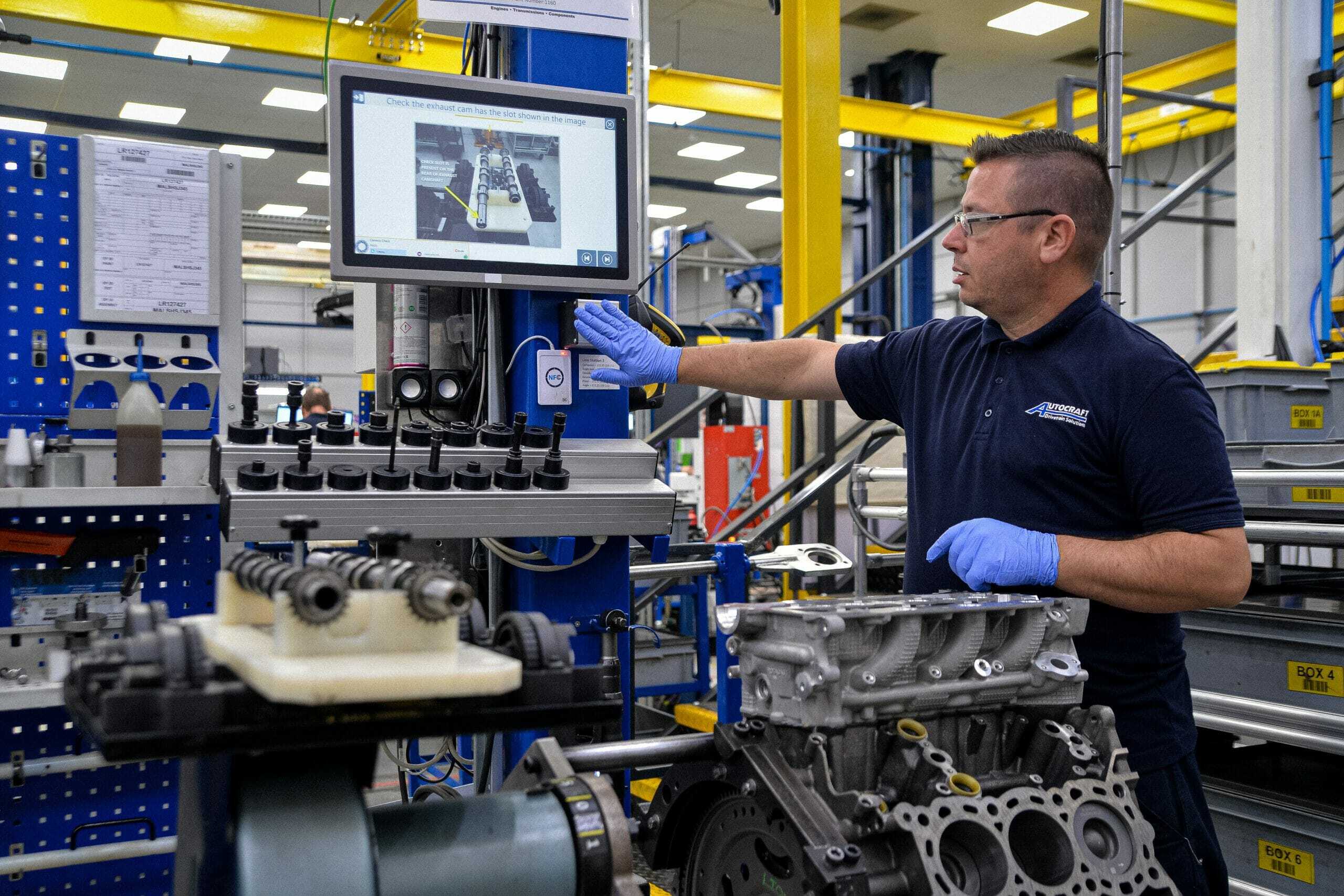
Digital work instructions can integrate quality checks directly into the production process instead of relying only on end-of-line inspection.
The operator receives visual inspection criteria or measurement instructions at the relevant process step. Measurements, checklist responses, images, or other quality data can be recorded directly in the workflow. If a result falls outside the required tolerance, the system can trigger a predefined rework or escalation process.
Typical workflow:
Display inspection criteria → perform check → capture result → validate against specification → continue or trigger rework.
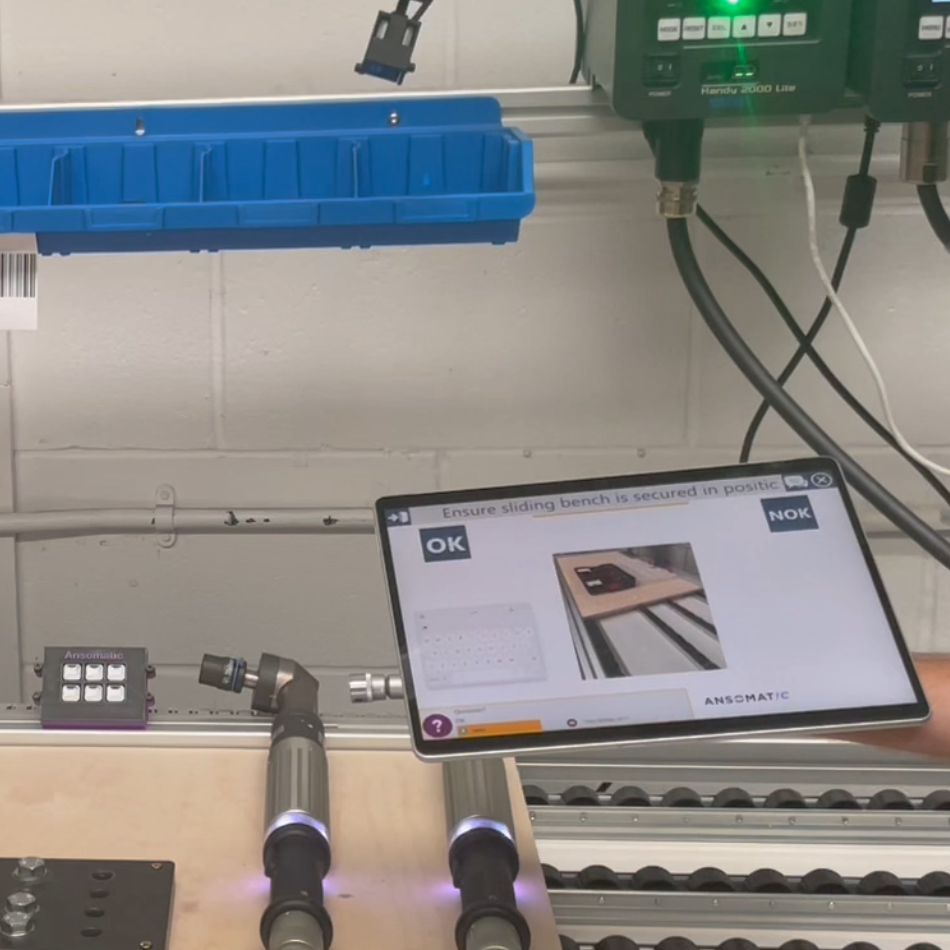
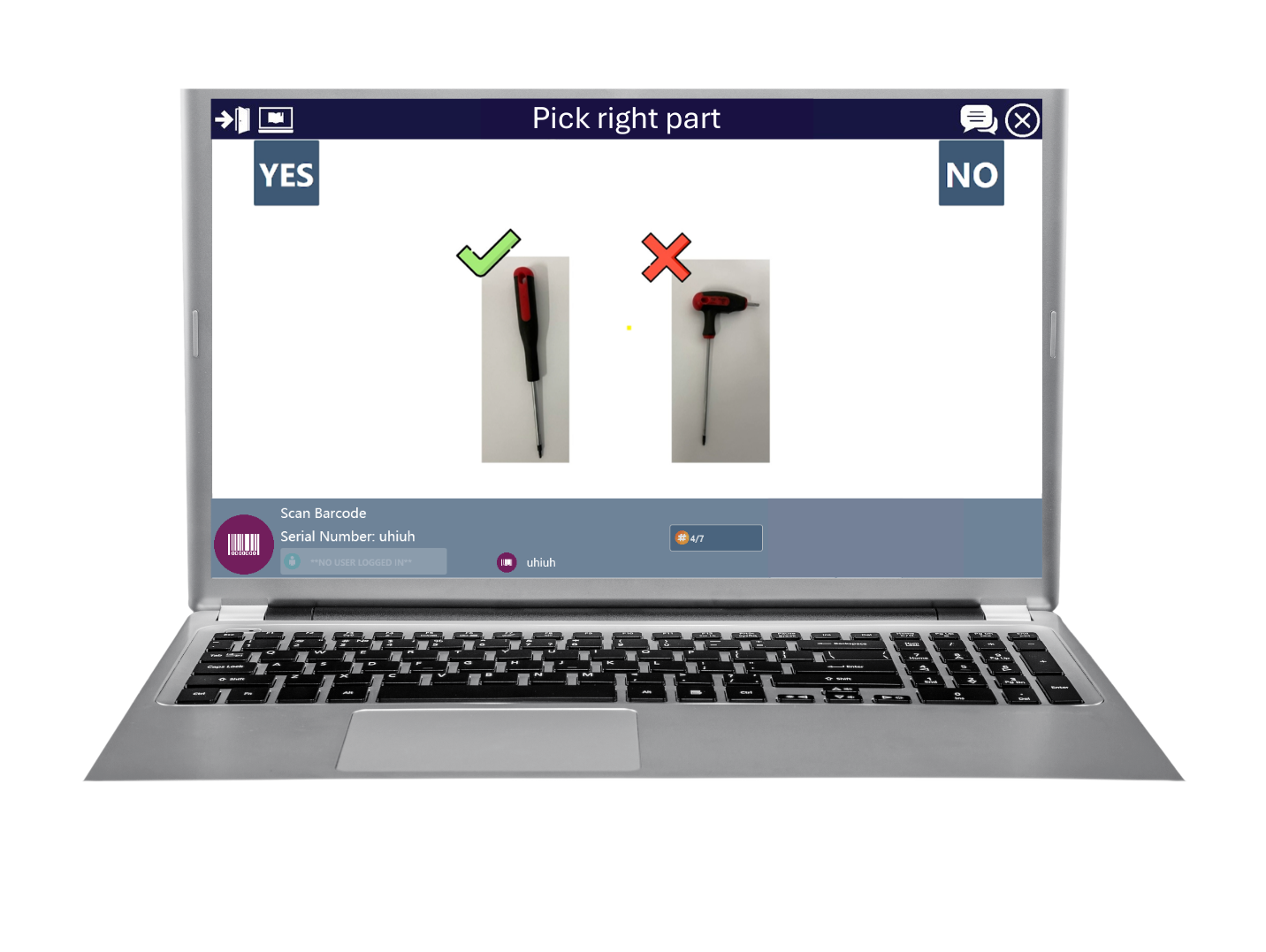
In picking and kitting operations, digital work instructions can guide operators to the correct component and verify that the right part has been selected before production continues.
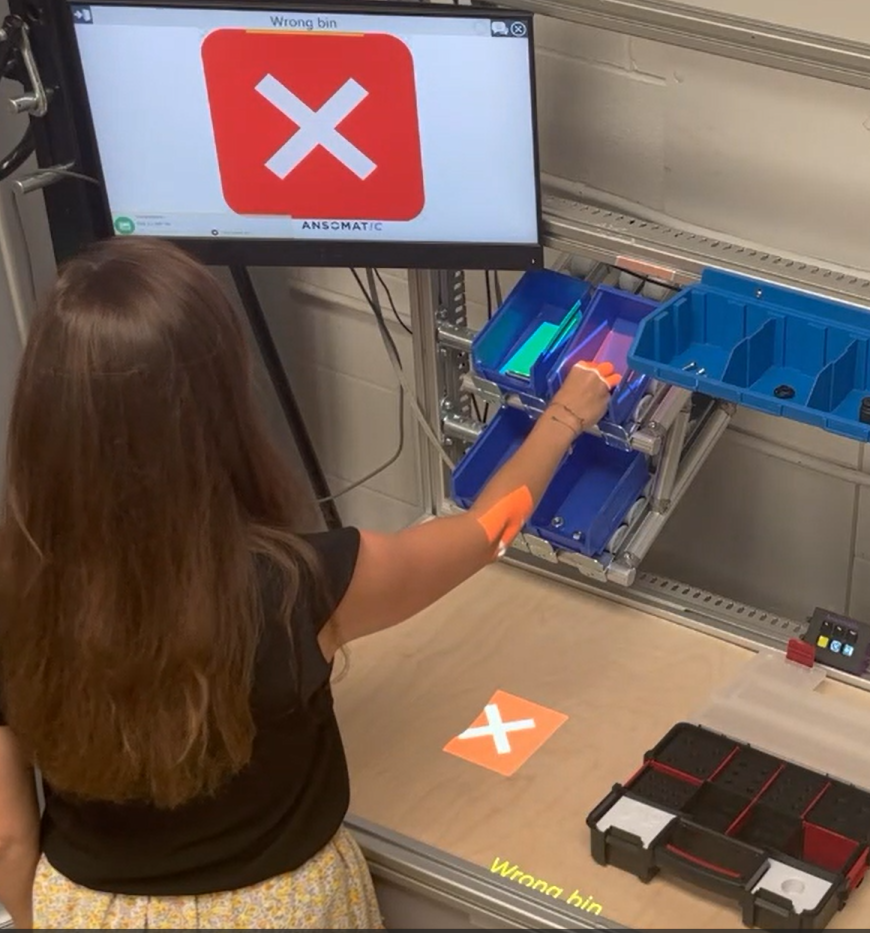
The required component can be shown on screen or identified using technologies such as pick-to-light or projection-based augmented reality. Barcode scanning or machine vision can then verify the selected component, reducing the risk of incorrect or missing parts entering the assembly process.
Typical workflow:
Identify required component → guide operator to location → pick component → verify selection → continue to next part.
These examples represent only a few of the ways digital work instructions can be applied. More advanced applications can combine operator guidance with barcode scanning, smart tools, machine vision, sensors, augmented reality, and automated traceability.
Explore the full analysis, examples and use cases:
https://ansomat.co/blog/digital-work-instructions-examples-and-use-cases
The ROI of digital work instructions can be measured across quality, productivity, training, traceability, and safety. Customer implementations show improvements ranging from fewer errors and faster assembly to shorter training times and reduced rework.
| ROI measure | Customer | Application | Measured impact | Business value |
| First-time-right | ITM Power | Energy manufacturing | 64% → 99% | Less rework, scrap, and wasted production time |
| First-time-right | Autocraft | Engine assembly | 99% quality control | Lower rework and warranty risk |
| Error reduction | VDL Nedcar | EV battery assembly | 60% fewer errors | Higher quality and lower cost of production errors |
| Rework & customer claims | Zumtobel | Lighting assembly | ~90% reduction: 3,500 → 500 customer claims | Fewer customer complaints, returns, and quality-related costs |
| Rework | High-end car manufacturer | Interior trim | 77% reduction in rework | Lower cost of poor quality and less production time lost to corrections |
| Operator training time | Autocraft | Engine assembly | 3 months → 1 week | Faster onboarding and greater workforce flexibility |
| Traceability | Autocraft | Engine assembly | 0% → 100% traceability | Complete production records and faster root-cause analysis |
| Operator independence | VDL Nedcar | EV battery assembly | 83% fewer help requests | Less dependence on supervisors and experienced operators |
| Assembly speed | VDL Nedcar | EV battery assembly | 20% faster assembly for high-mix configurations | Higher productivity and improved handling of product complexity |
| Safety | CNH | Off-highway manufacturing | 0 safety incidents since implementation | Safer execution of complex manufacturing processes |
Together, these results show that digital work instructions software delivers value far beyond replacing paper or PDFs. By guiding operators, validating critical steps, and capturing process data, manufacturers can improve first-time-right quality, reduce rework, accelerate training, and increase productivity.
Explore more customer implementations and measurable results:
https://ansomat.co/references
Scientific research referenced by Ansomat has also shown 16–20% faster task completion, 46–60% fewer errors, and 69–83% fewer requests for help with projection-based digital work instructions compared with traditional methods.
These improvements translate into a business case through:
The strongest ROI calculations start with the current AS-IS process and compare it with a clearly defined TO-BE situation. This allows manufacturers to quantify the cost of current errors, rework, training, delays, and inefficient processes before estimating potential savings.
For well-targeted applications, connected worker implementations can achieve payback in under six months.
Explore the full ROI framework and checklist and the scientific research on the proven impact of digital work instructions.
Digital work instructions are most valuable when they go beyond simply replacing paper. The right approach can guide operators through complex processes, connect tools and systems, capture production data, and help prevent errors before they happen.
A successful implementation does not require transforming the entire factory at once.
In fact, attempting to build a fully connected and automated factory from day one often adds unnecessary complexity and delays results.
A more practical strategy is:
Start small → prove value → standardize → scale → connect → automate.
Begin with a process where the operational problem is clear and the impact can be measured. This could be a workstation with high error rates, significant product variation, long training times, or frequent quality issues.
Once the pilot proves its value, expand to additional processes and gradually introduce more advanced capabilities such as scanners, connected tools, machine vision, sensors, traceability, and automation.
Each stage should deliver value independently while preparing the organization for the next level of digital maturity.
Want a practical step-by-step implementation plan? Explore the full roadmap in detail:
https://ansomat.co/blog/a-step-by-step-roadmap-to-roll-out-digital-work-instructions
Displaying the correct information is valuable, but information alone cannot guarantee correct execution.
Operators can still select the wrong component, use an incorrect tool setting, skip a step, or perform an action outside specification.
This is where digital work instructions evolve into operator guidance systems.
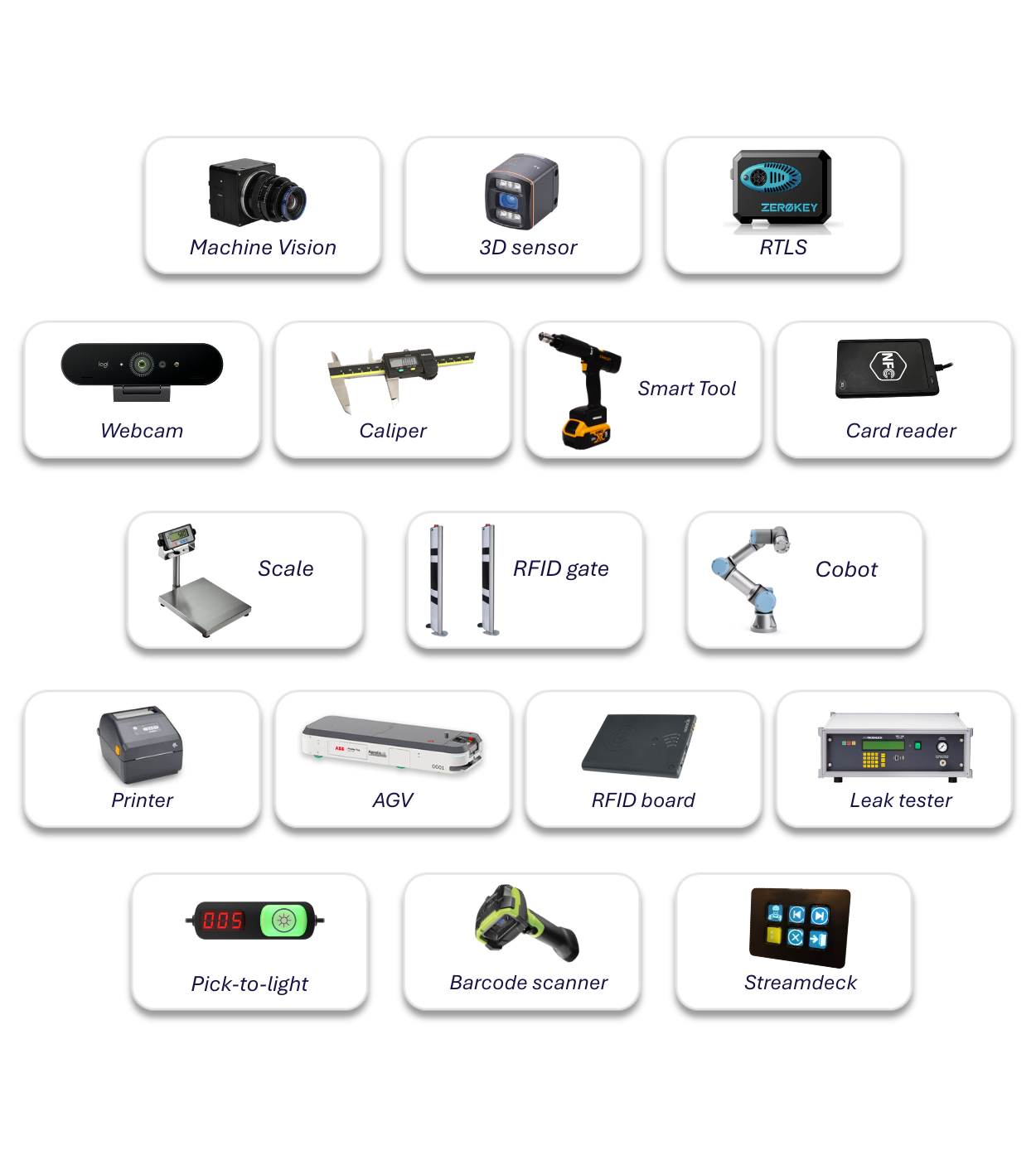
Operator guidance combines digital instructions with technologies that can guide, detect, verify, or control actions. Depending on the process, this can include:
For example, instead of simply telling an operator to tighten a bolt to a specific torque, the system can automatically configure the connected tool, capture the actual result, and prevent progression if the operation fails.
The result is a progression from telling operators what to do toward guiding and validating how the work is performed.
Explore this topic in more detail:
https://www.ansomat.co/blog/what-tools-to-connect-to-your-digital-work-instructions-platform
Not every digital work instruction platform offers the same level of capability.
A successful platform must work for operators on the shop floor while also meeting the requirements of engineering, quality, operations, and IT.
Key evaluation criteria include:
Most importantly, evaluate platforms against a real production use case rather than relying only on demonstrations.
A pilot quickly reveals whether a system can handle actual process complexity, operator requirements, and integration needs.
Explore the full evaluation checklist:
https://ansomat.co/blog/10-tips-to-consider-when-selecting-a-digital-work-instruction-platform
Another important advantage of digital work instructions is the data generated during execution.
Traditional paper instructions tell manufacturers what should happen. Digital systems can also show what actually happened.
Depending on the implementation, manufacturers can capture:
This creates a measurable continuous-improvement loop:
Collect → analyze → improve → standardize → repeat.
Instead of relying primarily on observation or assumptions, engineering and quality teams can identify where operators struggle, which process steps create delays, and where quality problems originate.
Explore the 5-step framework for turning shop-floor data into continuous improvement.
Augmented reality (AR) is transforming how manufacturers deliver work instructions on the shop floor, enabling operators to interact with digital guidance in their physical environment. But while AR promises futuristic benefits, not all implementations deliver equal value. In environments where precision, safety, and speed are critical, the choice of AR delivery method makes a significant difference. Projector-based AR work instructions , which overlay guidance directly onto parts and tools in the real world , can outperform headset-centric solutions when ease of use, comfort, and integration with existing processes are priorities. By reducing cognitive load, improving ergonomics, and eliminating the need for wearable devices, projector AR can accelerate learning, lower error rates, and enhance execution across complex assembly and inspection tasks.
Explore the full analysis and insights:
https://ansomat.co/blog/ar-work-instructions-in-manufacturing-when-projectors-win
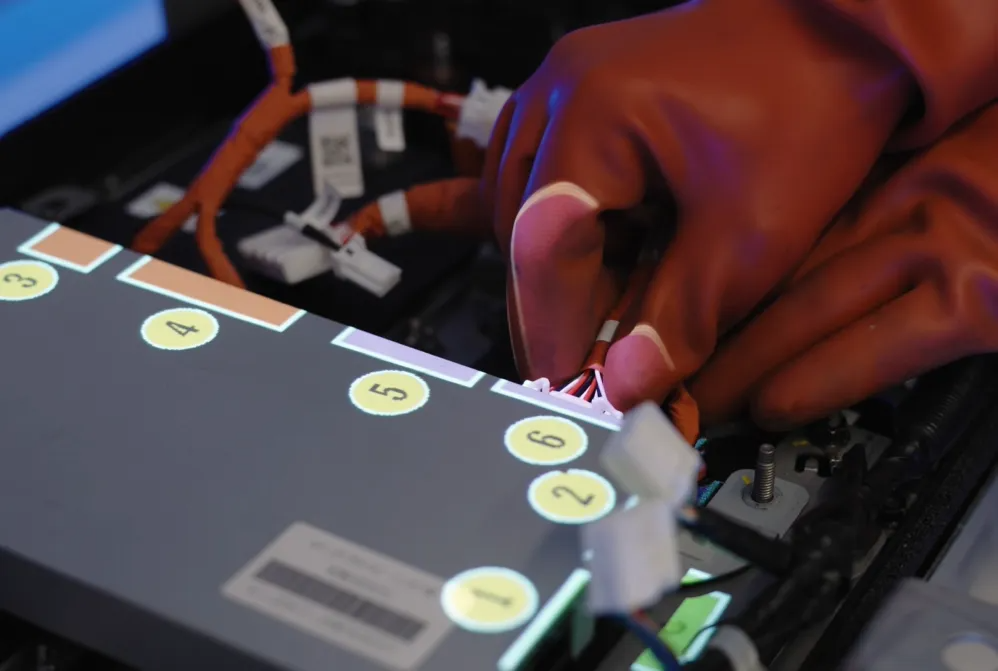
Digital work instructions are particularly valuable where production combines complexity, frequent change, strict quality requirements, or a strong need for traceability.
| Industry | Main challenge | How digital work instructions help |
| Automotive | High volumes, short takt times, variants, frequent engineering changes | Standardizes assembly, manages variants, reduces errors, and accelerates process changes |
| Aerospace & defense | Complex processes, compliance, long product lifecycles | Supports controlled instructions, verification, and traceability |
| Electronics & high-tech | Delicate components, rapid product changes, high-mix production | Simplifies complex tasks and supports faster changeovers |
| White goods & appliances | High-volume assembly, customization, seasonal workers | Standardizes execution and accelerates training |
| Medical devices | Validated processes, audits, documentation | Ensures approved procedures are followed and records execution data |
| Pharmaceuticals & life sciences | SOP adherence, deviations, regulatory compliance | Guides controlled processes and captures critical data |
| Food & beverage | Hygiene, safety, changeovers, inspections | Standardizes procedures and distributes changes quickly |
| Maintenance & field service | Equipment complexity, downtime, limited expert access | Provides technicians with guidance at the point of work |
| High-mix, low-volume manufacturing | Frequent variants and changeovers | Dynamically delivers the correct process while reducing reliance on tribal knowledge |
Although the priorities differ by industry, the underlying challenge is the same: ensuring the correct process is executed consistently, not simply documented correctly.
Explore how augmented reality and digital worker guidance are being applied across nine industries:
https://ansomat.co/blog/9-industries-benefitting-from-augmented-reality-ar
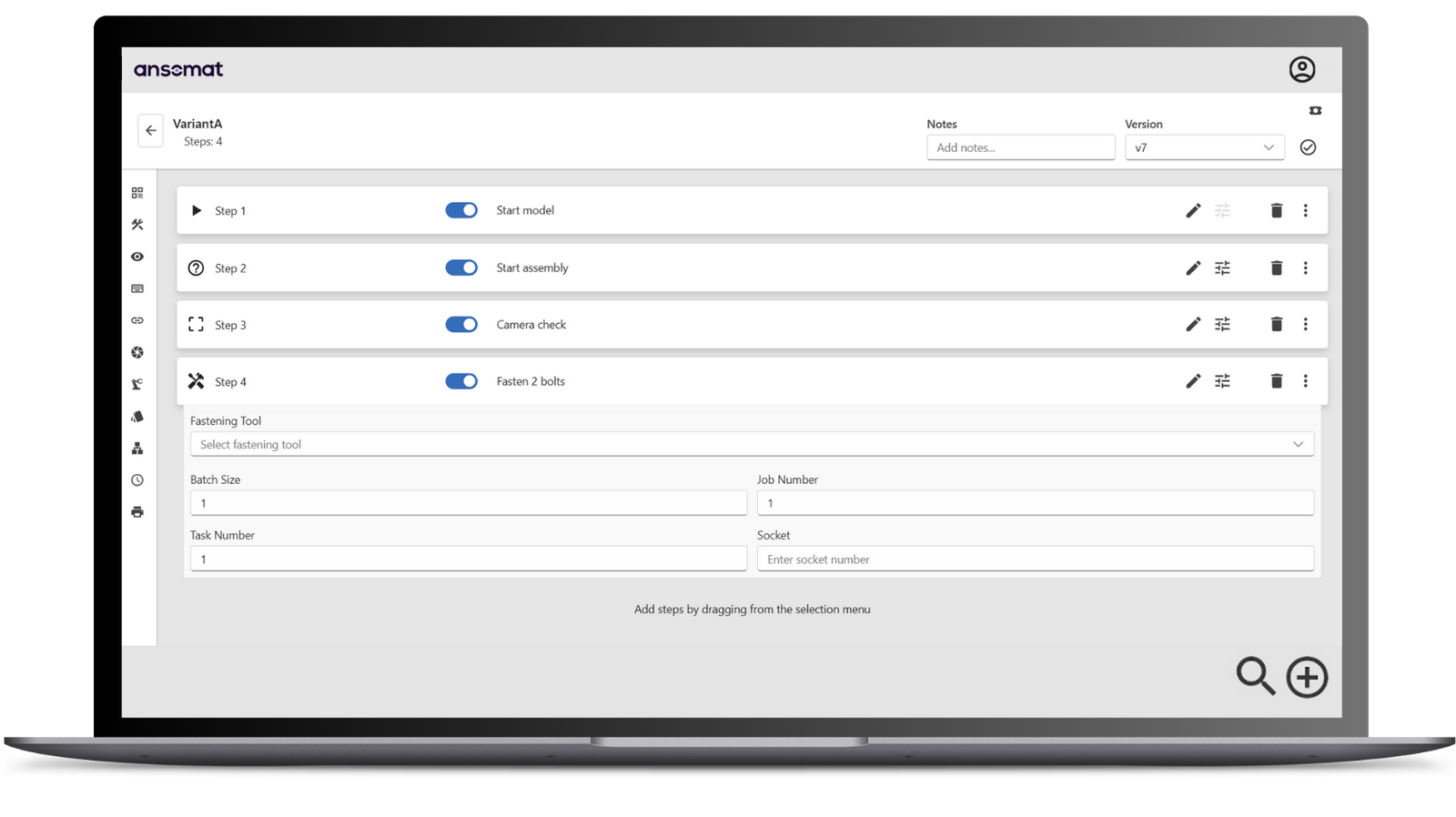
Digital work instructions represent a shift from static documentation to controlled, data-driven execution.
They give operators the right information at the point of work while helping manufacturers standardize processes, manage product complexity, preserve knowledge, capture production data, and improve traceability.
The most effective approach is not to digitize everything at once. Start with a clearly defined operational problem, demonstrate measurable value, and scale from there.
Over time, digital work instructions can become the foundation for connected operator guidance, automated validation, augmented reality, and data-driven continuous improvement.
The objective is ultimately simple: make the correct way of working the easiest way to work.
Digital work instructions are most valuable when they go beyond simply replacing paper. The right approach can guide operators through complex processes, connect tools and systems, capture production data, and help prevent errors before they happen.