


NEW
Manage digital work instructions across your production environment from one place. The Ansomat Management System gives manufacturers one central platform to create, manage, approve and send digital work instructions to multiple workstations, production lines and sites.
Process engineers can create and update instructions, control which versions are released, manage users and see the status of connected workstations - all from the same platform. This gives engineers more control while helping ensure operators always receive the right, up-to-date instructions wherever they work.
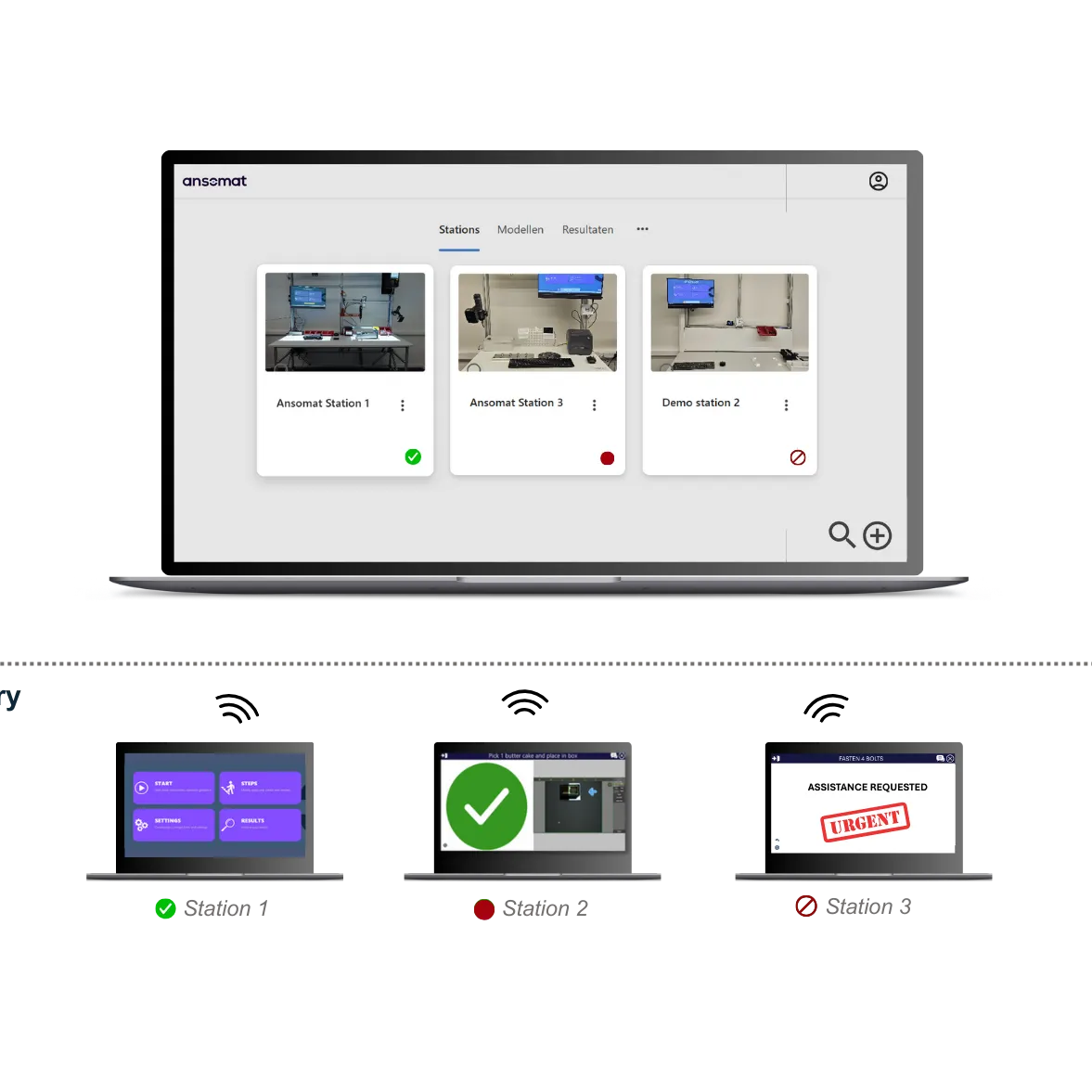


The Ansomat Management System is software for centrally creating and managing the digital instructions operators follow during production. Instead of managing instructions separately at every workstation, manufacturers can create, update, approve and deploy them across multiple production lines, factories and sites from one platform.
From the same platform, manufacturers can also remotely monitor workstations and manage connected production equipment, including fastening tools, vision systems, scanners, printers and other smart tools & devices. This helps ensure every workstation uses the latest approved instructions and the correct tool settings, while giving teams a central view of what is happening across production.


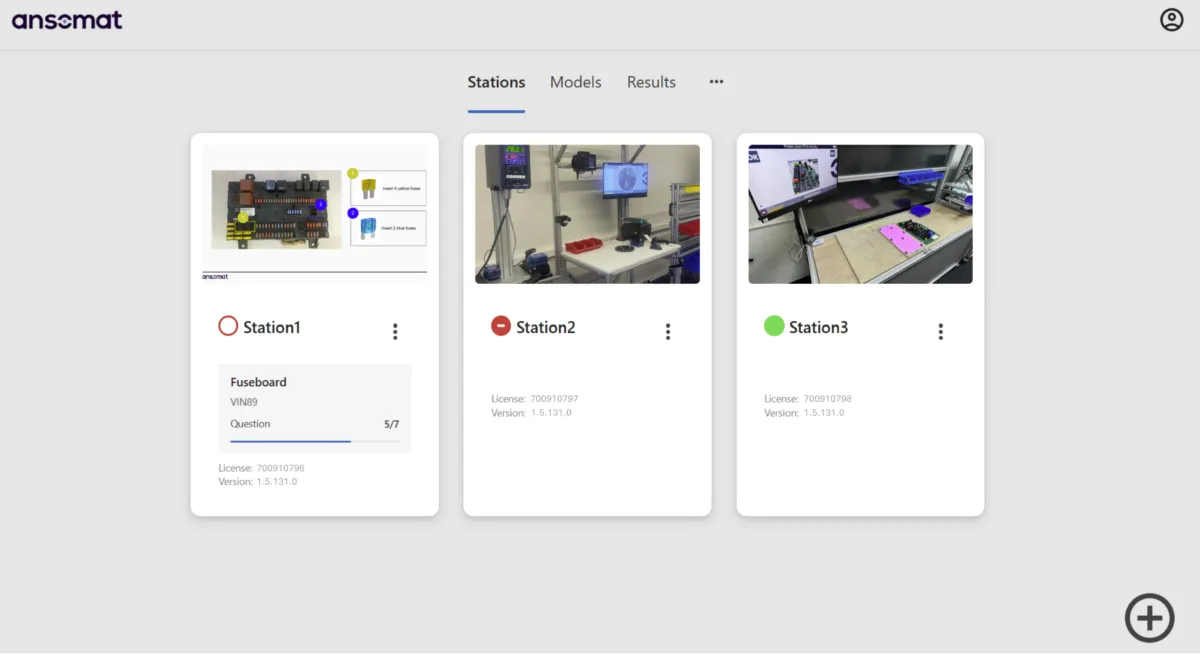
Monitor every connected station
Get a live overview of all connected workstations from one central dashboard. Instantly see whether stations are active, inactive, or requesting assistance, and follow where operators are within their work process, across one factory or multiple production sites.
Access your operations from anywhere
Stay connected to your production environment wherever you are. The browser-based platform can be accessed from any device and deployed locally or in the cloud, giving you the flexibility to monitor and manage operations across sites.
Maintain full control over instruction changes with structured version control, approval workflows, and a complete audit history. Define who can create, review, edit, and approve new versions, ensuring every instruction is properly validated before it reaches production.
Once approved, new versions can be pushed directly to the relevant stations or scheduled for release at a specific time. This makes it easy to coordinate process changes, engineering updates, and production rollouts while ensuring operators always work with the correct, approved version.
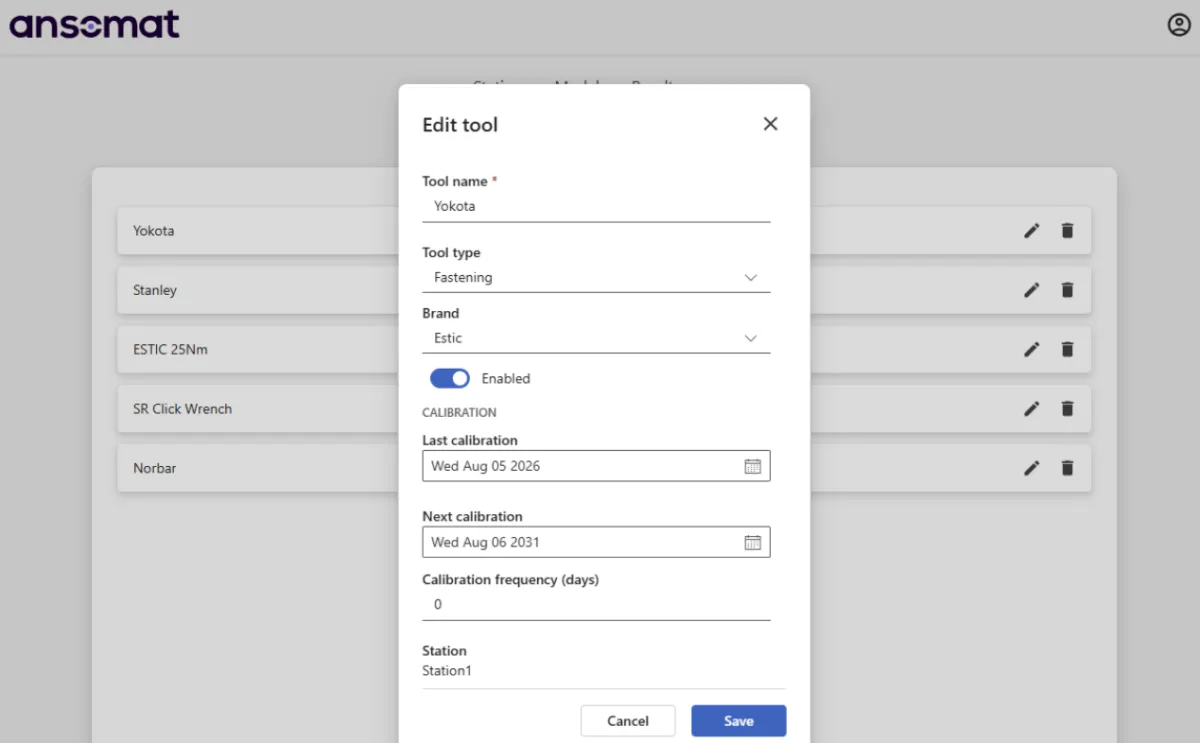
The Ansomat Management System provides a centralized overview of all tools used within Operator Guidance and links them directly to the relevant workstations. This includes fastening tools, vision systems, 3D sensors, and other connected equipment, providing clear visibility of which tools are used at each station.
For tools requiring periodic calibration, particularly fastening tools, the system keeps track of calibration dates and renewal intervals. This provides a clear overview of upcoming and expired calibrations, supporting timely recalibration and ensuring that tools remain properly maintained and ready for use.
Centrally manage all process engineering users responsible for creating and managing work instructions. Teams can co-author instructions while role-based permissions define exactly who can create, edit, review, approve, delete, or manage content, enabling efficient collaboration while maintaining clear responsibilities and control.
Centrally manage all production users who execute work instructions, from operators to foremen. Individual user profiles can be linked to roles, skills, qualifications, and preferred languages, helping ensure each operator receives the right instructions in the right language while maintaining consistency across production.
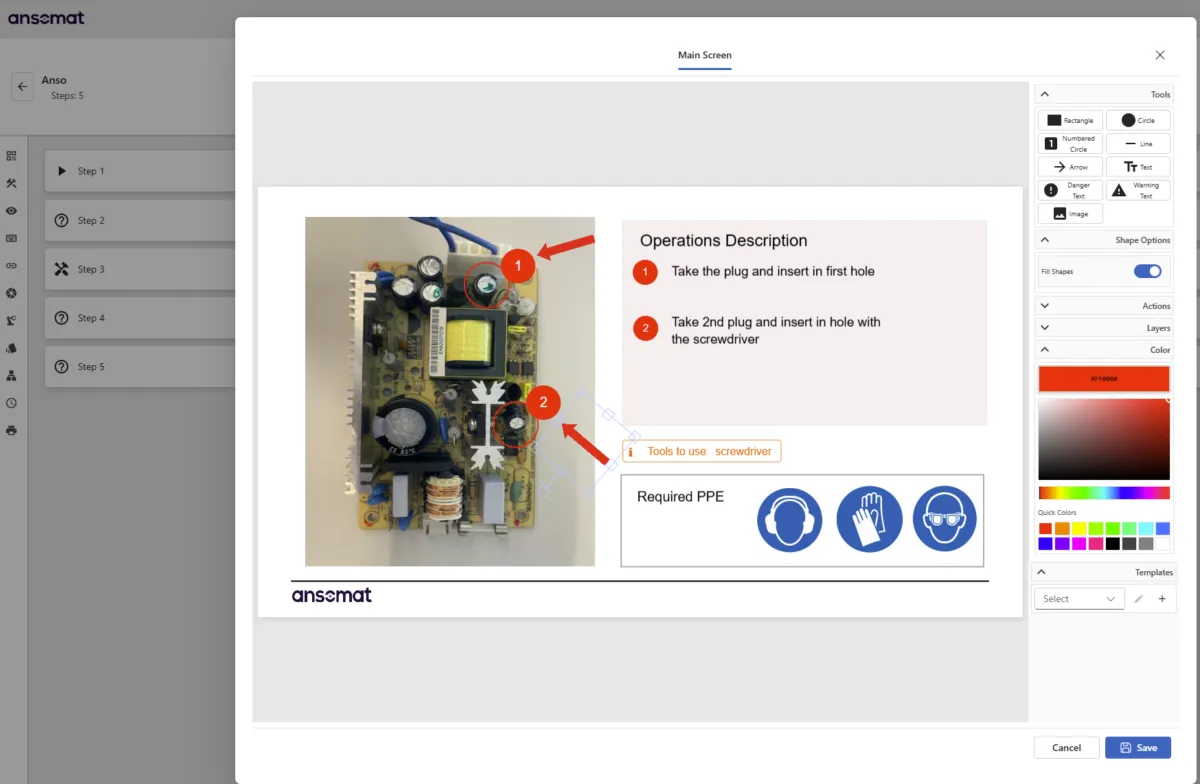
Flexible design tools
Create customized visuals quickly and flexibly. It’s similar to a PowerPoint environment where you can freely arrange text, images, icons, arrows, and sequence indicators. This approach gives you complete control over what appears on the operator’s screen. This way, every visual can be tailored to your exact needs, allowing you to adjust and refine each element to suit your workflow.
Reusable templates
Save and reuse templates to maintain a consistent, systematic format and design for each type of step or process.

Create AR work instructions right from your desk.
Upload an image of the work area and use it as your foundation. From there, you can design and upload AR instructions remotely, deploying them across the shop floor instantly, no need to visit each station individually. This saves valuable time for process engineers and streamlines setup.
Drag-and-drop ease.
Simply drag and drop the required tools into your design, and each one will automatically snap into the correct position within the virtual workspace.
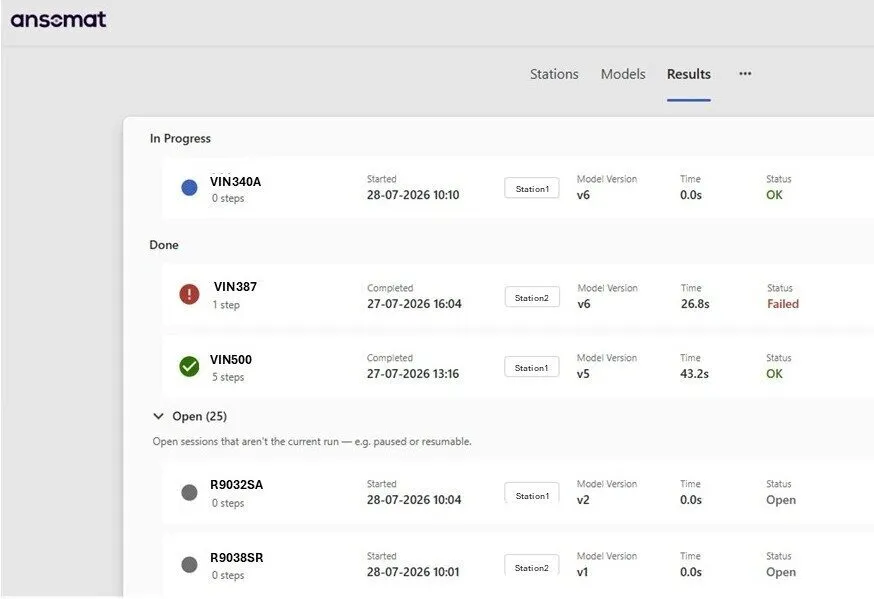
Centralized product management & traceability
Every product tells a story, and our Management System ensures that story is captured, verified, and accessible at every stage of production. By serving as the central hub for all process data, it connects tools, devices, and operator actions into a single, traceable digital record and this across all workstations.
Digital birth certificates for every product
For each unit produced, the system automatically generates a digital birth certificate, a comprehensive, tamper-proof record containing all process parameters, tool results, and quality checks. This digital document follows the product throughout its lifecycle, providing reliable proof of conformity and production history. In doing so, our Management System not only strengthens accountability and quality assurance but also supports long-term data retention and customer transparency.
| Aspect | Before Ansomat Management System Deployment | After Ansomat Management System Deployment |
| Work instruction updates | Must be done station by station, often requiring physical presence. | ✅Updates can be created and deployed remotely from a centralized hub. |
| Production downtime | Updates needs to be done during non-production hours. | ✅Instructions can be updated anytime, even during active production. |
| Instruction transfer method | Files transferred via USB or local means. | ✅Automatic synchronization between all stations. |
| Visibility & monitoring | No centralized overview of stations, users, or instruction versions. | ✅Real-time visibility of all stations, user activity, and execution status. |
| Error risk | High potential for version mismatches and human error across different stations. | ✅Consistent, version-controlled deployment ensures standardization. |
| Scalability | Managing multiple stations or plants is time-consuming and inefficient. | ✅Easily scale management across multiple plants and stations from one interface. |
| Reporting & traceability | Limited or manual data collection. | ✅Automatic data logging, reporting, and analytics. |
| Collaboration | Difficult to coordinate between engineers, operators, and sites. | ✅Centralized platform supports remote collaboration and instant updates with different authoring and approval rights |
| Overall Efficiency | Reactive and manual process management. | ✅Proactive, digital, and efficient control of all operator guidance stations. |


