Ansomat’s METRAHIT multimeter integration connects compatible Gossen Metrawatt instruments to digital work instructions over Bluetooth. It guides operators through electrical tests, checks readings against configured acceptance limits and records the results against each product serial number.
Designed for the METRAHIT IM XTRA BT and METRAHIT IM E-DRIVE BT, the integration brings multimeter data capture into the assembly workflow. Production and quality teams can review the measurement alongside the operator, test step and limits used.
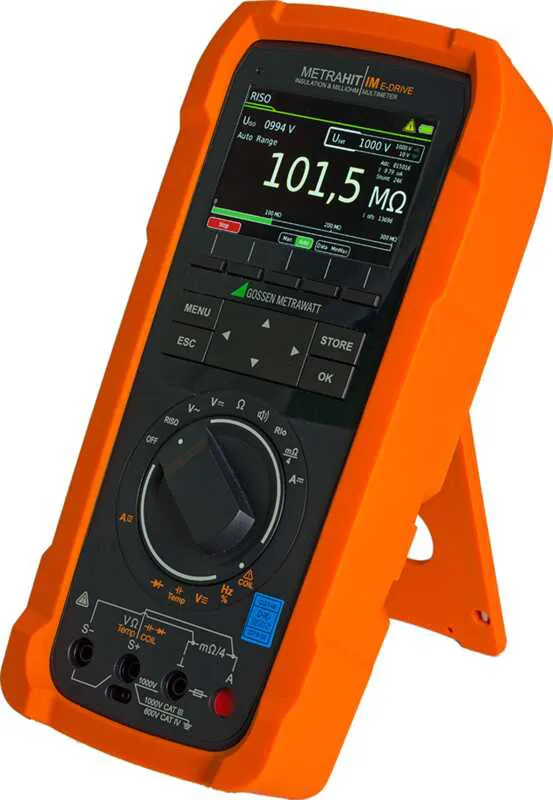
Product photo: METRAHIT IM E-DRIVE BT, Gossen Metrawatt. Screenshots below show the English interface.
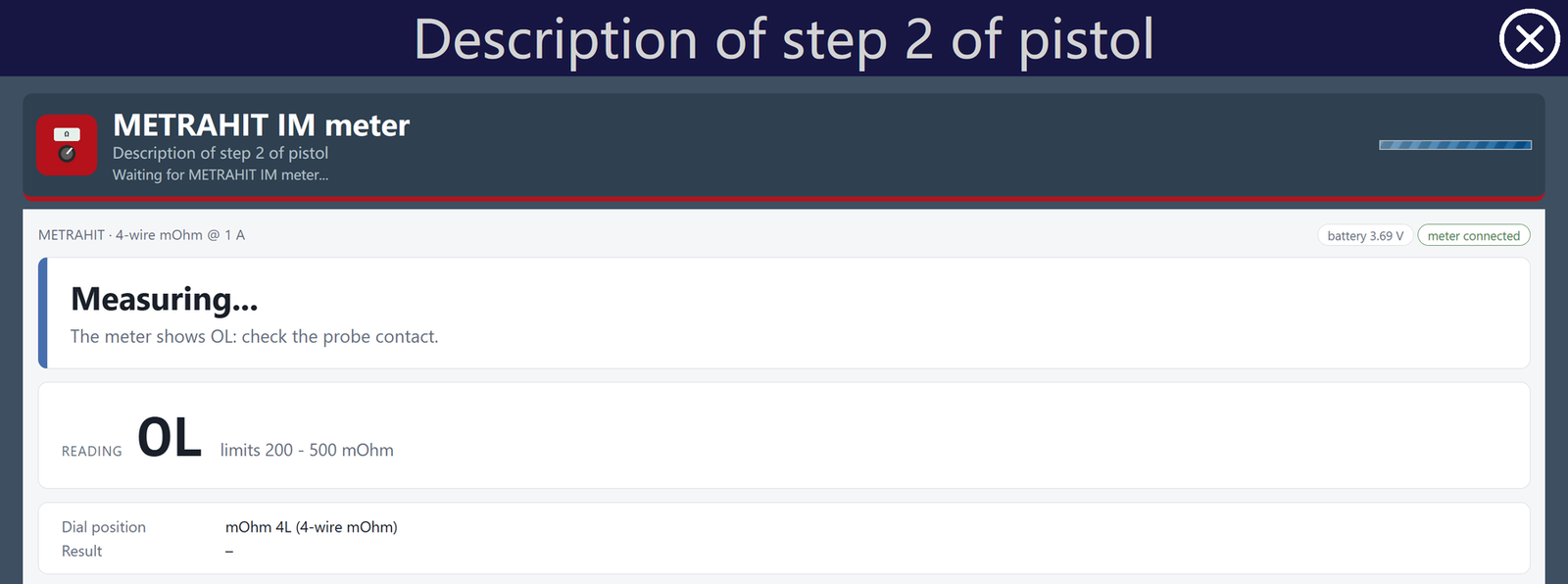
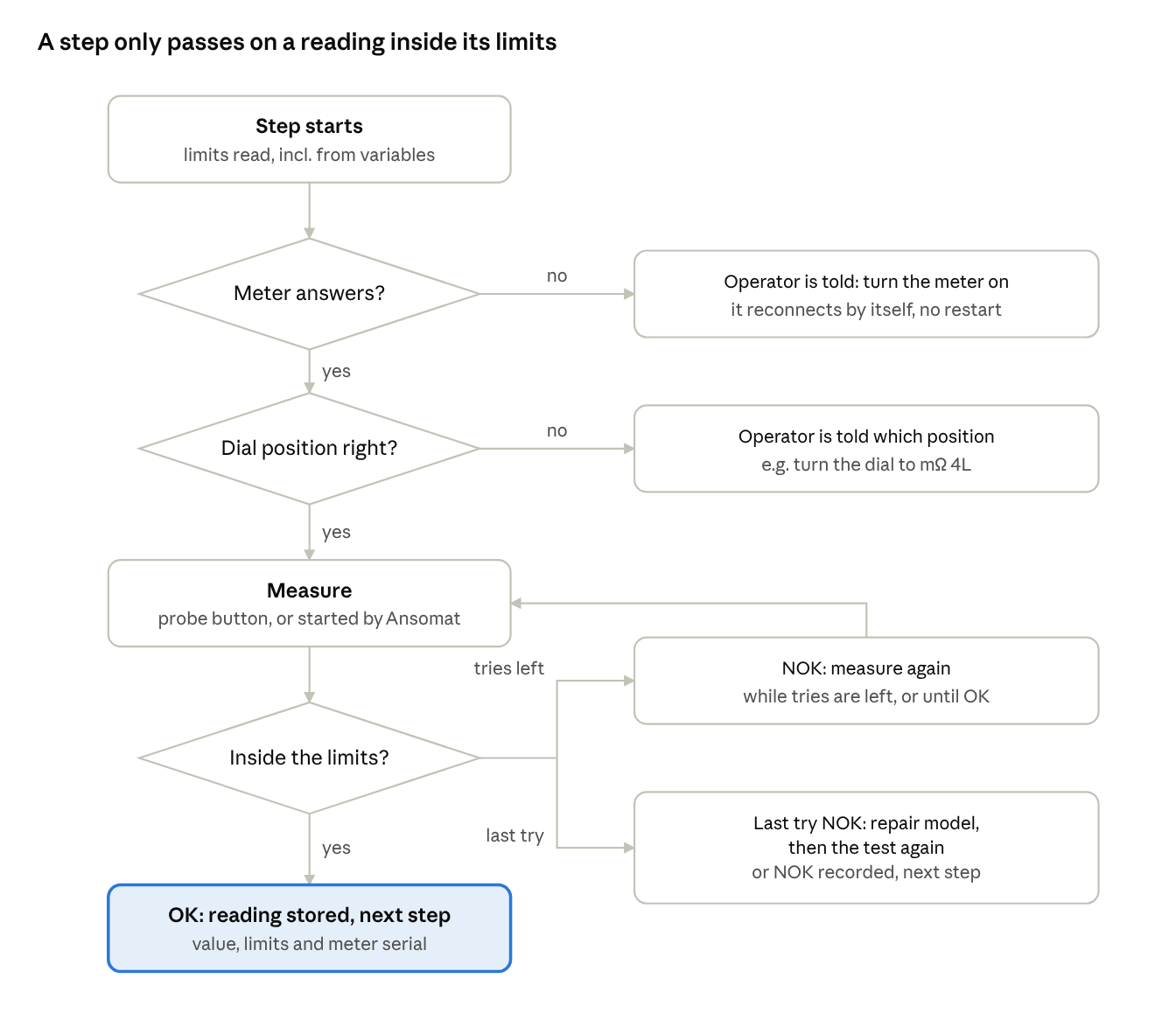
Each test becomes a step in the Ansomat work instruction. The operator sees which measurement to perform and which dial position to use. If the dial is in the wrong position, Ansomat displays the required setting and waits.
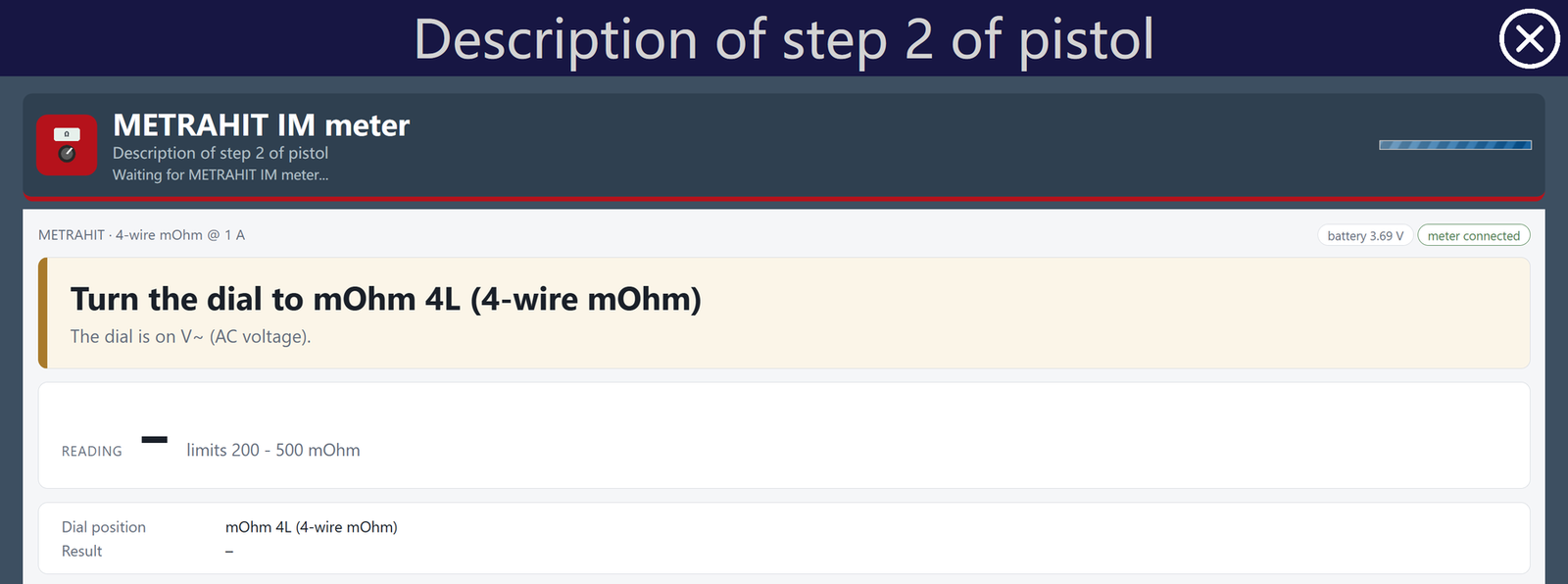
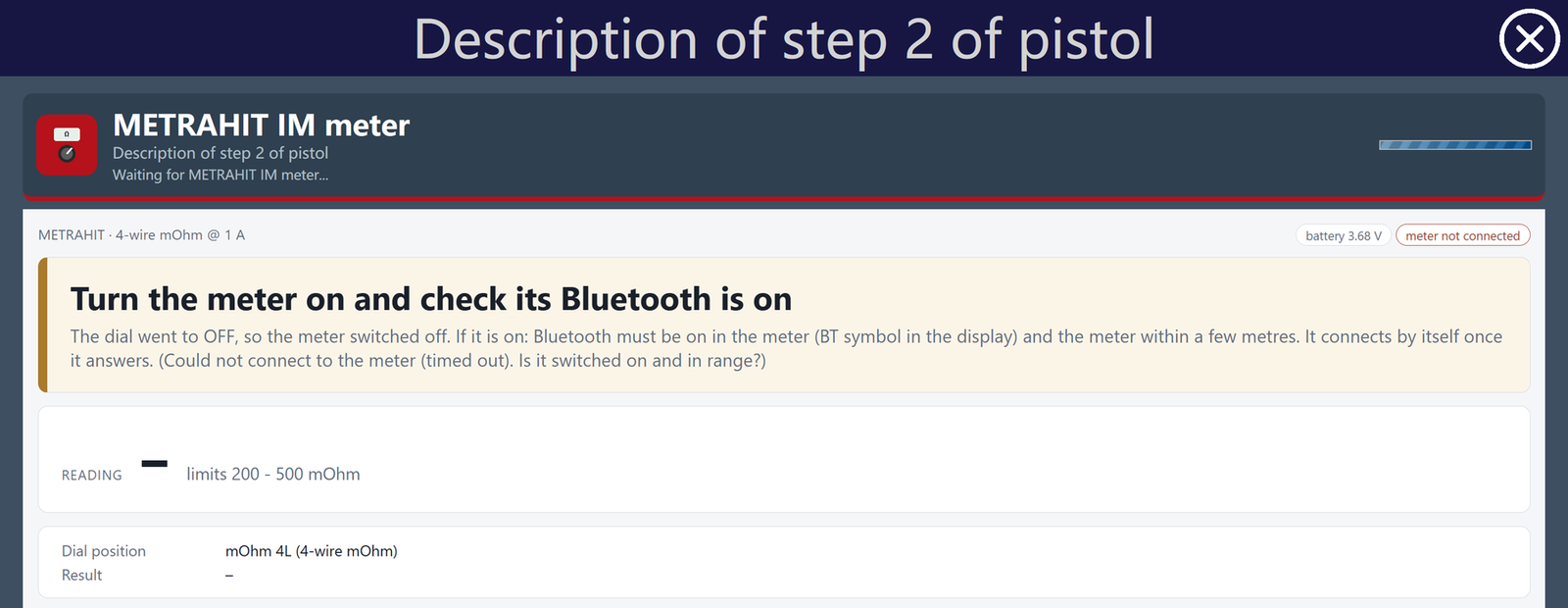
If the meter switches off or loses its connection, the operator receives a prompt. The integration reconnects automatically once the meter is available again, without restarting the workflow.
Engineers define lower and upper acceptance limits for each measurement. These can be fixed values or taken from Ansomat Variables, allowing the same instruction model to accommodate product variants with different requirements.
Ansomat checks the reading against the configured limits and returns an OK or NOK result. An overload reading, shown as OL, is never accepted as a passing measurement.
The workflow also defines what happens when a result falls outside the limits. Depending on the configuration, the operator can repeat the measurement, follow a repair workflow and retest, or have the NOK recorded before continuing.
For example, a low-resistance check on a busbar connection can sit directly within the assembly sequence, with its acceptance limits and follow-up actions already defined.
Each measurement is linked to the product serial number, operator and time. The record includes the measured value, the limits applied, the measurement type, the meter model and serial number, and its firmware. When multiple attempts are allowed, previous NOK readings are retained too.
A result summary appears in Ansomat’s results and exports, while the detailed record remains attached to the step. This gives production and quality teams the context needed to review a measurement and investigate an unexpected result.
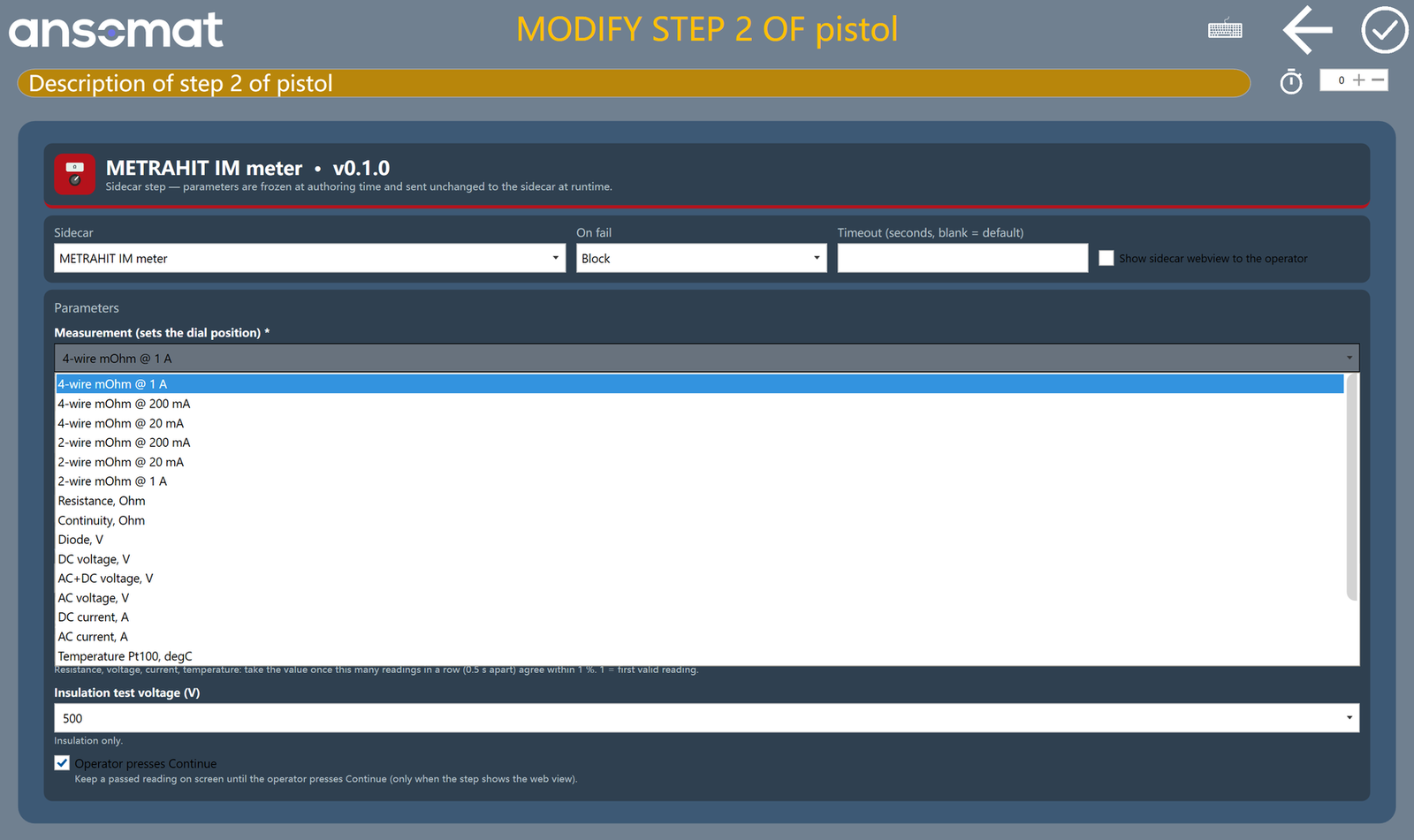
The integration is designed for the METRAHIT IM XTRA BT and METRAHIT IM E-DRIVE BT. Measurement options cover low resistance, resistance, continuity, diode testing, voltage, current, temperature and insulation resistance.
Validation before deployment: four-wire low-resistance and resistance measurements have been validated on an IM E-DRIVE BT, including reconnection after automatic switch-off. Other measurement types and configurations are checked for the specific application before deployment. Insulation tests remain operator-initiated.
The METRAHIT Sidecar runs alongside the Ansomat API on a Bluetooth-enabled station PC, with one meter assigned to each station. Engineers add a standard Sidecar step for each measurement and configure its limits and result handling.
The integration requires no changes to Ansomat’s core software. It brings electrical testing into the same guided workflow as the surrounding assembly tasks, with the measurement evidence stored against the product.
Explore connected tools and devices, or book a demo to discuss your measurement requirements and workstation setup.