


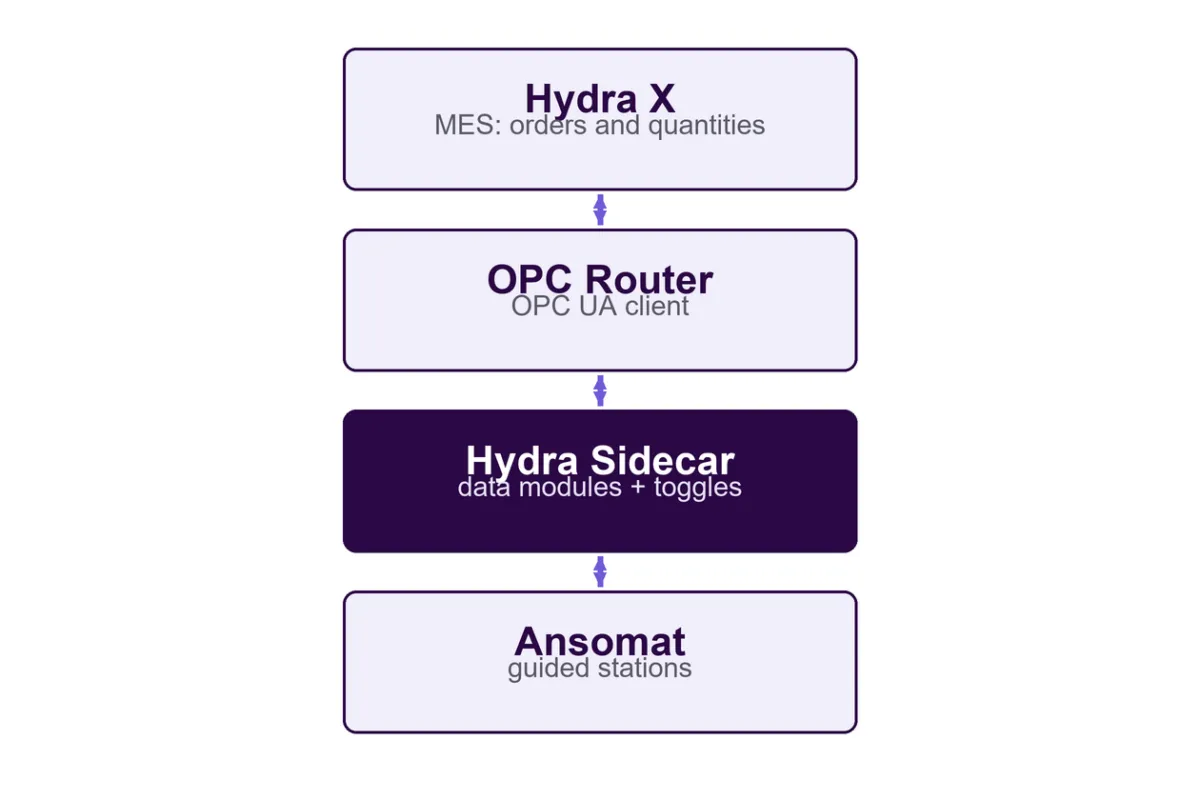
Ansomat’s HYDRA MES integration connects MPDV HYDRA X production orders to digital work instructions. Hydra remains the authority for the order, while Ansomat guides operators through assembly and testing. OPC Router 5 and an OPC UA Sidecar carry the order context and production results between the systems.
The aim is to keep the product, the work instruction and the MES record connected throughout the build, using a 28-digit SFC identifier for each product.
Validation status: the flow has been tested with the built-in Hydra simulator and an OPC UA test client. Validation against a live OPC Router and Hydra installation is still required before production use.
The Hydra Sidecar is a separate integration service installed beside the Ansomat API on a station PC or central server, with one Sidecar per line. It acts as an OPC UA server. OPC Router exchanges data with it and passes the configured information to and from Hydra. Operators use standard Sidecar steps in Ansomat; no changes to the Ansomat core are required.



Integration architecture: Hydra X, OPC Router, the Hydra Sidecar and Ansomat.
At the first station, Ansomat assigns the next SFC number from the current order. Serial numbers are sequential and are not reused. An optional item check confirms that the order matches the work instruction.
At later stations, the operator scans the SFC. Ansomat checks both the order and the item before work starts, refusing a product that belongs to the wrong order or instruction. On a single-station line, later steps reuse the same SFC without another scan.
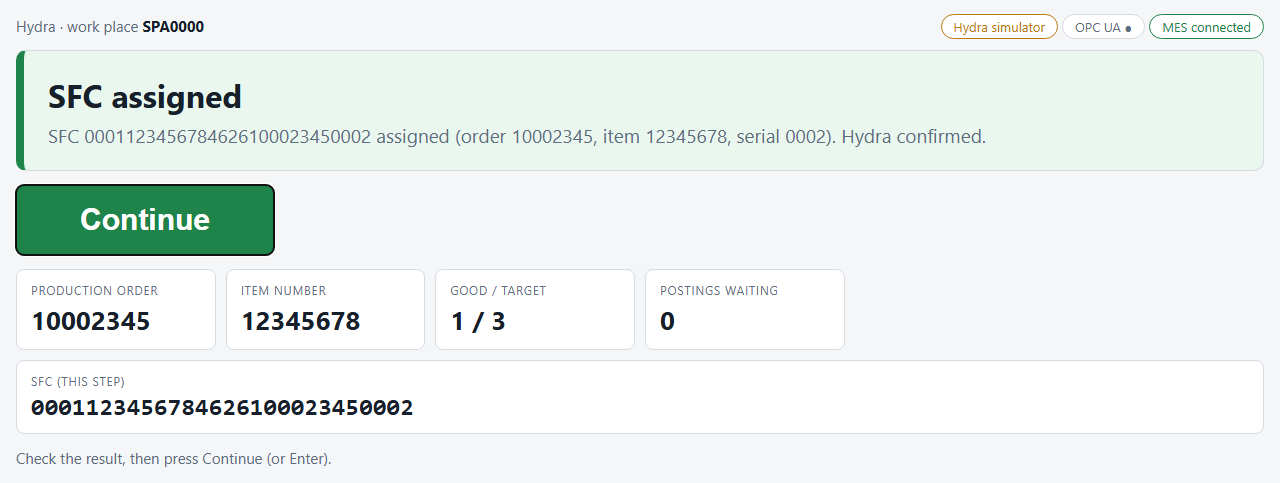
The first station assigns an SFC from the current order. Simulator example.
Engineers choose the actions needed at each stage: start a product, check a scanned SFC, report a test result, finish the product or request a label. Checking an SFC does not itself post a production result.
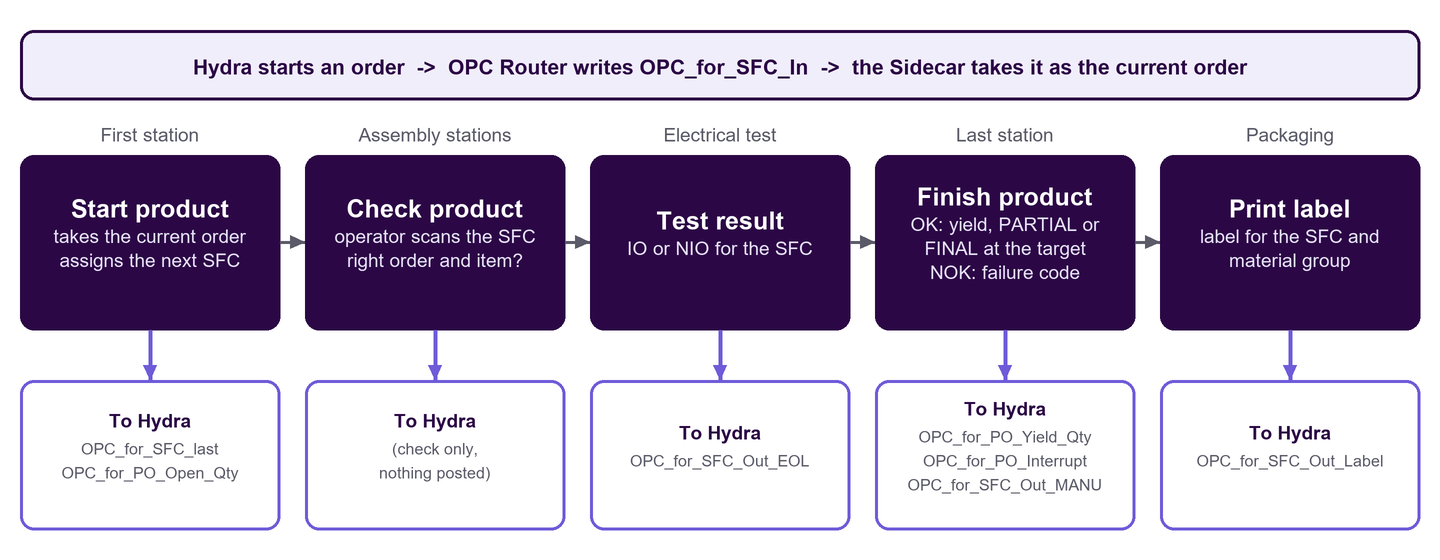
From starting a product to reporting tests, completion and label requests.
After a successful step, the result remains visible until the operator selects Continue. This gives the operator time to review the outcome before moving on.
Ansomat records the operator, time, OK/NOK summary, SFC, item, order and serial number. It also stores the postings and whether they are confirmed or still queued. This brings the MES exchange into the same product history as the guided work, supporting investigation when a result or confirmation needs checking.
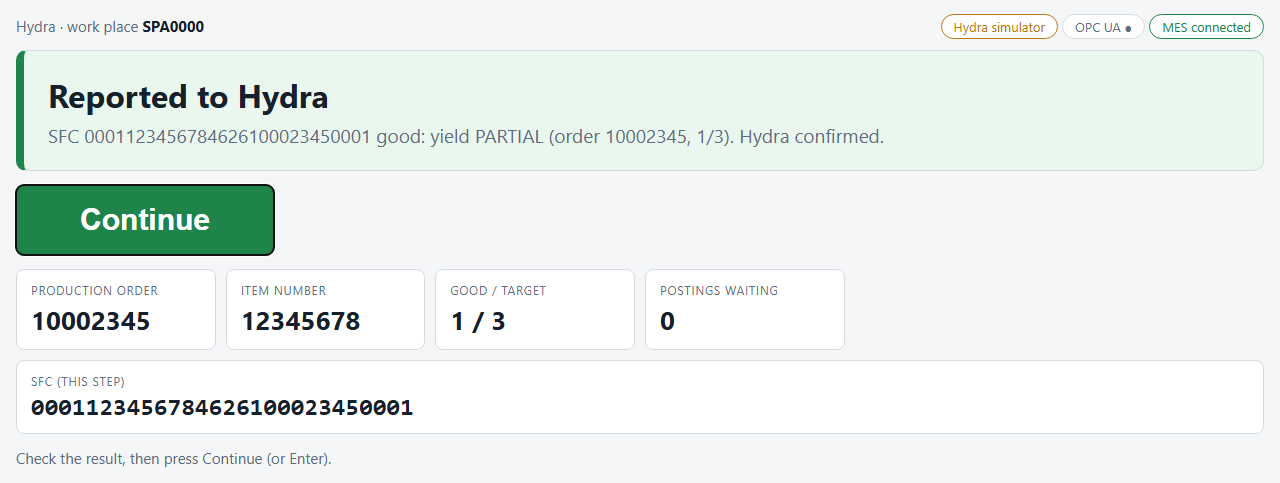
A simulated PARTIAL yield posting remains visible for operator review.
If the MES does not confirm a posting, the Sidecar queues it and retries in the background. Queues are maintained separately for each data module, preserve record order and survive a restart.
The operator can continue while retries run, but an unconfirmed posting is not presented as confirmed. A warning appears after more than 10 attempts. The retry limit is 50; once reached, an error requires manual follow-up and posting. Teams should agree who monitors and resolves these exceptions before going live.
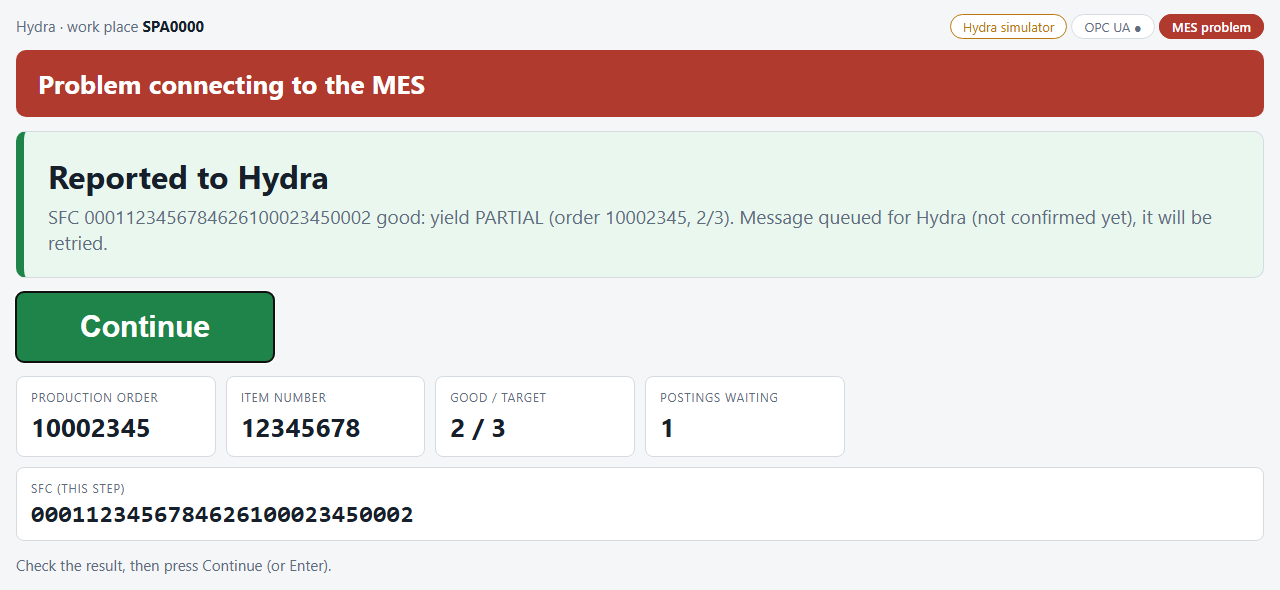
A queued, unconfirmed posting is clearly shown when MES confirmation is delayed.
A site project needs OPC Router 5 configured for the OPC UA connection and the required Hydra transfers. The team agrees the work place, material group, source of the order target quantity and ownership of label printing. Field and module mappings may need to be adapted to the plant.
The simulator and OPC UA test client have covered orders, SFC assignment, all eight data modules, retries, warnings and restarts. The next step is to validate these flows with the site’s live OPC Router and Hydra environment, including failure handling and result confirmation.
The diagrams and screenshots show the English interface and simulator examples. They illustrate the integration workflow, not a completed live deployment.
Book a demo to discuss your HYDRA MES integration, station workflow and validation requirements.

