On a busy manufacturing shop floor, small mistakes can quickly become expensive problems. A missed assembly step, the wrong component, an outdated work instruction, or an incorrectly entered production value can lead to scrap, rework, quality issues, downtime, and delayed deliveries.
The challenge is that many shop floor errors are not caused by operators simply “doing something wrong.” They are often symptoms of a process that makes the correct action difficult to identify or execute consistently.
This is where digital operator guidance and digital work instructions can make a significant difference.
By giving operators clear, visual, step-by-step instructions at the point of work, manufacturers can reduce ambiguity, standardize processes, and help employees perform tasks correctly the first time.
Here are some of the most frequent shop floor errors, and how better operator guidance can help prevent them.
One of the most common manufacturing errors is also one of the simplest: a required step gets skipped.
An operator may forget to tighten a fastener, perform an inspection, scan a component, record a measurement, or complete a finishing operation.
This becomes especially likely when:
Even experienced operators can miss steps when processes become complex.
Digital operator guidance breaks the production process into clear, step-by-step instructions, so operators know exactly what to do before moving forward.
Each step can include images, videos, diagrams, specifications, warnings, and confirmation points—providing the right information at the right moment.
Rather than relying on operators to remember an entire process, dynamic work instructions guide them through each task as it happens. This creates a more consistent, repeatable process and reduces the risk of missed steps and avoidable errors.
Modern manufacturing environments often involve multiple product variants that look almost identical.
Two components may have similar dimensions or packaging while having completely different specifications.
Selecting the wrong component can result in defective assemblies that may not be discovered until final inspection, or, worse, after the product reaches the customer.
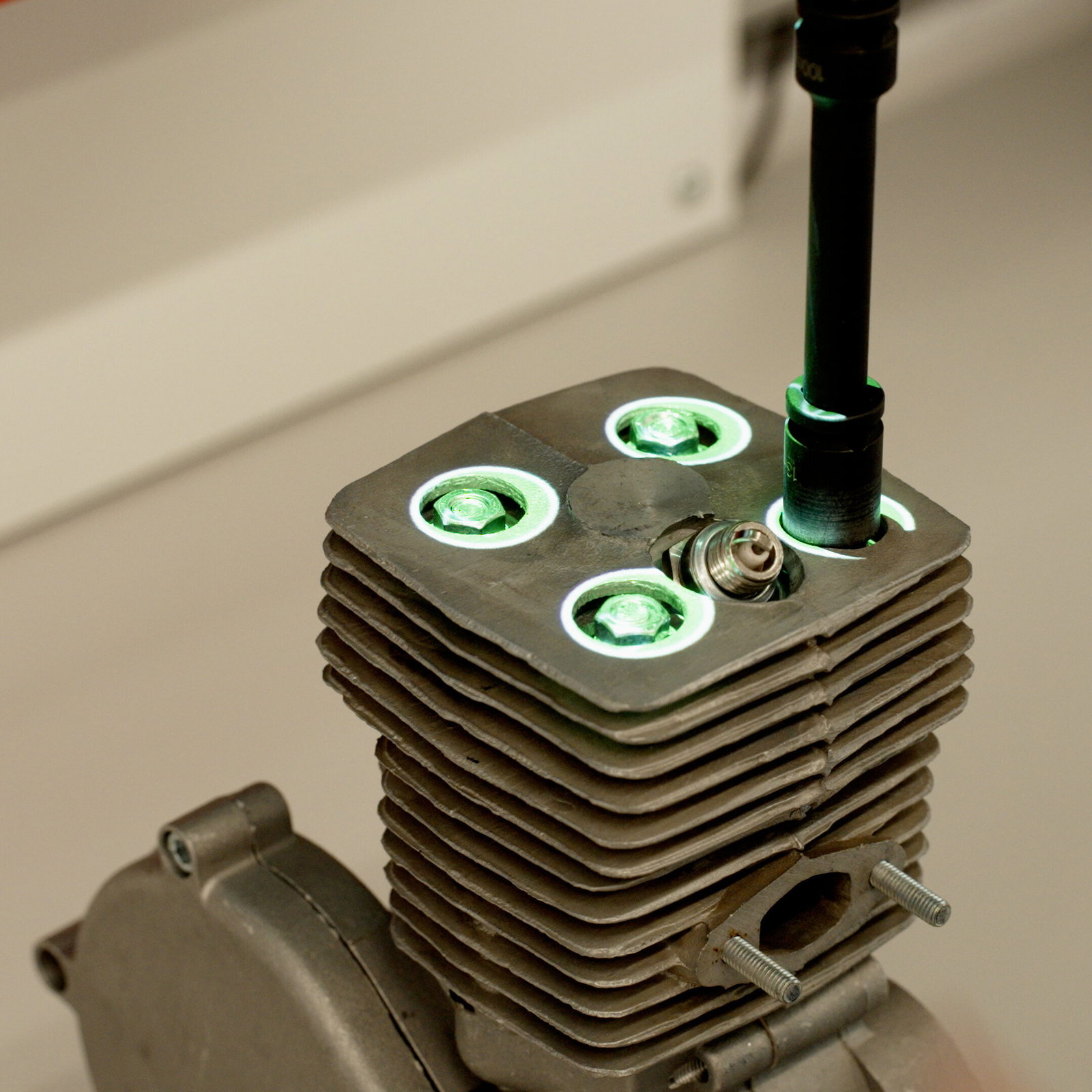
Digital work instructions can display the exact component required for each production step and guide operators to where that component or material can be found.
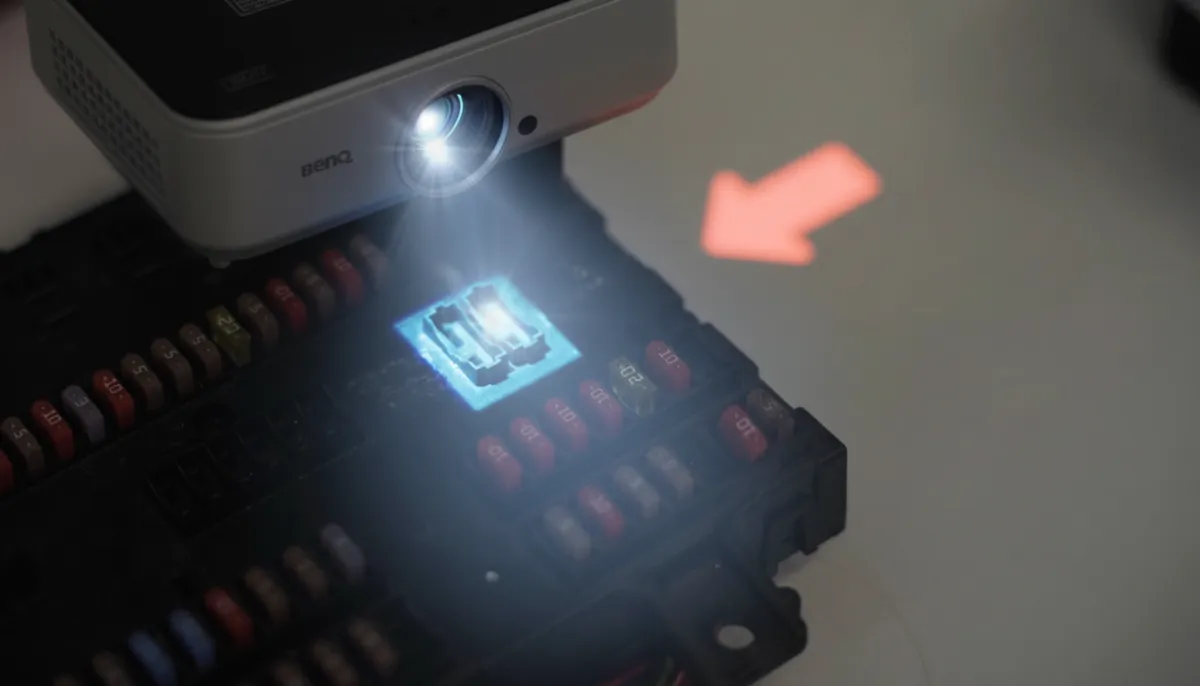
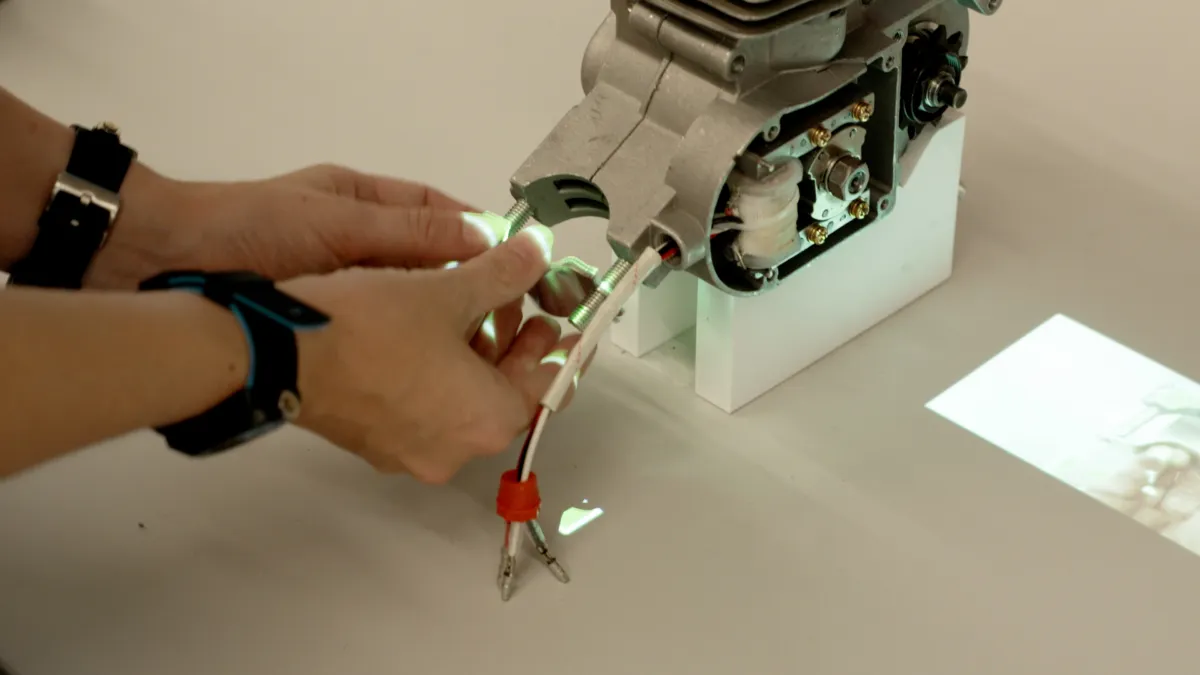
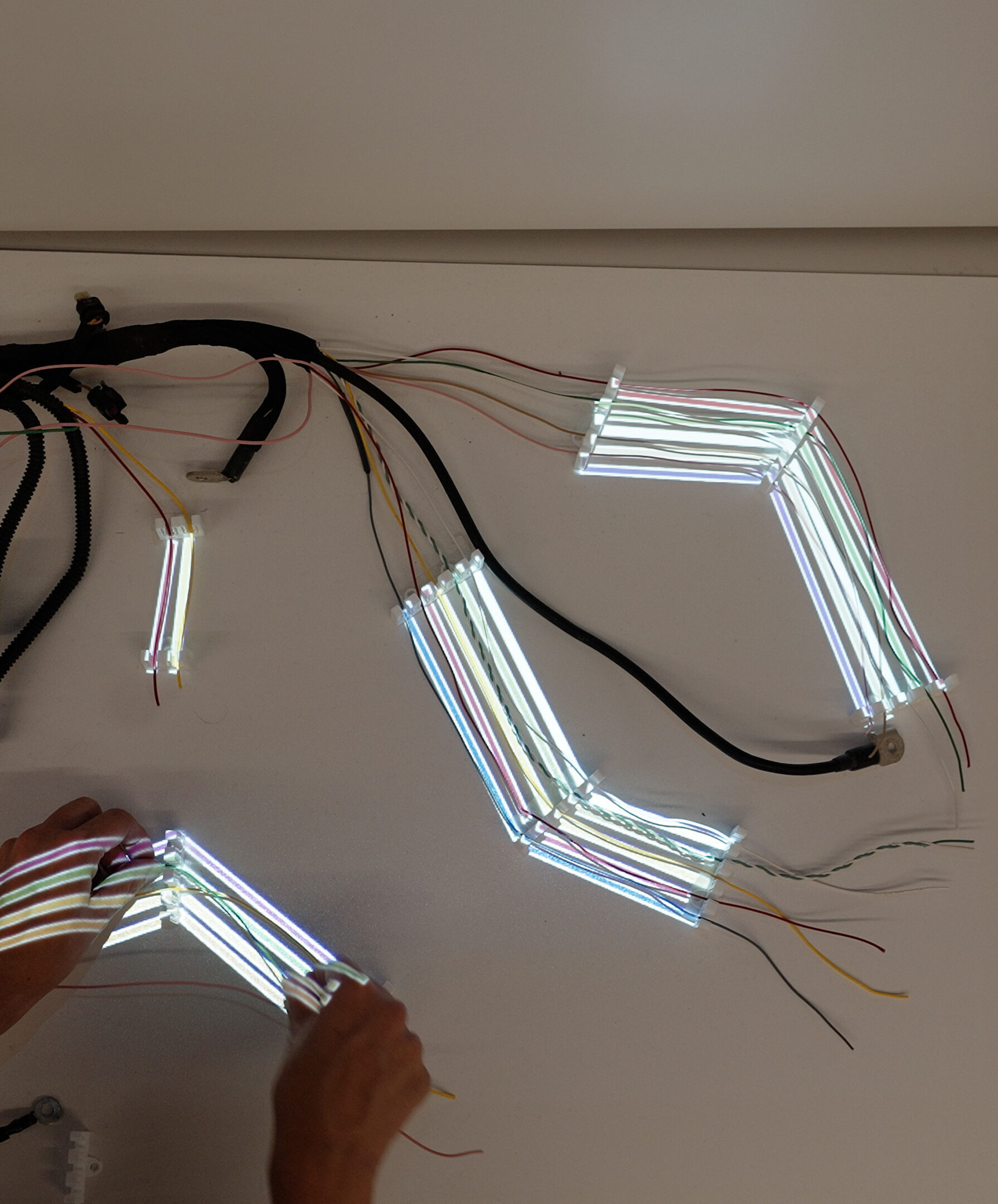
With augmented reality (AR) or projection-based guidance, the system can visually highlight storage locations, bins, components, tools, or assembly positions directly in the operator’s workspace.
Operators can be shown:
Connecting operator guidance with scanning, validation, AR, or projection systems adds another layer of mistake prevention, helping operators locate, identify, and verify the correct component before continuing.
Paper-based work instructions create a significant version-control challenge.
Engineering updates a procedure, quality changes an inspection requirement, or a customer specification changes, but an old printed instruction remains somewhere on the shop floor.
The operator may follow the document perfectly and still manufacture the product incorrectly.
This is particularly problematic in environments with frequent engineering changes or high product variation.
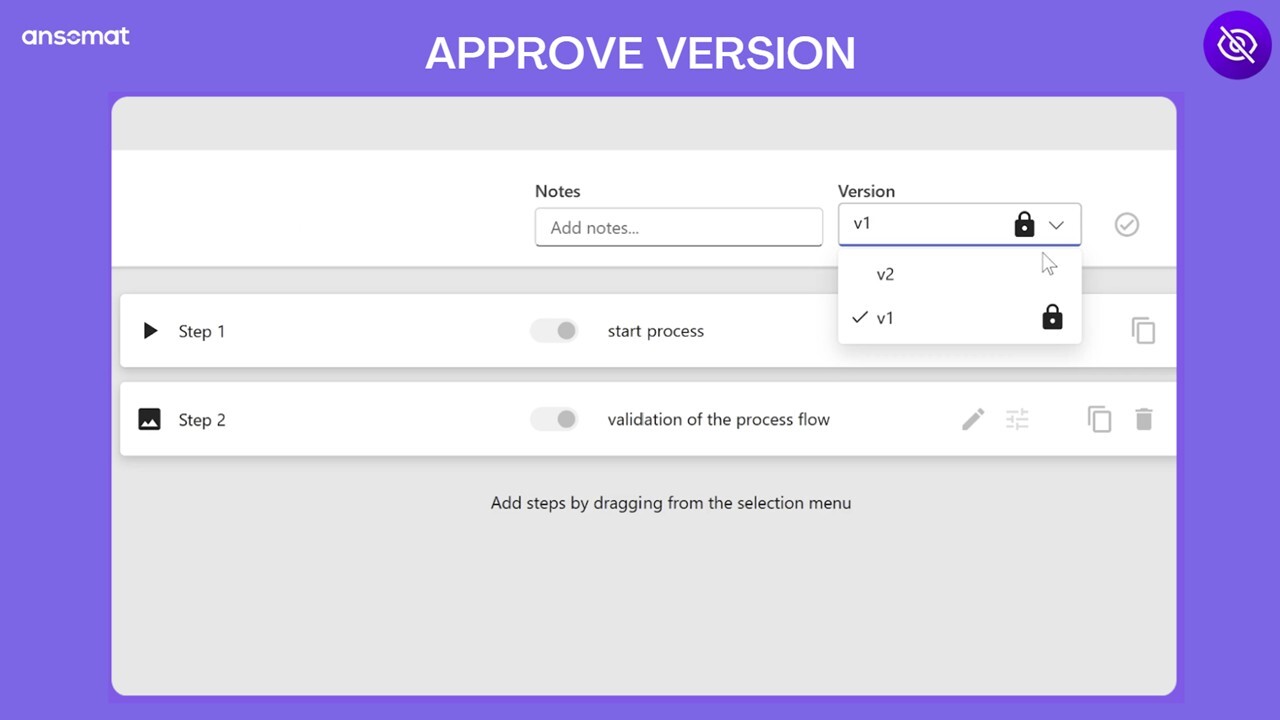
A centralized digital operator guidance system can ensure operators always have access to the latest approved version of a work instruction.
When a process, specification, or production requirement changes, instructions can be updated and managed centrally rather than replacing printed documents across multiple workstations.
With a centralized management system, manufacturers can:
This improves document control and helps ensure that production teams consistently work according to the current, approved process.
Using the correct tool with the wrong setting can be just as problematic as using the wrong tool entirely.
Typical examples include:
A single incorrect parameter can affect an entire production batch.
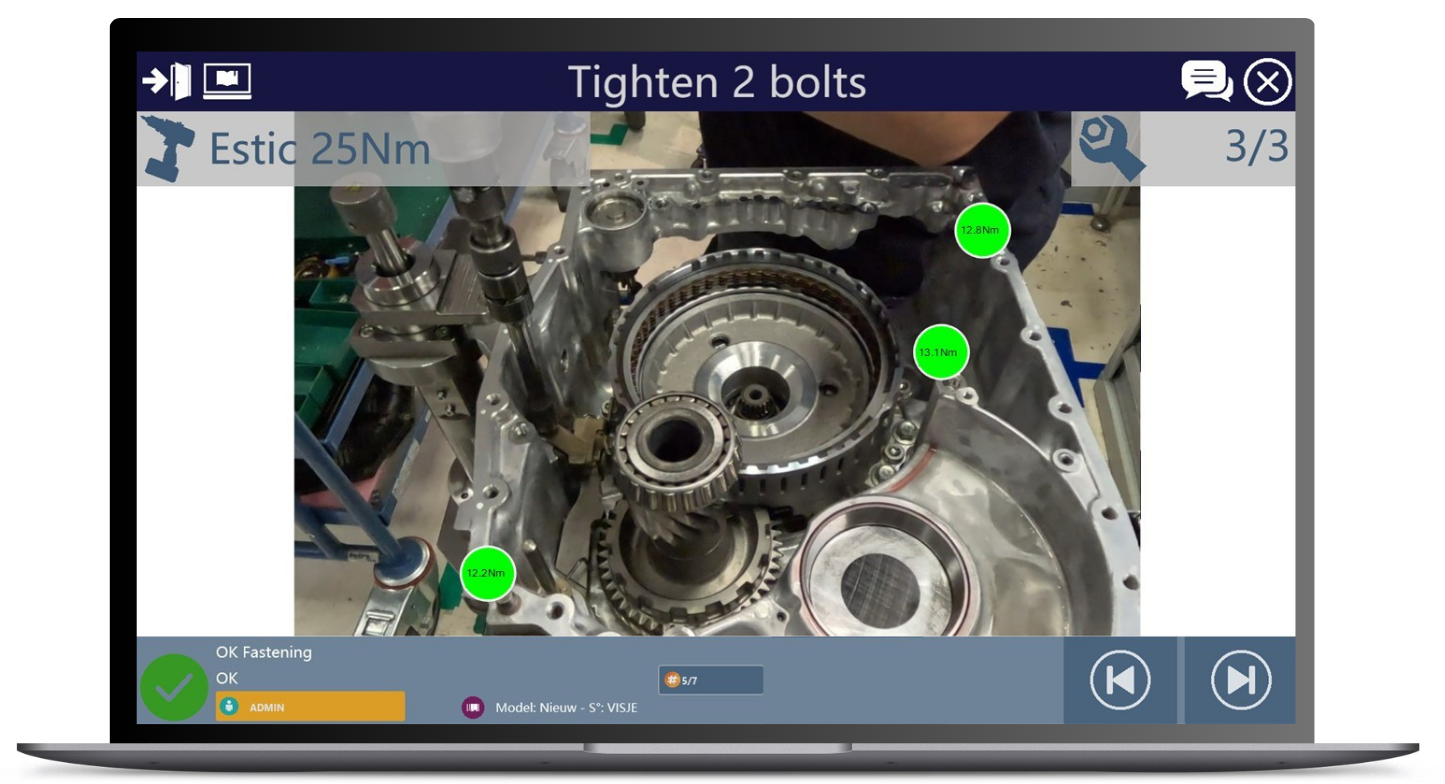
Operator guidance can go beyond simply displaying the correct settings. By connecting tools, devices, machines, and other systems directly to the production process, parameters and measurement data can be exchanged automatically—reducing or even eliminating manual parameter entry.
Connected equipment can include:
Through industrial communication protocols such as Open Protocol or MQTT, machine and process data can also be exchanged with the operator guidance system. This allows instructions, tool parameters, measurements, and machine data to become part of one connected workflow.
Instead of relying on an operator to manually enter the right value, the system can send, receive, and validate process data automatically, helping prevent incorrect settings while improving traceability and process control.
A technically correct work instruction is not necessarily an effective work instruction.
Long paragraphs, complicated terminology, unclear diagrams, and inconsistent formatting can make instructions difficult to interpret—particularly in multilingual production environments.
Different operators may read the same instruction and understand it differently.
That creates process variation.
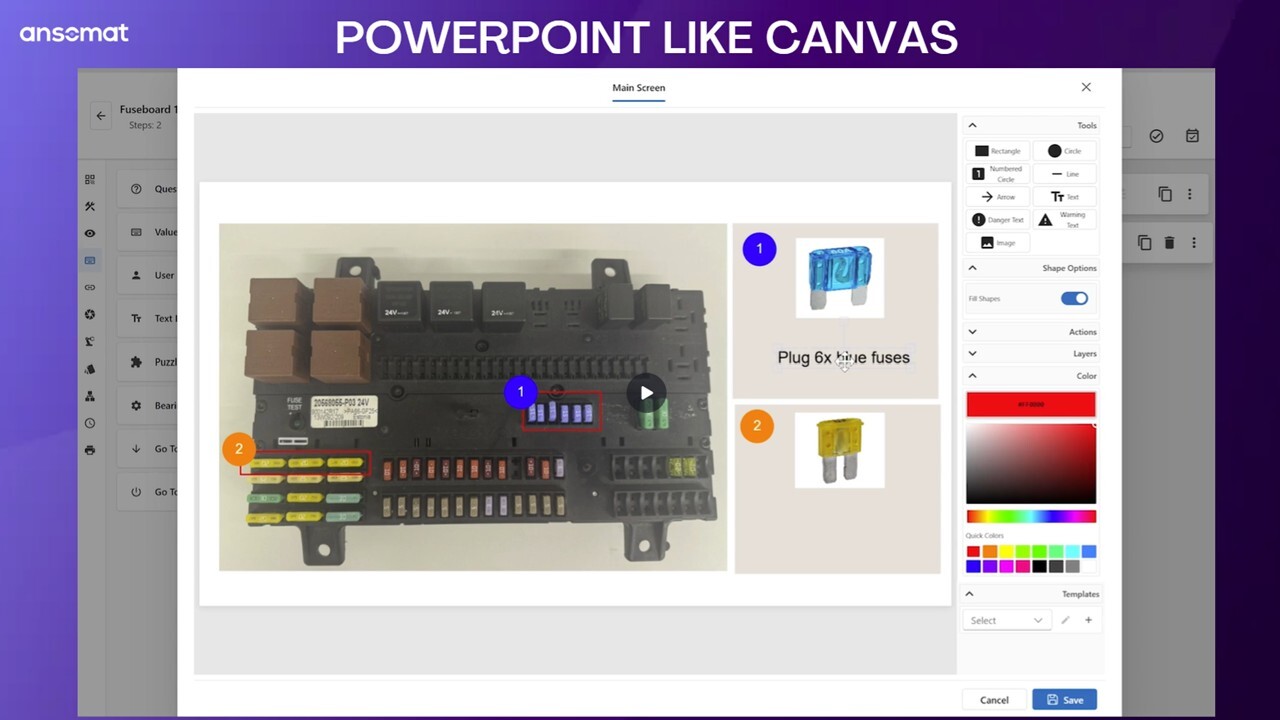
Effective digital work instructions prioritize visual communication.
Instead of relying primarily on text, manufacturers can use photographs, illustrations, videos, animations, highlighted areas, symbols, and short action-oriented instructions.
The goal is simple:
Make the correct action immediately obvious.
Good operator guidance reduces interpretation and increases consistency between operators, shifts, and production locations.
Manual data entry is another frequent source of shop floor errors.
Operators may incorrectly record:
Sometimes the information is entered incorrectly. In other situations, operators simply forget to record it.
Both situations can create problems for quality control and traceability.
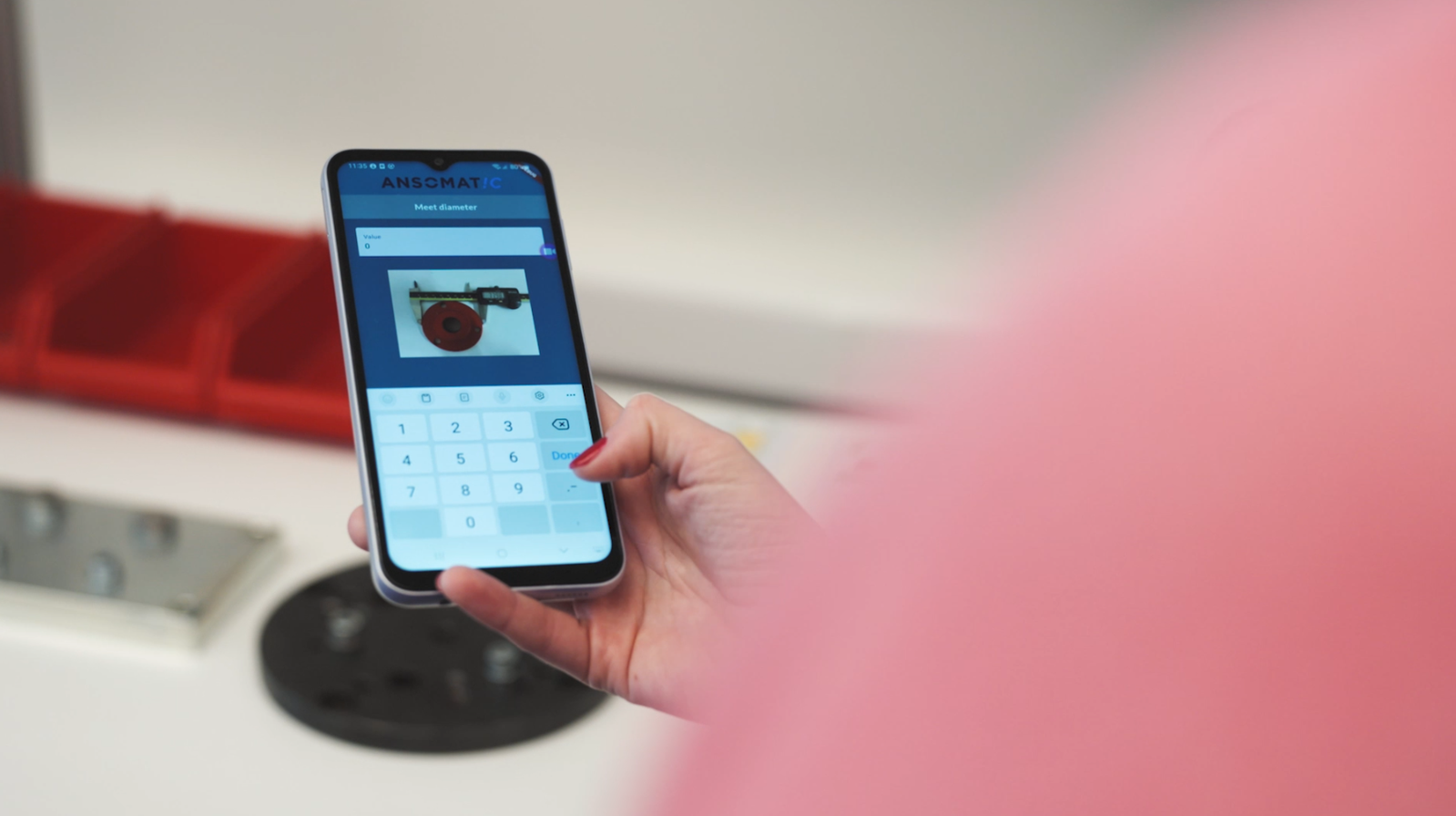
Digital operator guidance can incorporate data collection directly into the production workflow.
Instead of recording information separately, operators can be prompted to enter or confirm data at the exact step where it is required.
Where possible, information can also be captured automatically from scanners, measuring devices, machines, or other connected equipment.
This reduces manual input while creating more structured production records.
Quality checks are often positioned at critical points within production.
But when inspections rely heavily on operator memory, they can be skipped, completed inconsistently, or performed too late.
By the time a defect is discovered, multiple additional units may already have been produced.
Quality checks can become mandatory and validated steps within a guided workflow, rather than relying solely on operator memory.
The operator can be asked to confirm dimensions, inspect specific areas, record measurements, or verify product characteristics before proceeding.
Quality control can also be automated using connected technologies such as:
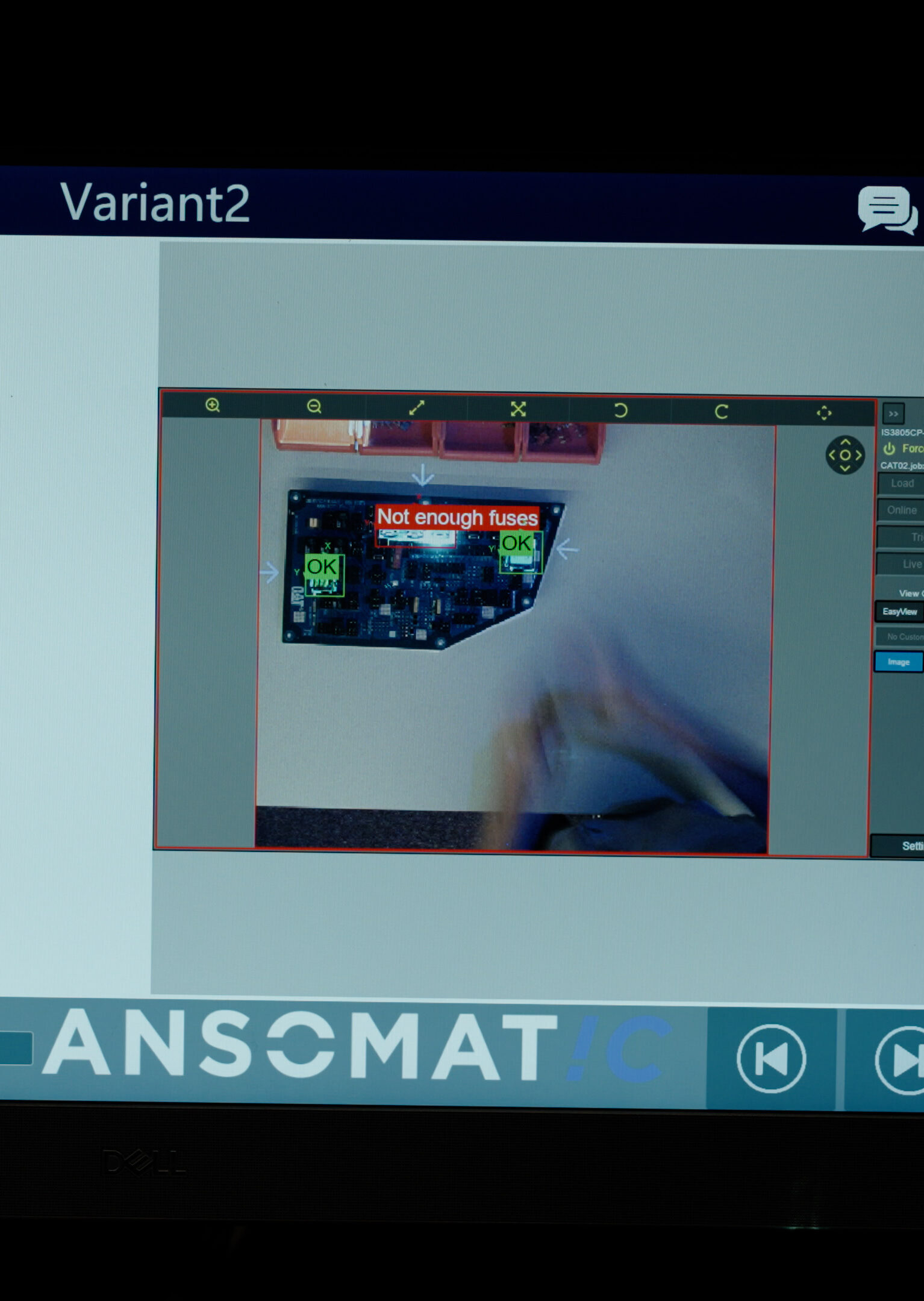
For example, a machine vision system can detect an incorrectly positioned or missing component, provide immediate visual feedback to the operator, and block progression to the next production step until the issue has been corrected.
This brings quality control directly into the production process and supports a no-fault-forward approach, where errors are detected and resolved at the point of occurrence rather than being passed downstream.
High-mix manufacturing creates another major challenge: changeovers.
An operator may finish Product A and begin Product B, but a fixture, tool, material, machine setting, or instruction from the previous job remains in place.
The first units of the next production run can therefore be produced incorrectly.
Digital operator guidance can provide dedicated changeover instructions covering everything that must be changed or verified before production starts.
A guided changeover might require the operator to confirm the correct:
This creates a standardized changeover process instead of relying on individual memory.
Ask three experienced operators how they perform the same task and you may receive three different answers.
Over time, employees develop personal shortcuts and preferred methods. Some may work well, while others introduce unnecessary risk.
The problem becomes more significant when knowledge is transferred informally from experienced employees to new operators.
Digital work instructions establish a standardized way of working.
Operators receive the same approved process regardless of their shift, experience level, or location.
This doesn't mean removing human expertise from manufacturing. Experienced operators remain an important source of process knowledge.
Instead, their knowledge can be captured, standardized, and made available to the wider workforce.
Manufacturing companies frequently depend on experienced workers to train new employees.
While this can be effective, it also creates variability.
One trainer may explain a process differently from another. Important details can be forgotten, and new operators may need significant time before they can work independently.
Step-by-step digital operator guidance can support employees directly while they perform the task, reducing dependence on memorization and individual training methods.
Instructions can also be adapted to the operator’s skill level and experience. A new employee may receive more detailed explanations, images, videos, safety information, and confirmation points, while an experienced operator can work with a more streamlined version of the same process.
Operator guidance can provide:
This helps create a more personalized learning curve without compromising process standardization, allowing new operators to become productive faster while experienced employees can work efficiently without unnecessary instruction.
When an error occurs, the first question is often:
“Who made the mistake?”
A more useful question may be:
“Why did the process allow this mistake to happen?”
If an operator can accidentally select the wrong component, perhaps component verification needs improvement.
If a critical assembly step can easily be skipped, perhaps the workflow needs a mandatory checkpoint.
If operators regularly use outdated instructions, perhaps document distribution and version control need to change.
Effective operator guidance is therefore not simply about displaying instructions on a screen. It is about designing production processes in which the correct action is easier to identify and mistakes are harder to make.
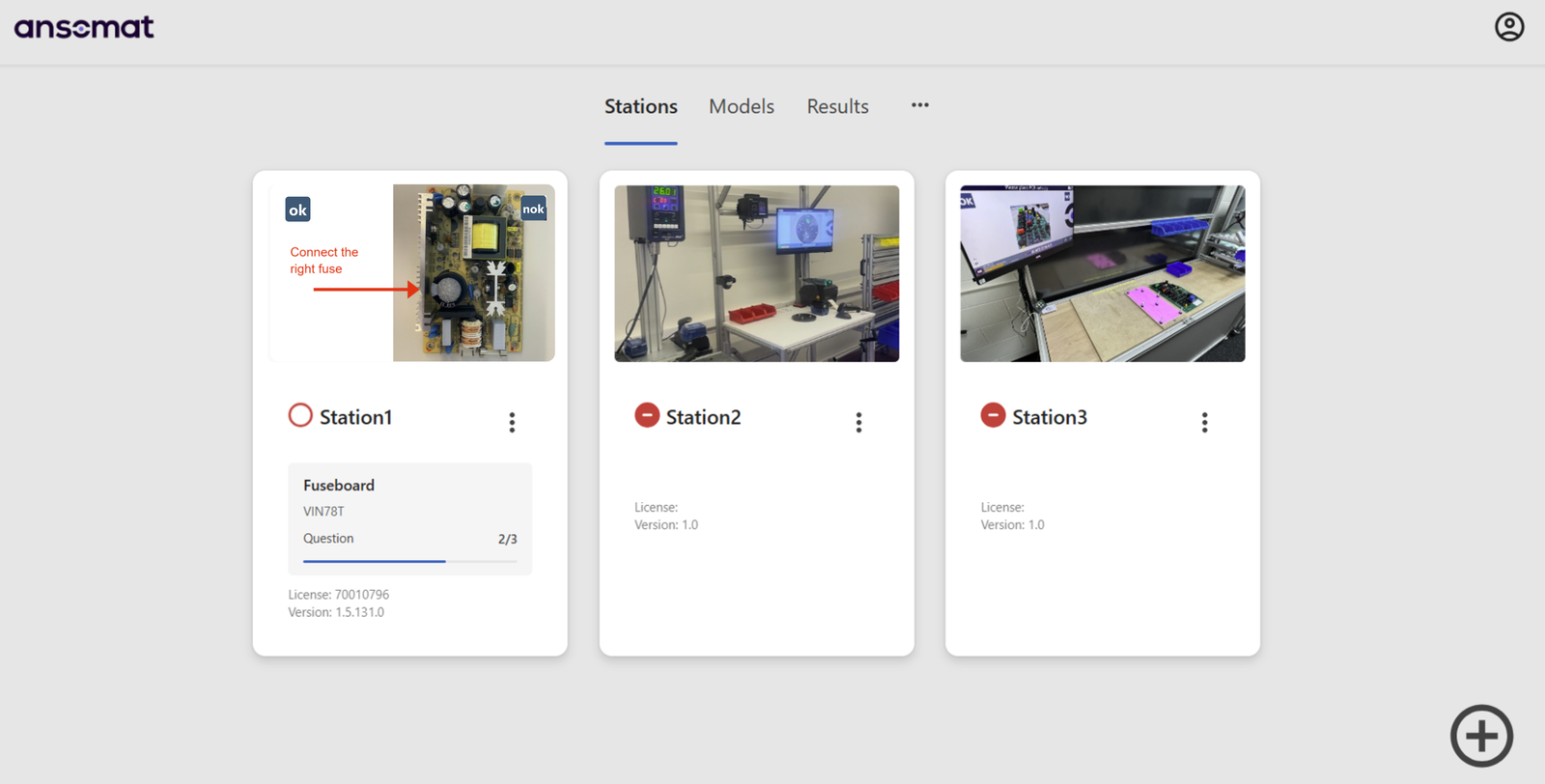
Manufacturers are increasingly moving beyond static PDFs and paper instructions toward interactive operator guidance.
Depending on the production environment, digital operator guidance can combine:
This creates a digital connection between the operator, the production process, and the information required to complete the job correctly.
Shop floor errors will always be a risk wherever people, machines, materials, and complex processes interact.
But many frequent manufacturing errors are preventable.
Clear and contextual operator guidance can help reduce skipped steps, incorrect components, outdated instructions, parameter mistakes, missed inspections, and inconsistent working methods.
For manufacturers exploring digital transformation, digital operator guidance is therefore about much more than replacing paper work instructions.
It is an opportunity to standardize production knowledge, improve quality, support operators, and move closer to a right-first-time manufacturing process.
Shop floor errors will always be a risk wherever people, machines, materials, and complex processes interact. But many common manufacturing errors can be prevented before they move to the next production step.
This is where digital operator guidance becomes an important part of a Poka Yoke (mistake-proofing) strategy. By combining clear instructions with connected tools, validation, scanning, sensors, quality checks, and process data, manufacturers can build error prevention directly into the production workflow.
The objective is no-fault-forward production: identify and correct an error at the point where it occurs rather than allowing it to continue downstream, where the consequences become more costly.
For manufacturers pursuing digital transformation, digital operator guidance is therefore about much more than replacing paper work instructions. It provides an opportunity to standardize production knowledge, support operators, prevent mistakes, improve traceability, and strengthen process control.
Ultimately, it helps create a production environment built around Poka Yoke, no-fault-forward principles, and first-time-right manufacturing—getting every product and process step right the first time.