


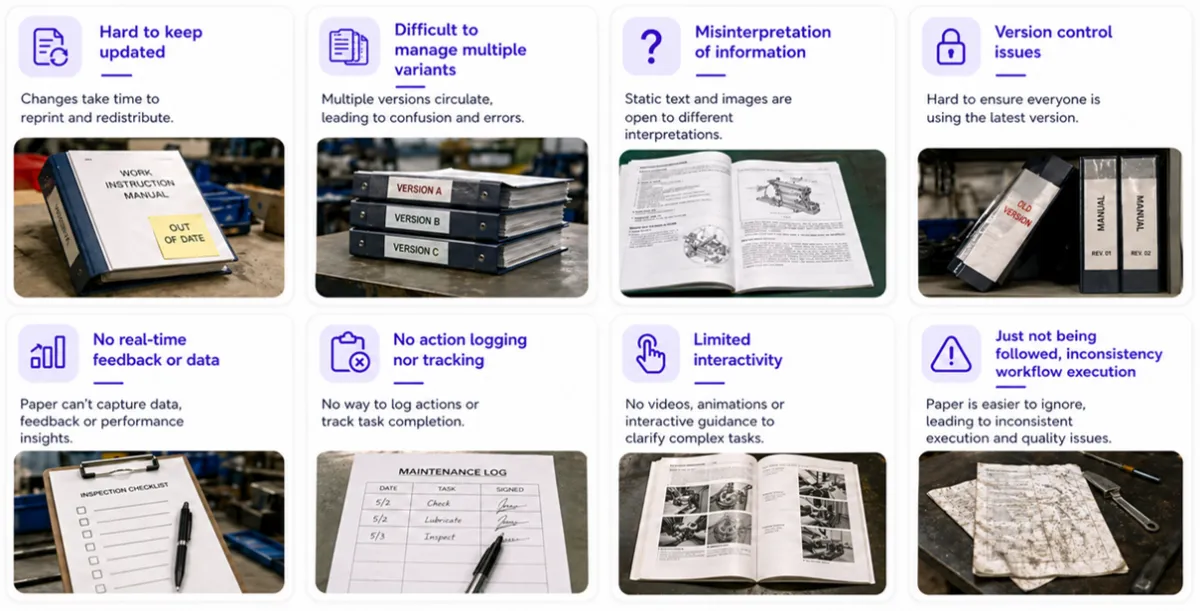
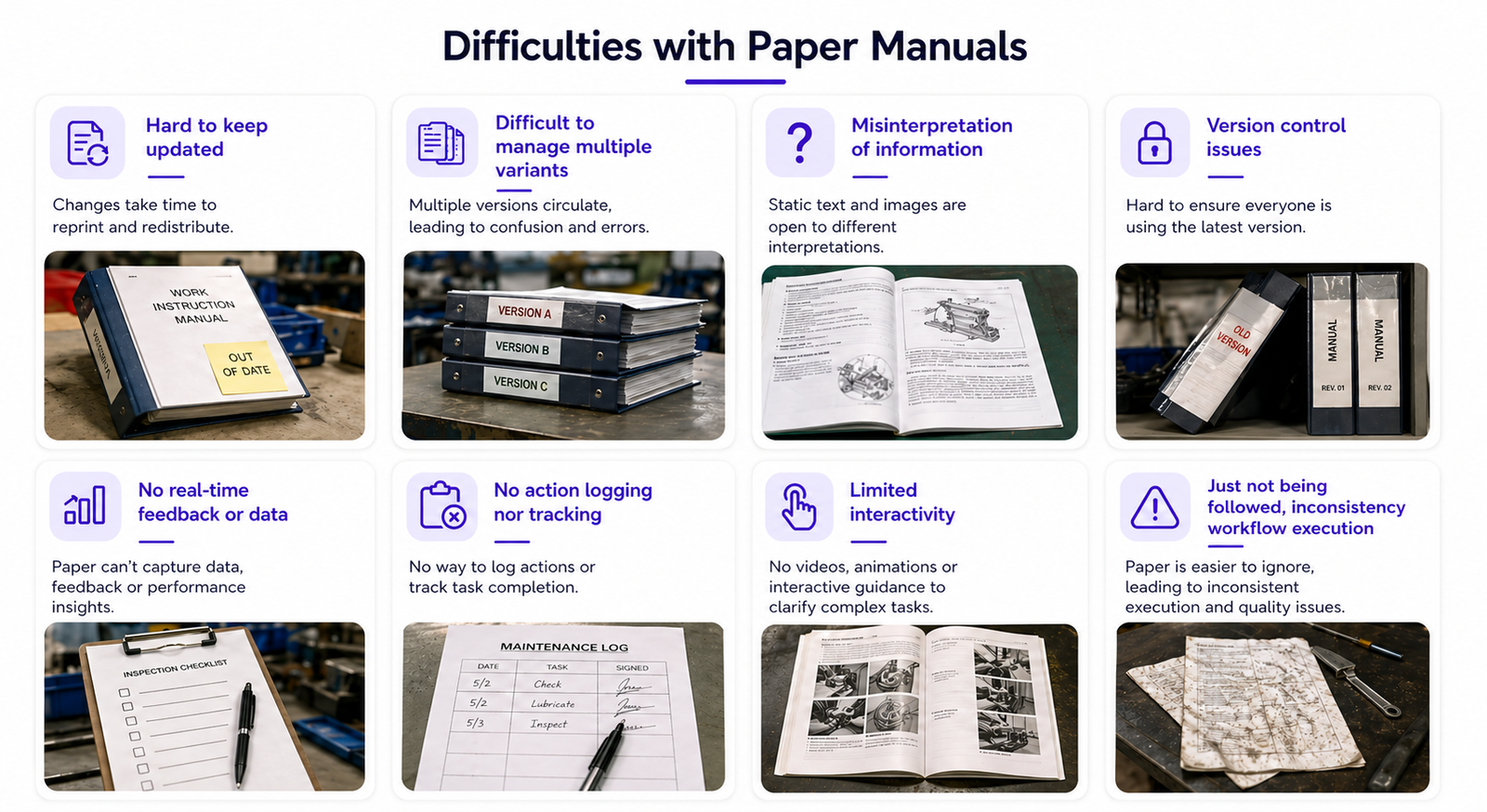
Across the manufacturing industry, many companies still rely on paper-based manufacturing work instructions or static PDFs displayed at the workstation. This is especially true in labor-intensive environments.
Typical situation:
With increasing product complexity and a growing skills gap, this approach becomes risky. Quality depends too much on operator experience, making consistent execution difficult.
That’s where digital work instructions and modern work instruction software come in.
Moving to digital work instructions enables:
Below are three proven use cases used by leading manufacturers.

Goal: Handle multiple variants and improve traceability
Typical industries: Electronics, Tier 1 automotive (less critical processes)
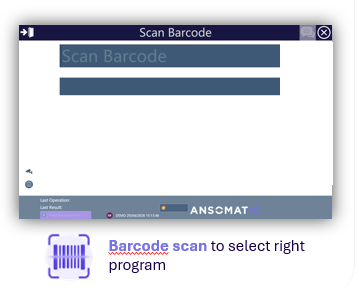
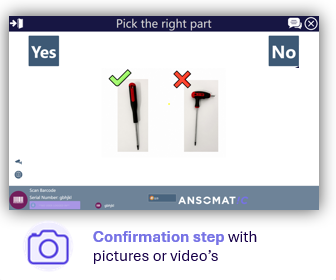
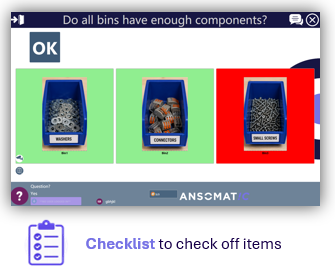
A simple but powerful workflow:
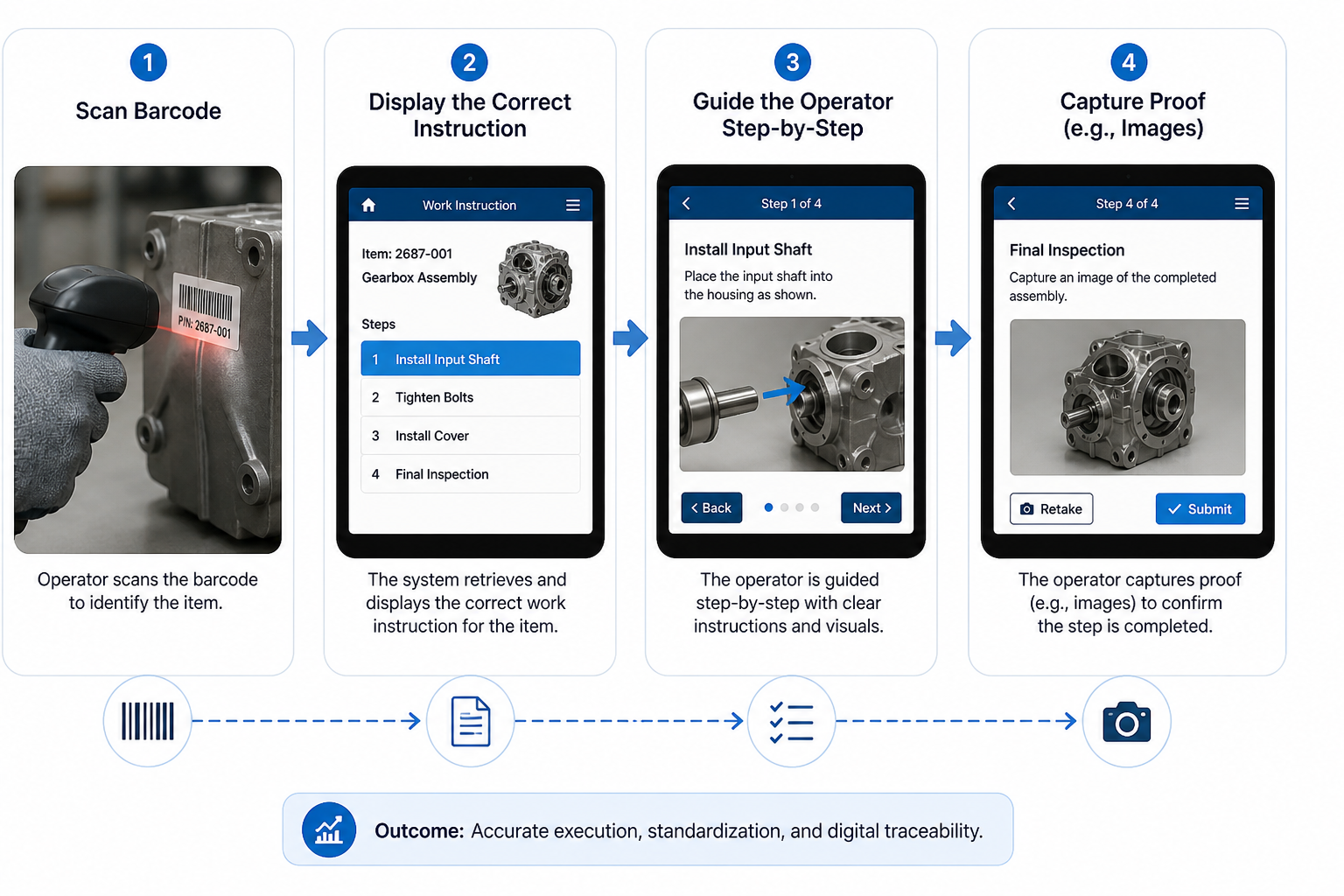
Barcode scanning
Validation through questions & checklists
Hands-free operation
Image capture
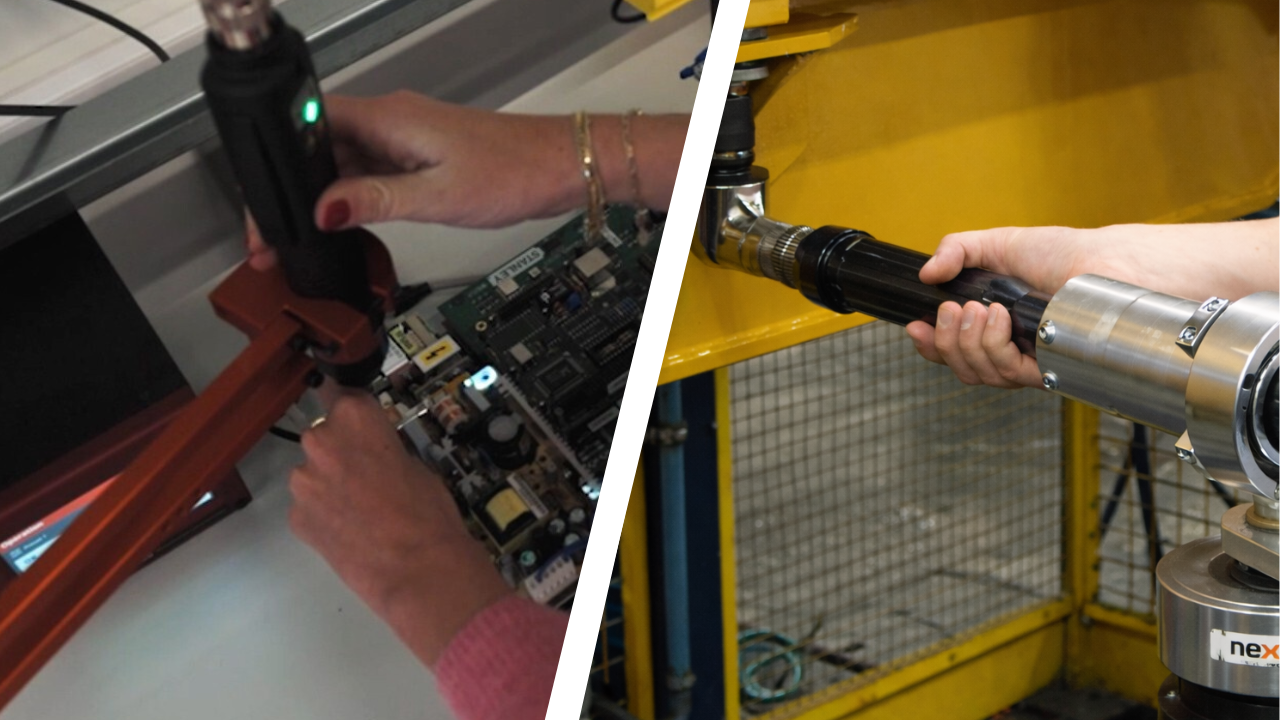
Goal: Ensure correct tightening for critical bolts through the use of digital torque wrenches, electric screwdrivers and nutrunners
Typical industries: Automotive, heavy vehicles, aerospace
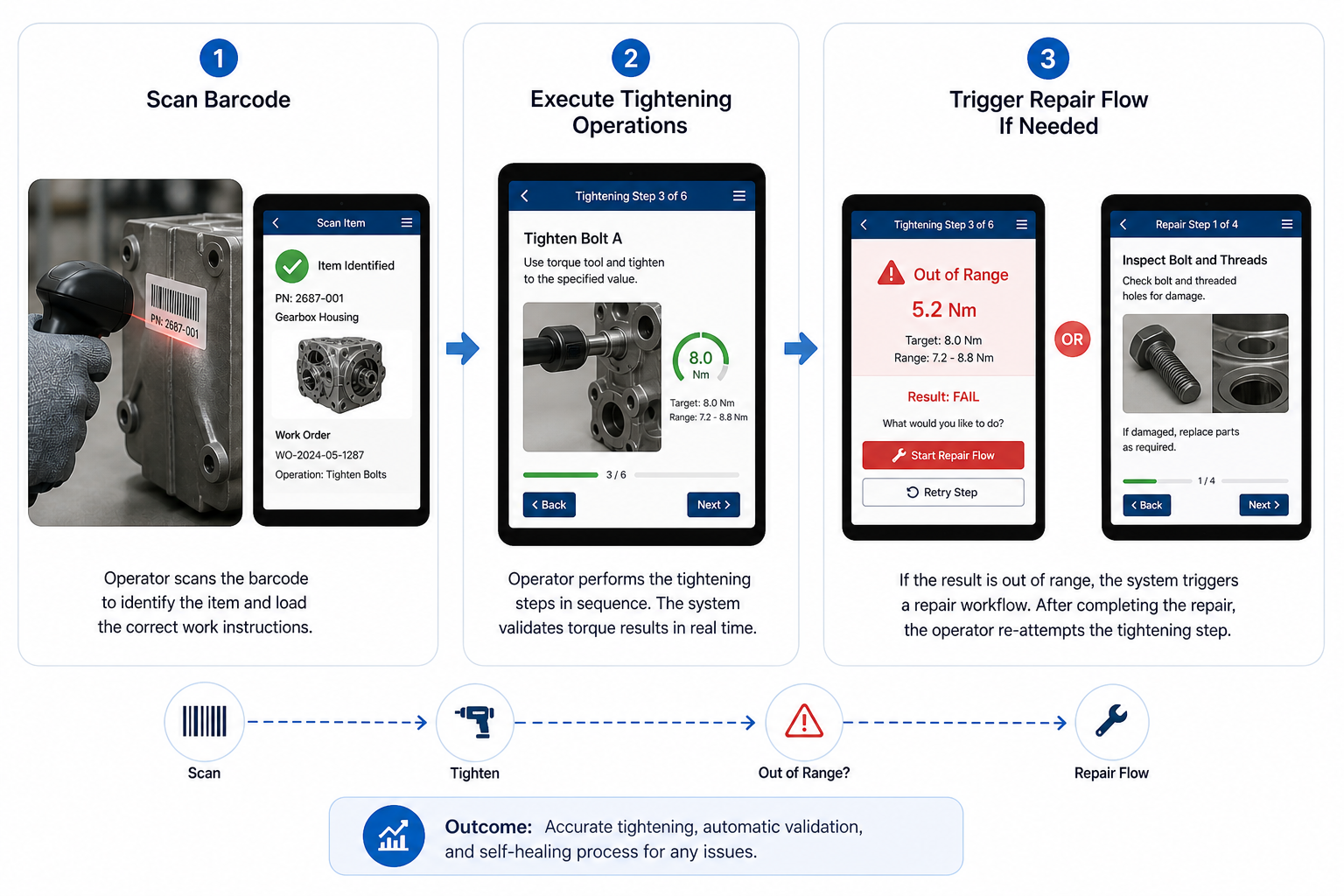
Traceability
Smart tool integration
Goal: Maximum standardization and in-line quality control
Typical industries: Aerospace, advanced manufacturing, high-value assembly
Guided assembly
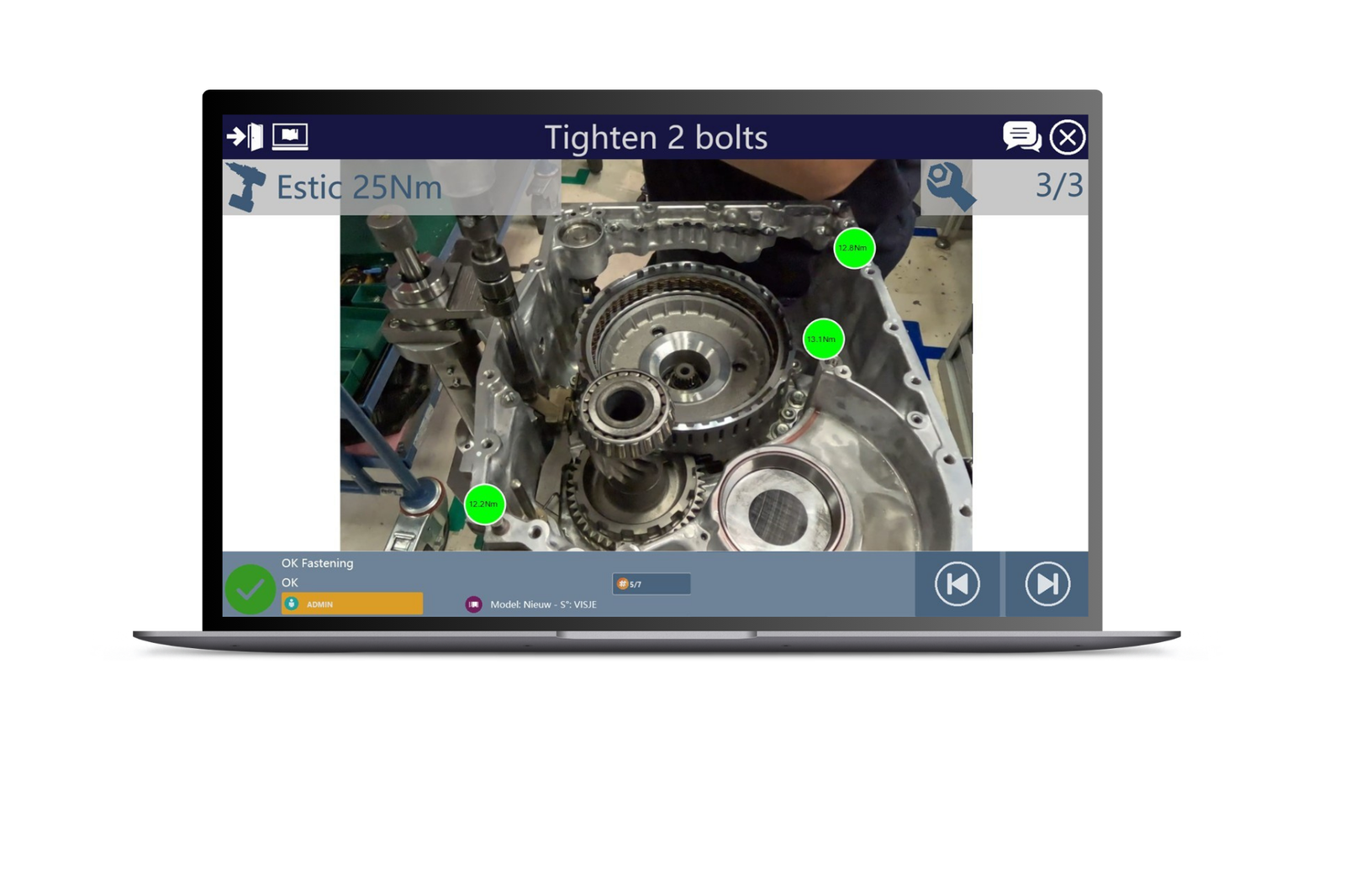
Error handling (repair flow)
Goal: Maximum standardization and in-line quality control
Typical industries: Aerospace, advanced manufacturing, high-value assembly
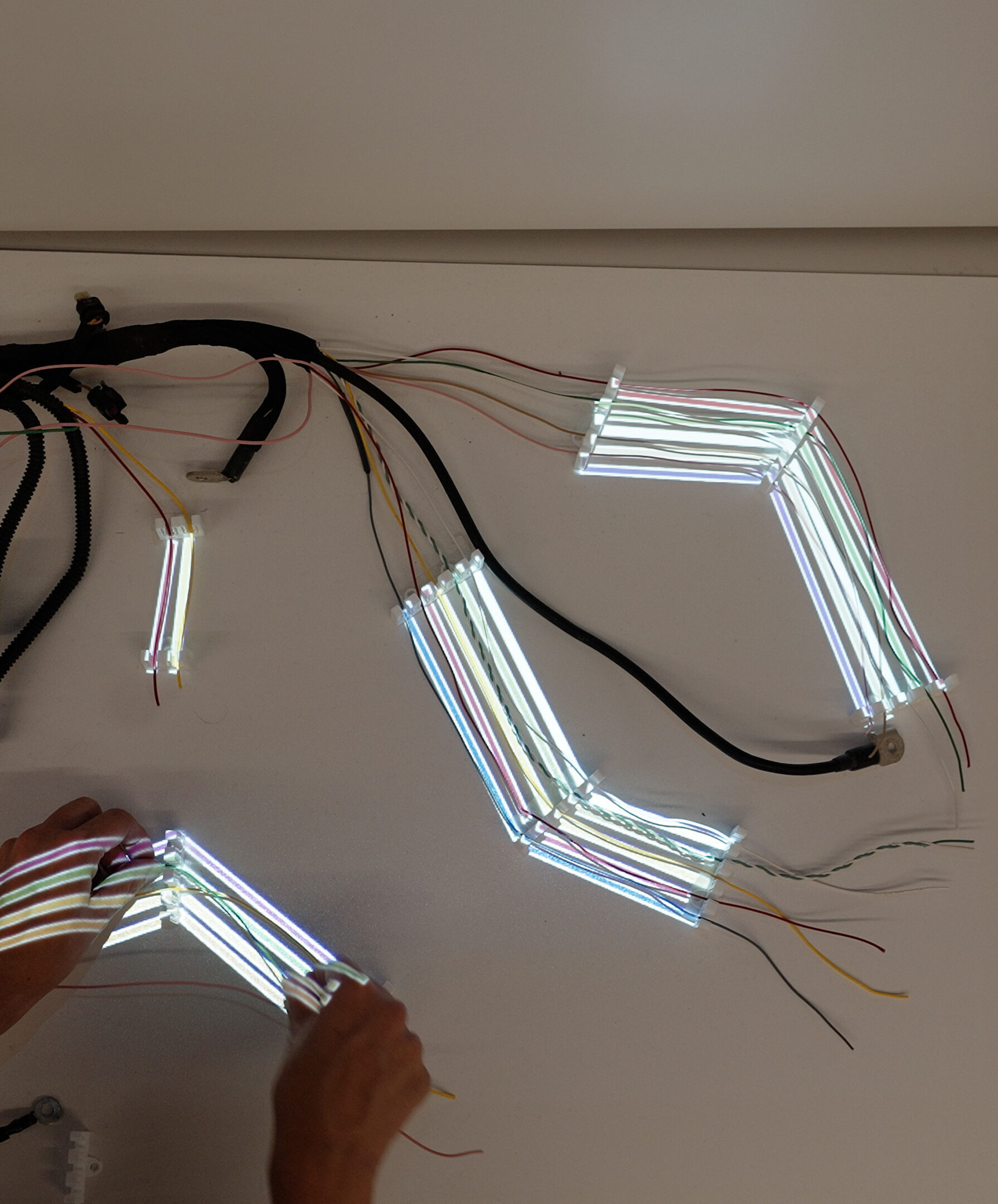
Advanced visual guidance
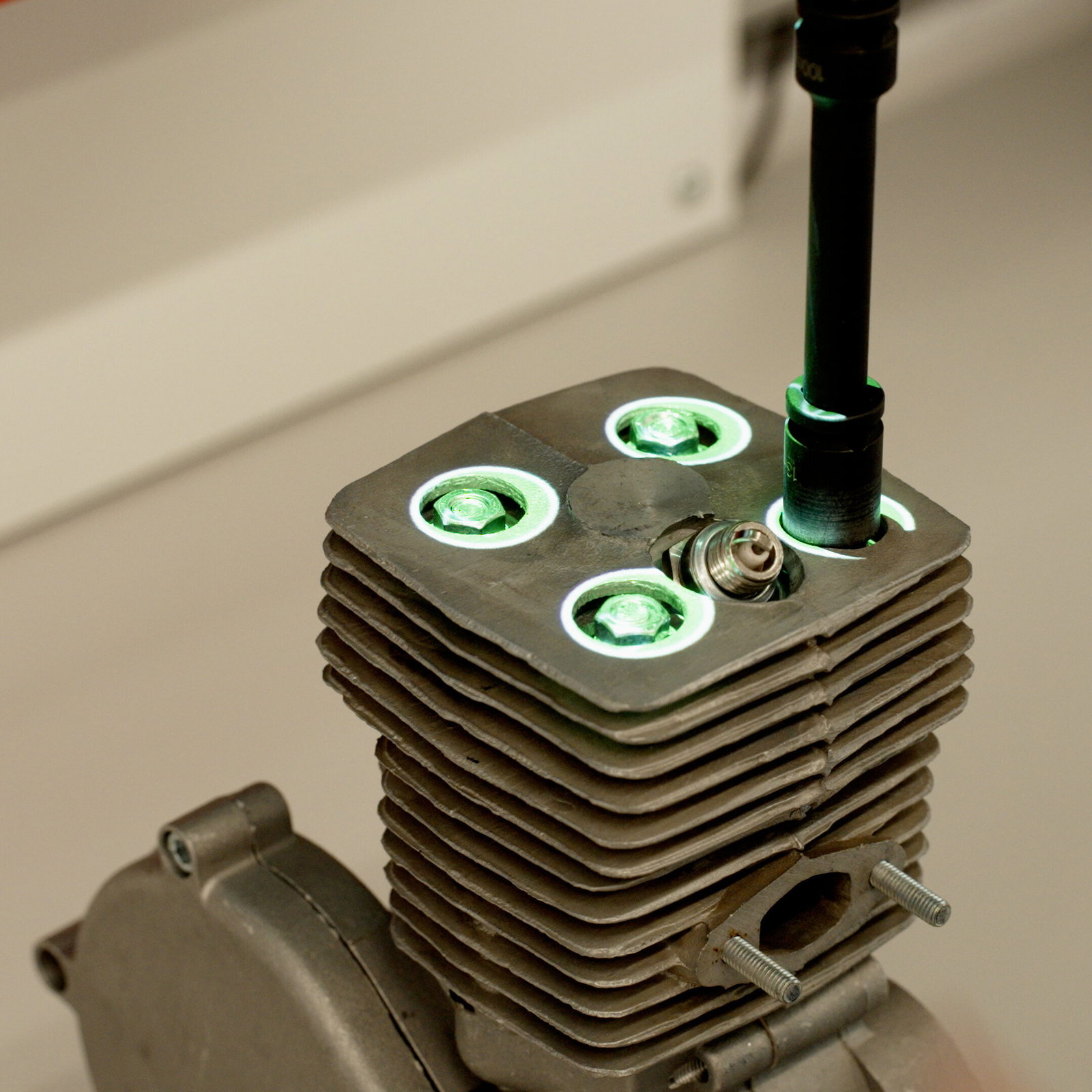
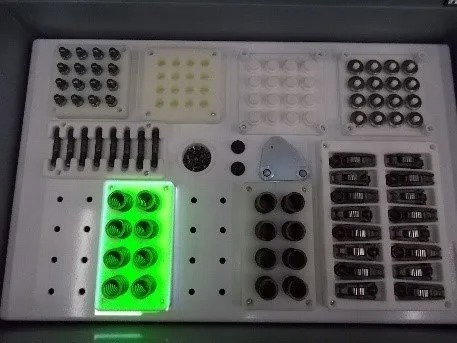
Machine vision verification
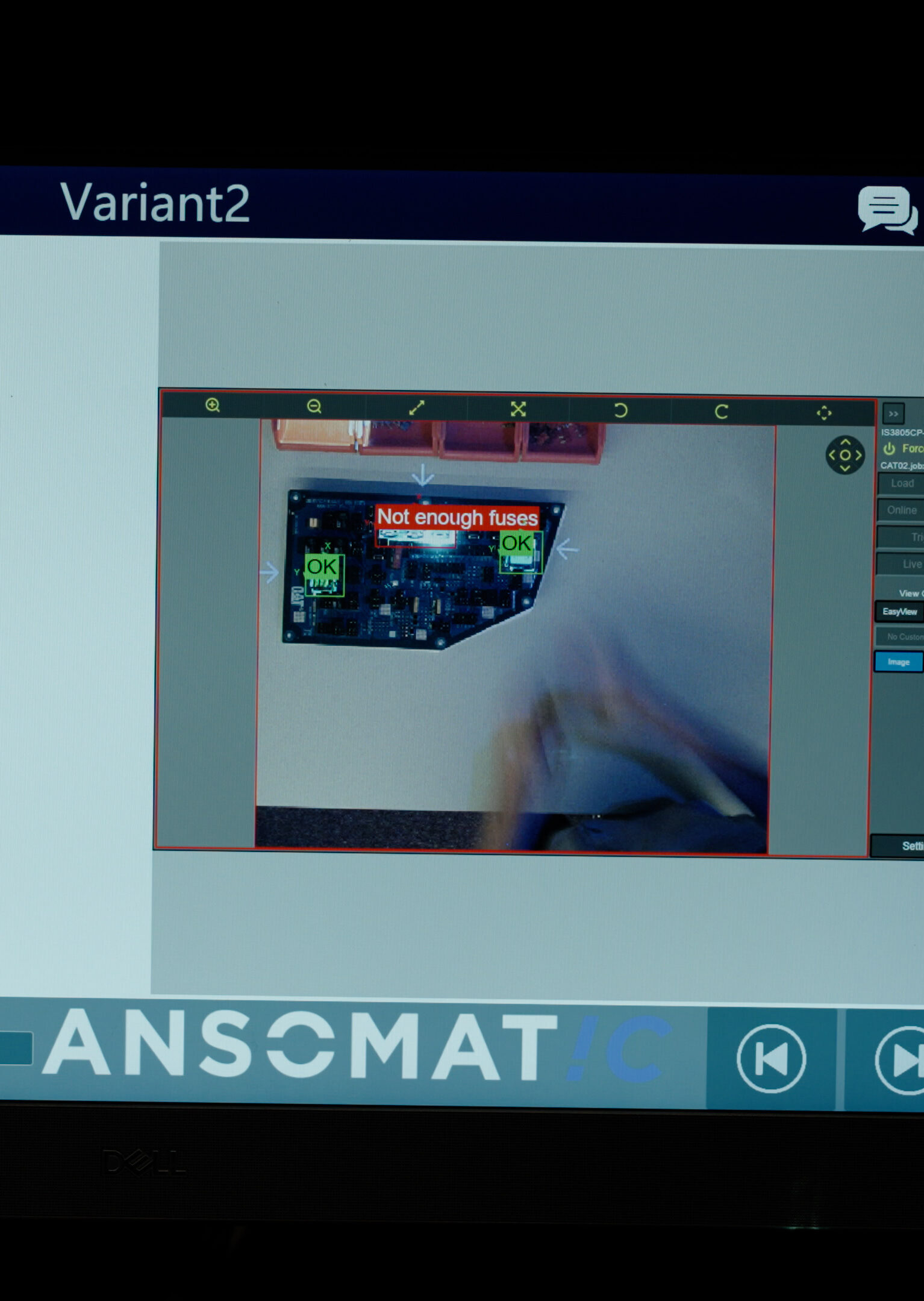
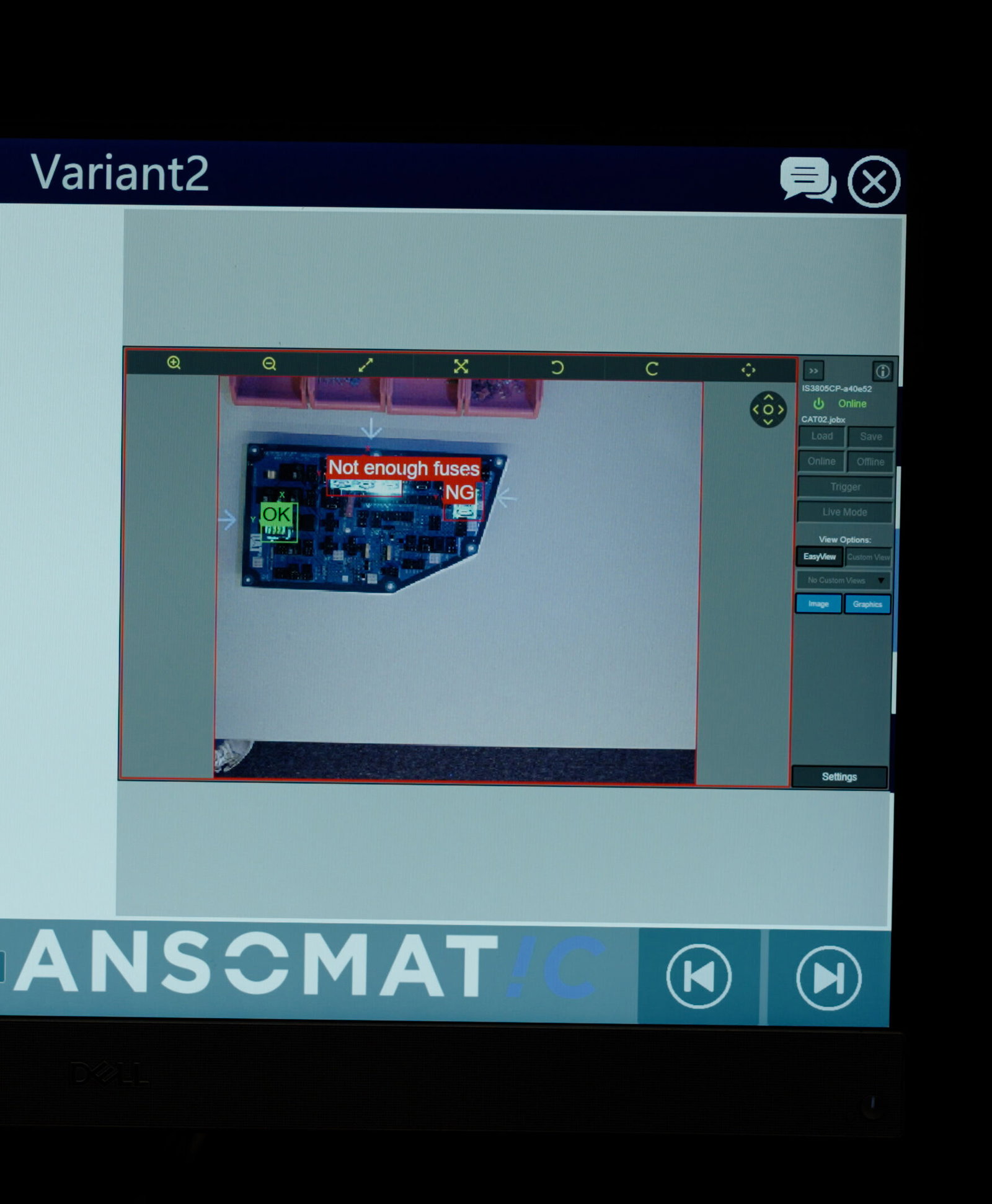
Reduced operator dependency
A Tier-1 automotive manufacturer producing highly customized leather interiors digitized its batching process using work instruction software to eliminate missing components. By replacing paper-based kitting with MES-driven workflows, visual checklists, and real-time part verification, every batch is validated before moving downstream. The impact was measurable: up to 70% less rework and 22% faster setup times, alongside full traceability and zero incomplete batches reaching production.
Read the full case study:
https://ansomat.co/references/complex-batching-for-seat-leather-unsure-no-parts-get-missing
A Tier-1 OEM, Toyota Motors Europe, digitized its hydrogen fuel cell assembly using advanced operator guidance and smart tightening tools to ensure every fastening met strict torque and safety requirements. By combining visual work instructions, tool position control, and real-time torque verification, each step is validated before progression. The result: 100% built-in quality, full traceability, and consistent compliance in a safety-critical production environment.
Read the full case study:
https://ansomat.co/references/toyota-motors-europe-relies-on-ansomatic-for-their-hydrogen-fuel-cell-production
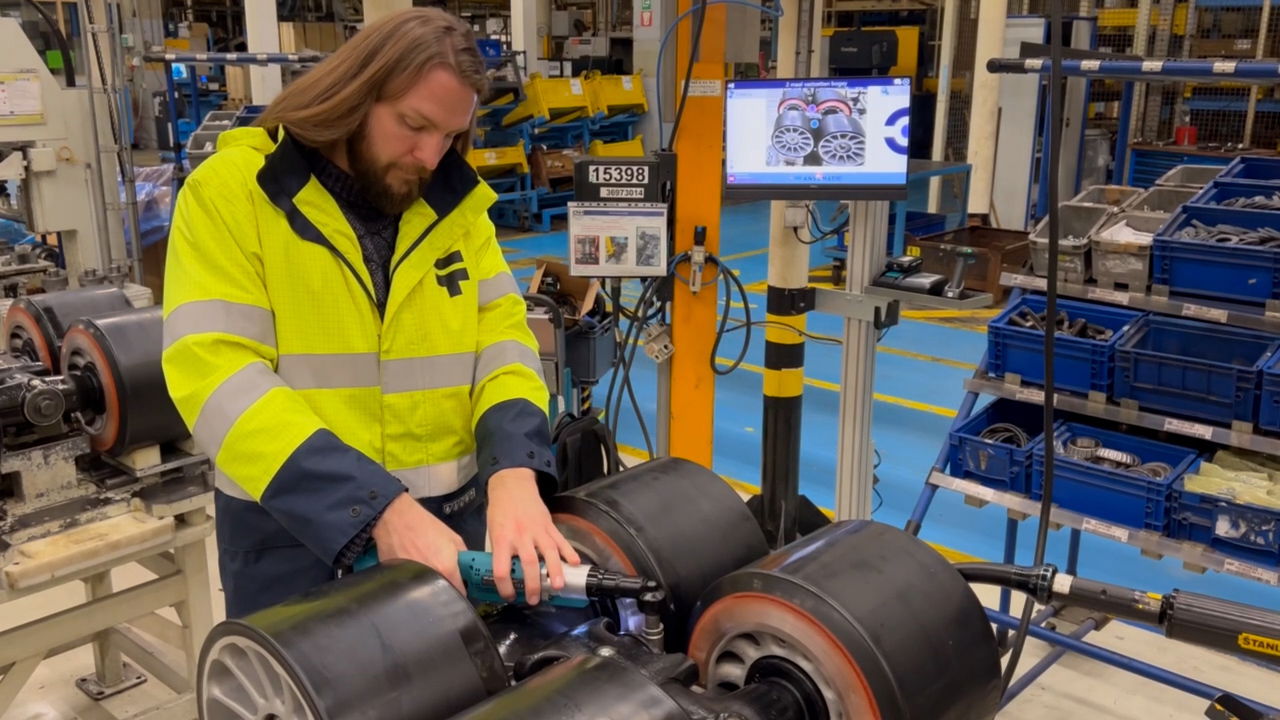
In wheel assembly operations, CNH Industrial implemented digital work instructions combined with synchronized tightening tools to eliminate fastening errors across variants. Guided workflows ensure operators follow the correct sequence, while integrated tool feedback verifies torque in real time before allowing the next step. The outcome: zero missed tightenings, improved process consistency, and complete traceability across the assembly line.
Read the full case study:
https://ansomat.co/references/cnh-process-control-wheel-assembly-suspended-track
In advanced aerospace manufacturing, Spirit AeroSystems implemented augmented reality (AR) alongside digital work instructions to guide operators through highly complex wing assembly processes. By overlaying step-by-step visual guidance directly onto physical components and validating each action in real time, the system reduces ambiguity and ensures precise execution. The result is a next-generation production environment with higher assembly accuracy, reduced variability, and improved operator performance in critical build stages.
Read the full case study:
https://ansomat.co/references/spirit-aerosystems-uses-ansomatic-for-complex-wing-assembly-to-create-next-generation-assembly-environment
In hydrogen system manufacturing, ITM Power digitized its manual assembly processes using guided workflows and digital work instructions to reduce operator-dependent risks. Each step is validated through real-time checks and standardized instructions, ensuring consistent execution across builds. The impact was significant: 99% first-time-right assembly, fewer manual errors, and a substantial improvement in overall product quality and process reliability.
Read the full case study:
https://ansomat.co/references/itm-power-from-manual-assembly-risk-to-99-first-time-right
Across all industries and use cases, a few patterns stand out:
You don’t need AR on day one. Many manufacturers begin with:
Once every action is linked to a serial number, everything improves:
Digital systems:
Instead of inspecting at the end:
As needs grow:
Moving from paper to digital work instructions isn’t just a technology upgrade, it’s a shift in how manufacturing quality is controlled.
Most manufacturers are still on paper. The leaders aren’t necessarily the ones with the most advanced tech, they’re the ones who started the transition early and kept building.
If you’re still using paper today, you’re not behind. But the gap between paper and digital is growing, and closing it starts with the first step.

