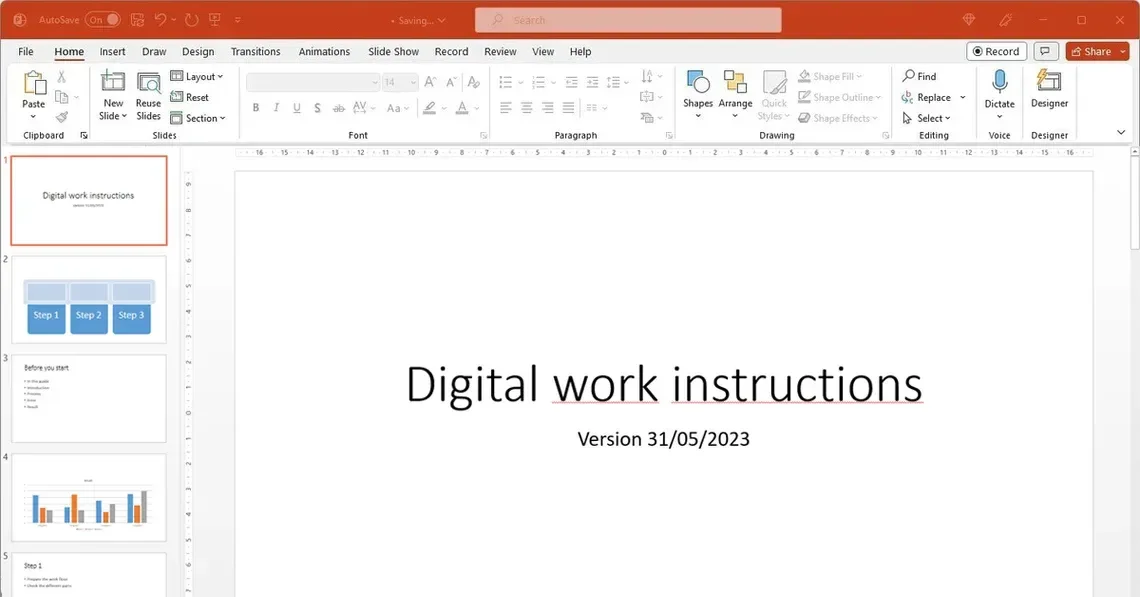
Here are several reasons why PowerPoint is a popular choice for creating standard work instructions:
But the real question is, if PowerPoint actually is the right tool for digital work instructions in a production environment? Let us have a look at the pros and cons before jumping to conclusions.
To be fair, PowerPoint does offer a few advantages when creating basic work instructions:
These benefits make it an interesting starting point, especially for small teams or quick one time instructions.


Training new employees can be very time-consuming and sometimes handled unstructured. With digital instructions, standard knowledge becomes easy to access and easy to follow. What is the result? There is a 40% faster onboarding speed for new staff, even if they have a job with high complexity.
Why is this critical: In industries with high staff turnover or seasonal peaks, this is a game-changer because companies can quickly integrate new staff.
Outdated slides
Poor mobile usability
No interactivity
Inconsistent design
Increased rework & scrap
Slower task execution
Missed quality checks
Operator confusion
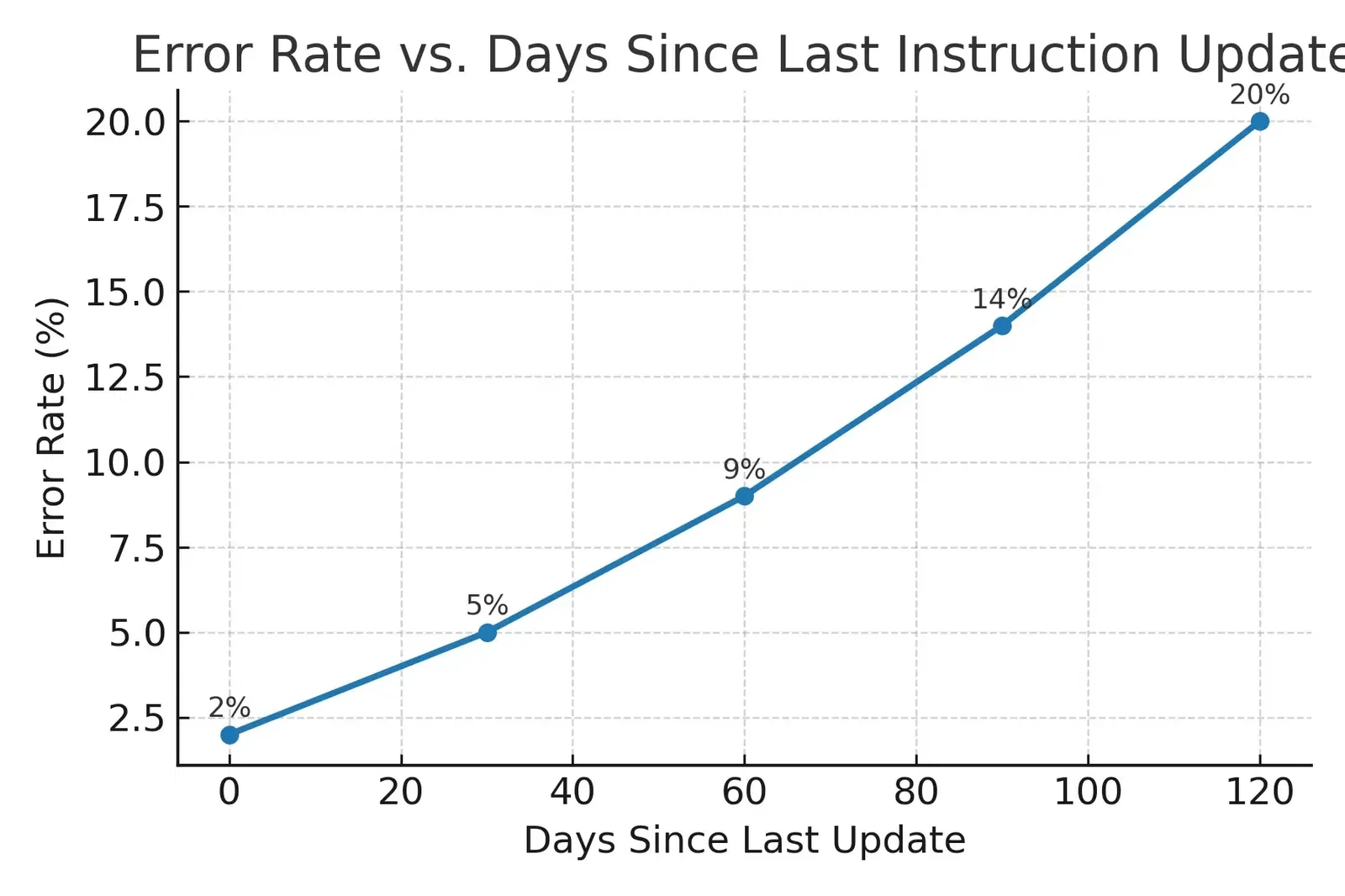
“Manufacturers using outdated or unclear work instructions result in 20% or more more production errors.” — LNS Research
LNS Research is a group that studies how factories can work better. One of the things they look at is how “connected workers” which means workers who have the right digital tools and up-to-date information, can execute their jobs faster and with fewer mistakes.
Their studies show a big difference between companies that keep their work instructions current and easy to use, and those that rely on outdated, unclear documents. Companies with well-designed digital instructions often see better results like:
LNS also found that “leaders” meaning the top-performing companies are much more likely to invest in digital work instruction systems. This is how it works : workers can see instructions on a tablet or phone. They can follow the manufacturing steps with pictures, videos and even augmented reality in manufacturing and can also give feedback right away. By using these work instructions companies avoid the confusion that comes from using the old PowerPoint slides or the printed manuals.
The exact number (like “20% more errors”) is different depending on the factory, the message is clear and obvious. Outdated instructions cost the company time and money whilst creating a lot of problems. If workers don’t have the latest manual in front of them they will surely waste time and will often make mistakes. In some cases they may even create safety risks.
So if you want to improve the performance of a factory using clear, updated and easy-to-follow instructions is the easiest way to achieve this.
That’s why LNS Research recommends moving away from static tools like PowerPoint and switching to software designed specifically for real-time, digital work instructions.
If you need work instructions that are:
…then the use of dedicated work instructions software is the better choice here.
So, is PowerPoint a suitable environment to use for digital work instructions? Yes if it’s deployed for simple, temporary needs. Not if you want to create a scalable process that guarantees consistent quality and minimises the amount of errors made. Do you want to discover how the software of Ansomat can transform your work instructions from static slides to interactive, real-time guidance.