


Translating a lengthy manual into clear and easy-to-follow work instructions can feel overwhelming. Many process engineers find this task daunting at first. The reason is simple. The perceived workload seems enormous. However, with a smart and structured approach, it becomes much more manageable.
The amount of effort required often depends on how many quality control checks are included in the process. Fortunately, modern tools can simplify the task. There are now digital solutions that allow you to upload paper-based manuals and automatically generate clear, step-by-step instructions using artificial intelligence. The key is to understand your workflow and break it into logical, manageable parts.
Below are three common types of work instructions, ranging from basic to more advanced, and how they are applied in real production settings.


A digital checklist is one of the simplest yet most effective forms of work instruction. It provides a clear list of tasks or steps to verify or complete. This helps prevent errors, especially in processes involving many small or repetitive actions.
Checklists are also valuable for maintaining compliance with quality and safety standards. By confirming each action, teams ensure the process is followed correctly every time.
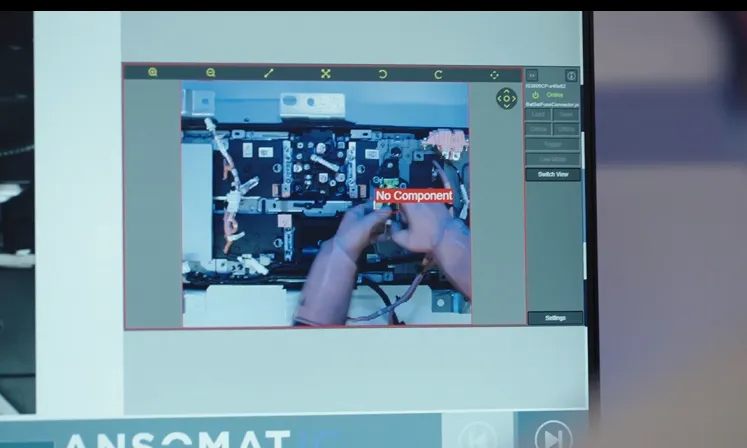
In more complex assembly tasks, especially where quality is critical and mistakes are costly, vision systems offer enhanced control. These systems use cameras to verify each step in the process in real time rather than relying solely on the operator.
This technique is popular in industries where even small errors can have big consequences. Operators follow their normal process, while a camera checks the accuracy of each action. The system is trained with images showing correct and incorrect results, allowing it to flag deviations instantly.
All captured images are saved in a database, which allows teams to trace any quality issues that arise. Operators can also see feedback in real time using screen mirroring, allowing them to correct mistakes on the spot.
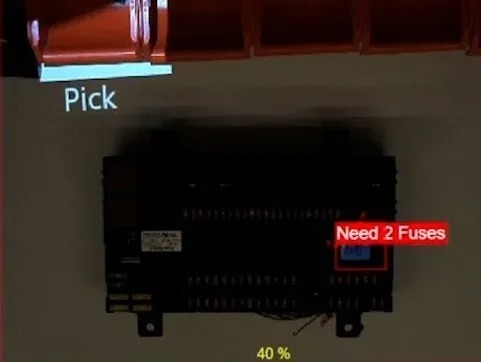
Augmented reality work instructions take things a step further by using projection technology to display instructions directly onto the work surface. This method reduces the need for screens and keeps the operator fully focused on the task.
AR systems guide operators through each step by showing exactly where to pick parts from and where to place them. This visual approach improves comprehension, speeds up learning, and minimizes errors.
Writing effective work instructions does not need to be an overwhelming job. By using modern tools and focusing on clarity and workflow structure, you can create powerful guides that improve productivity, accuracy, and quality. Whether through digital checklists, vision-based verification, or augmented reality systems, the goal is always the same: to support your operators in doing their jobs right the first time.