-
Operator Guidance

Ansomat Management System
- Schroefsystemen
- Oplossingen
- Industrie
- Referenties
- Boek een demo
- Gratis test

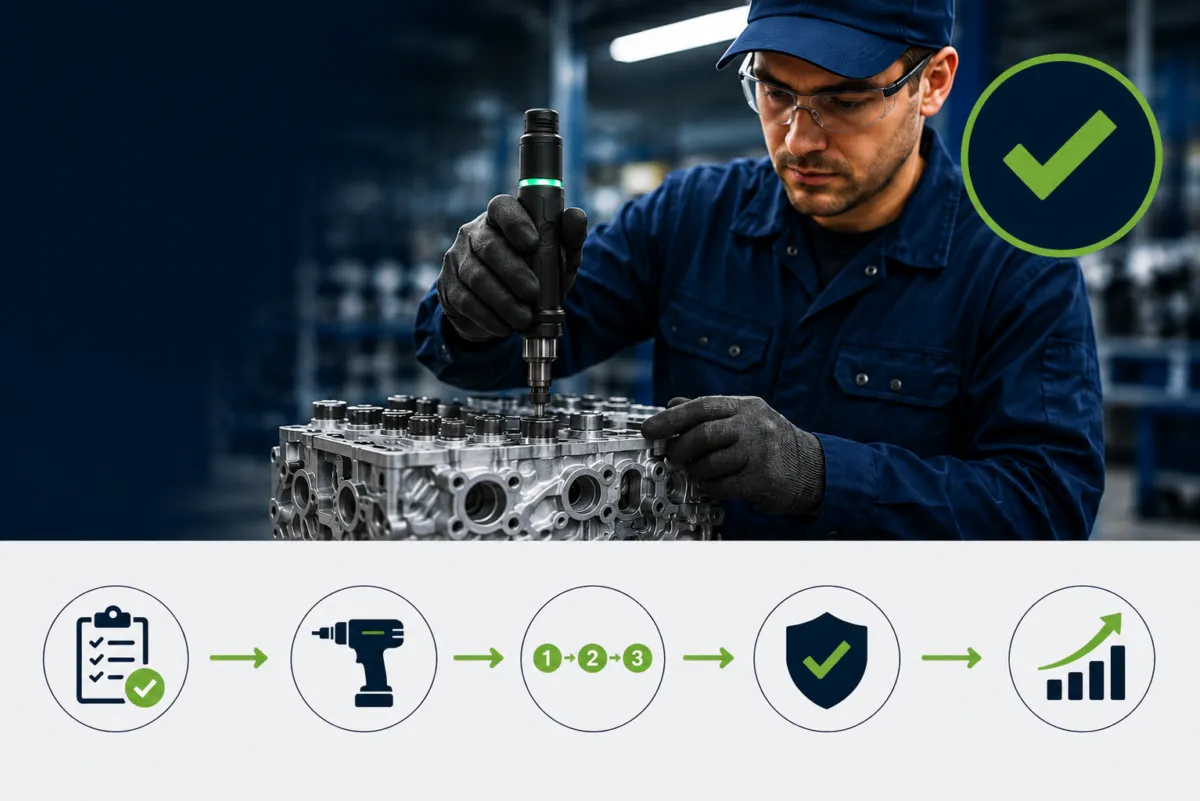
Modern assembly lines depend on much more than achieving the correct torque.
Industrial fastening tools increasingly need to communicate with Operator Guidance Systems, process control software and other production equipment. The production system may need to select the correct tightening program, enable a tool at the right assembly step, monitor torque and angle, receive the tightening result and prevent the operator from continuing when an operation fails.
This applies across a wide range of assembly tools, including an electric nutrunners, electric screwdrivers, digital torque wrenches, rivet tools, pulse tools and other intelligent electric torque tools.
The challenge is communication.
How can manufacturing software communicate consistently with tightening equipment from different manufacturers?
Open Protocol provides an established industry-standard interface for doing exactly that.
Originally developed by Atlas Copco, Open Protocol has become widely used for communication with tightening equipment on assembly lines. Atlas Copco describes it as a standard communication protocol between tightening controllers and external production systems and notes that it has developed into an industry standard for this purpose.
At Ansomat, Open Protocol is a standard integration within our Operator Guidance System. This allows compatible fastening tools to become part of the guided assembly workflow rather than operating as standalone equipment.
In this guide, we explain what Open Protocol is, how it works, which fastening tools can use it, and how manufacturers can combine Open Protocol with Operator Guidance, torque monitoring, torque angle control, tool positioning and production traceability.
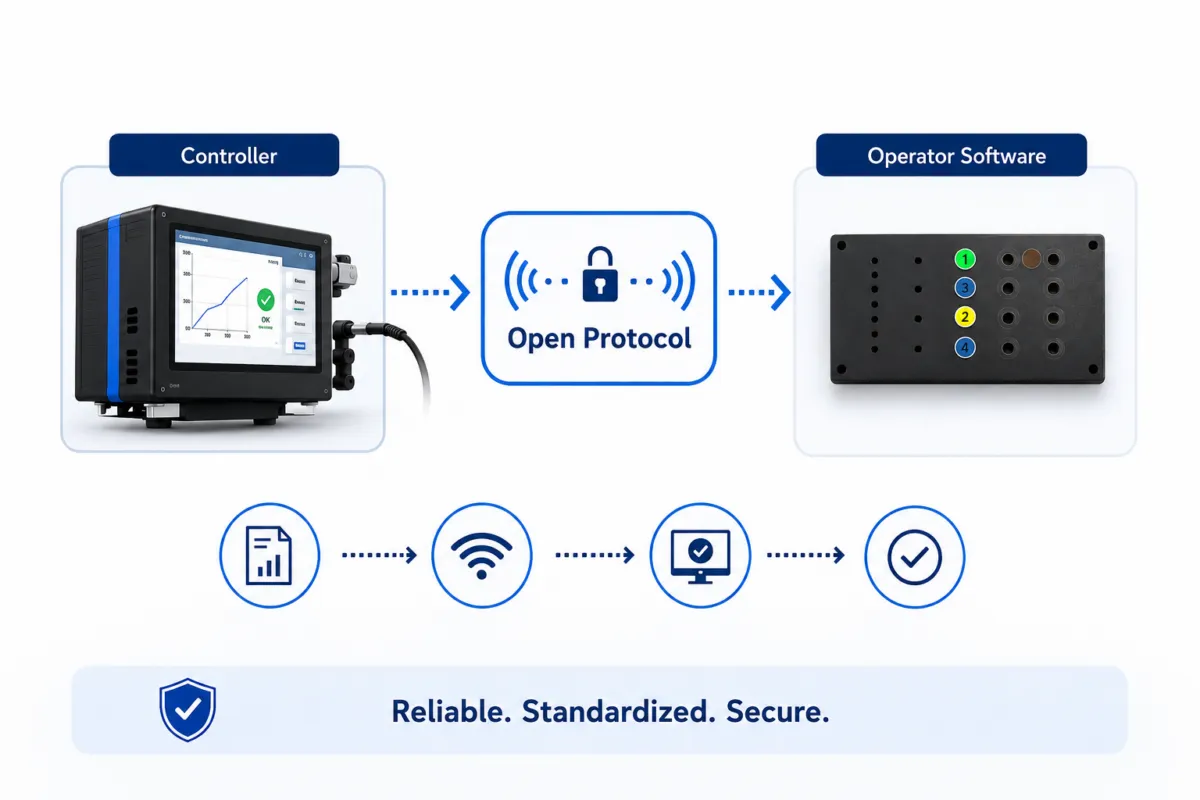
Open Protocol is a communication protocol for exchanging information between industrial tightening controllers and external production software.
In an Operator Guidance environment, it creates the communication layer between the assembly workflow and the fastening equipment.
| Operator Guidance can send | Tightening controller can return |
| Select tightening program / Pset | Tightening result |
| Enable or disable tool | OK / NOK status |
| Product identifiers | Torque result |
| Job or process information | Angle result |
| Control commands | Controller/tool status |
| Subscription requests | Tightening events and data |
This creates two-way communication:
Operator Guidance → Open Protocol → Tightening Controller → Fastening Tool
and:
Fastening Result → Open Protocol → Operator Guidance
The fastening tool therefore becomes part of the digital assembly process rather than operating as an isolated device.
Modern tightening systems can control and measure significantly more than torque.
| Fastening data | Purpose |
| Torque | Verify tightening force |
| Angle | Monitor fastener rotation |
| OK / NOK | Determine process result |
| Pset | Define tightening parameters |
| Tightening strategy | Control how the joint is tightened |
| Tool status | Determine tool availability |
| Identifiers | Connect results to products or operations |
The challenge is making this information available to the rest of the production system.
Without a common interface, Operator Guidance software may require a separate integration for every fastening-tool manufacturer.
Without standardization:
Operator Guidance → Vendor A interface → Tool A
Operator Guidance → Vendor B interface → Tool B
Operator Guidance → Vendor C interface → Tool C
With Open Protocol:
Operator Guidance → Open Protocol → Compatible tightening controllers
This reduces integration complexity and makes multi-vendor fastening architectures easier to manage.
Open Protocol is not limited to one type of fastening tool.
The protocol generally communicates with the tightening controller, which controls or communicates with the physical tool.
It can therefore be used with different categories of intelligent fastening equipment.
| Tool type | Typical application | Connected capabilities |
| Electric nutrunner | Critical bolted joints | Torque/angle control, Psets, traceability |
| Electric screwdriver | Production screwdriving | Program selection, torque monitoring, results |
| Torque-controlled electric screwdriver | Quality-critical lower-torque assembly | Closed-loop tightening and validation |
| Digital torque wrench | Manual fastening/verification | Digital results and process data, depending on system |
| Pulse tools | Fastening with reduced reaction forces | Depends on controller and connectivity |
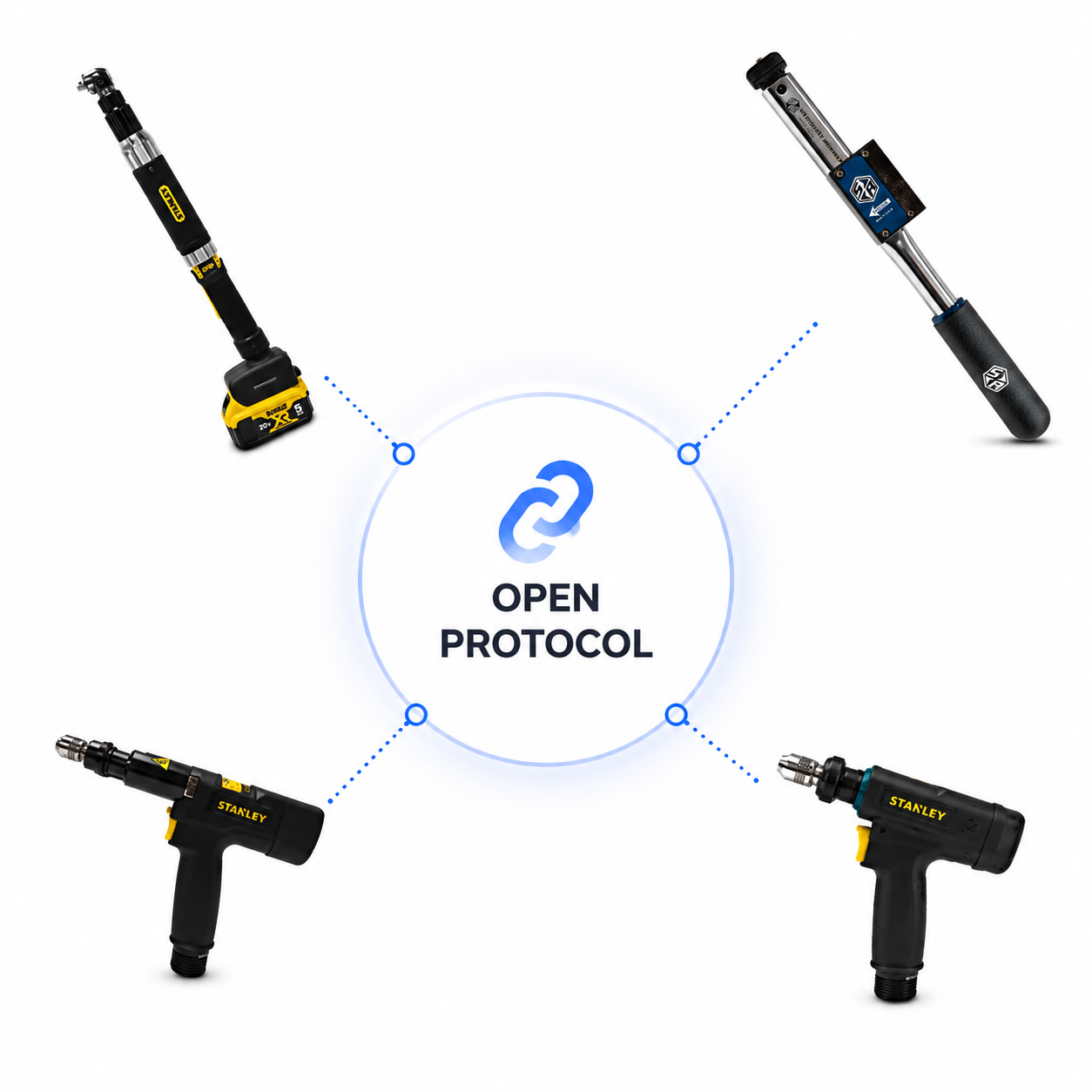
Open Protocol is also increasingly multi-vendor. Manufacturers such as Atlas Copco, STANLEY Assembly Technologies and ESTIC support Open Protocol in parts of their tightening portfolios.
This reflects a wider industry shift: fastening tools are becoming connected components of the digital assembly environment.
Suppliers that rely exclusively on proprietary communication interfaces can require additional engineering, testing and software maintenance. As factories become more connected, interoperability is increasingly an important criterion when selecting industrial fastening tools.
Manufacturers are no longer asking only:
“Does this tool provide the torque, accuracy and ergonomics we need?”
They are also asking:
“How easily can this tool integrate with our digital assembly architecture?”
Open Protocol exchanges structured messages between the Operator Guidance System and tightening controller.
A typical Ansomat architecture is:
↓
Open Protocol
↓
Tightening Controller
↓
Electric Torque Tool
The communication works in both directions:
| Step | System action |
| 1 | Operator Guidance identifies assembly operation |
| 2 | Open Protocol selects the required Pset |
| 3 | Tightening controller activates the program |
| 4 | Tool is enabled |
| 5 | Operator performs tightening |
| 6 | Controller evaluates torque/angle |
| 7 | Result returns through Open Protocol |
| 8 | Operator Guidance continues or stops the workflow |
This creates a closed digital loop between the work instruction and the physical fastening operation.
Two important Open Protocol concepts are MIDs and Psets.
| Term | Meaning | Function |
| MID | Message ID | Identifies the type of Open Protocol message |
| Pset | Parameter Set | Defines how a fastening operation should be performed |
Each Open Protocol message uses a four-digit Message ID.
Different MIDs are used for functions such as communication startup, Pset selection, tightening-result subscriptions, tightening results, identifiers and controller information.
Different MID revisions can support additional functionality, which is why compatibility should always be checked for each tightening controller.
A Pset contains the parameters required for a particular fastening operation.
These can include:
| Pset parameter | Example |
| Target torque | Required tightening torque |
| Target angle | Required rotation |
| Torque limits | Minimum / maximum |
| Angle limits | Minimum / maximum |
| Speed | Tightening speed |
| Strategy | Torque, angle or combined strategy |
| Monitoring | Quality-control parameters |
A product can require different Psets for different joints.
| Assembly step | Tool | Program |
| Step 10 | Electric screwdriver | Pset 12 |
| Step 11 | Electric screwdriver | Pset 12 |
| Step 12 | Electric nutrunner | Pset 24 |
| Step 13 | Electric nutrunner | Pset 31 |
Operator Guidance can automatically select the correct Pset through Open Protocol, eliminating the need for the operator to manually choose the program.
This is where Open Protocol becomes especially valuable.
Traditional digital work instructions tell the operator what to do.
A connected Operator Guidance System can also coordinate the equipment required to perform the operation.
| Operator Guidance | Open Protocol | Tightening system |
| Shows correct fastener | Selects Pset | Loads tightening parameters |
| Starts fastening step | Enables tool | Makes tool available |
| Waits for result | Receives result | Measures torque/angle |
| Evaluates result | Returns OK/NOK | Validates tightening |
| Shows next step | — | — |
For example:
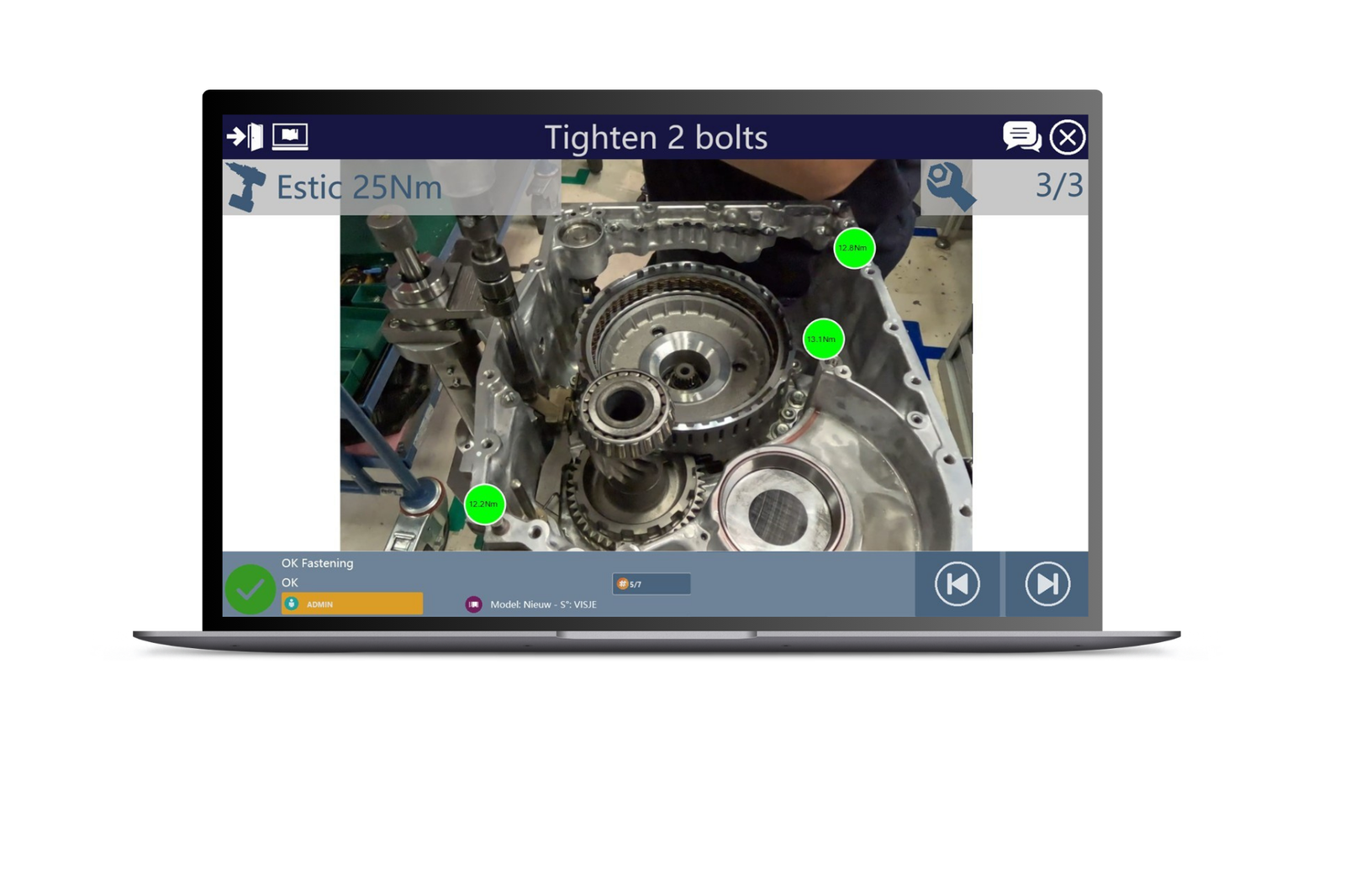
Step 12 — Tighten Bolt A
Operator Guidance automatically selects the correct Pset and enables the tool.
If the result is:
✓ OK → continue to Bolt B
If the result is:
✕ NOK → stop, retry or start rework
The digital work instruction therefore becomes an interactive production workflow.
Open Protocol is a standard integration within the Ansomat Operator Guidance System.
Operator Guidance acts as workstation-level process control software, coordinating what the operator sees with what the connected assembly tools need to do.
| Process step | Ansomat Operator Guidance action |
| Identify product | Load correct workflow and variant |
| Guide operator | Show or project fastening position |
| Configure tool | Select Pset through Open Protocol |
| Control process | Enable required fastening tool |
| Perform operation | Operator completes tightening |
| Validate | Receive torque/angle result |
| React | Continue, retry or initiate rework |
| Trace | Store or forward fastening result |
This creates a controlled relationship between instruction, tool and result.
Open Protocol also allows tightening information to become part of the product's production record.
| Traceability field | Example |
| Product | Battery BAT-10482 |
| Assembly operation | Module installation |
| Fastening position | B17 |
| Tool | Electric nutrunner |
| Program | Pset 24 |
| Torque | Recorded result |
| Angle | Recorded result |
| Status | OK |
| Timestamp | Production timestamp |
This is particularly valuable in automotive, aerospace, battery manufacturing and other industries where critical fastening operations must be documented.
Open Protocol is not the only way to connect tightening equipment. These technologies can also work together.
| Technology | Best suited to | Main limitation / difference |
|---|---|---|
| Digital I/O | Simple enable and OK/NOK signals | Limited process data |
| Fieldbus | PLC and machine control | Focused on industrial automation and real-time control |
| Open Protocol | Tightening program control and fastening results | Specific to compatible tightening controllers |
| MQTT | Lightweight data exchange, IIoT and cloud connectivity | Not specifically designed for tightening-tool control |
| OPC UA | Factory-wide interoperability and structured industrial data | Broader than fastening-specific communication |
| Proprietary API | Vendor-specific functions | Greater dependency on individual tool manufacturers |
A typical architecture might be:
ERP / MES
↓
OPC UA / APIs
↓
Operator Guidance
↓
Open Protocol
↓
Tightening Controller
↓
Assembly Tool
The MES provides production context, while Operator Guidance manages execution at the workstation.
Consider an EV battery pack requiring a critical fastening at position B17.
| Step | Action |
| Product identified | Battery BAT-10482 |
| Workflow loaded | Correct battery variant |
| Position shown | Bolt B17 |
| Tool position verified | Electric nutrunner at B17 |
| Program selected | Pset 24 |
| Tool enabled | Tightening allowed |
| Fastening performed | Torque/angle controlled |
| Result received | Torque OK, Angle OK, Torque and angle data |
| Traceability stored | BAT-10482 → B17 → Pset 24 → OK |
| Next step | Bolt B18 |
The operator does not need to manually change programs or record tightening results.
| Benefit | Manufacturing impact |
| Vendor flexibility | Easier integration of different fastening brands |
| Automatic configuration | Correct Pset selected automatically |
| Process control | Tool follows the assembly workflow |
| Torque monitoring | Results captured digitally |
| Torque angle integration | Advanced tightening strategies supported |
| Error proofing | Tool, position and result can be validated |
| Traceability | Fastening data linked to individual products |
| Reduced operator decisions | Less reliance on memory |
| Scalability | Common architecture across stations and plants |
Open Protocol provides an established interface for connecting intelligent fastening equipment with Operator Guidance and process control software.
Whether a workstation uses an electric nutrunner, electric screwdriver, digital torque wrench, electronic torque wrench, torque-controlled electric screwdriver or other electric torque tools, the objective is increasingly the same:
Select the correct program → guide the operator → control the tool → monitor torque and angle → validate the result → record the operation → continue production.
Within the Ansomat Operator Guidance System, Open Protocol connects compatible tightening equipment directly to the assembly workflow.
Combined with torque monitoring, torque angle control, tool positioning, projection AR and traceability, it creates a closed-loop fastening process:
Guide → Position → Configure → Tighten → Validate → Record → Continue
Instead of operating as standalone assembly tools, connected fastening tools become integrated components of the digital production process.
Want to see how your tightening tools can integrate with Ansomat Operator Guidance?